Basic Operations
2-Colour Printing with 1 Original [Easy 2Colour]
50
Tip:
About the Specified Area, Separation Sheet
Use the recommended pen to create the area to be specified. If you specify the area with a non-recommended pen,
separation may not properly occur.
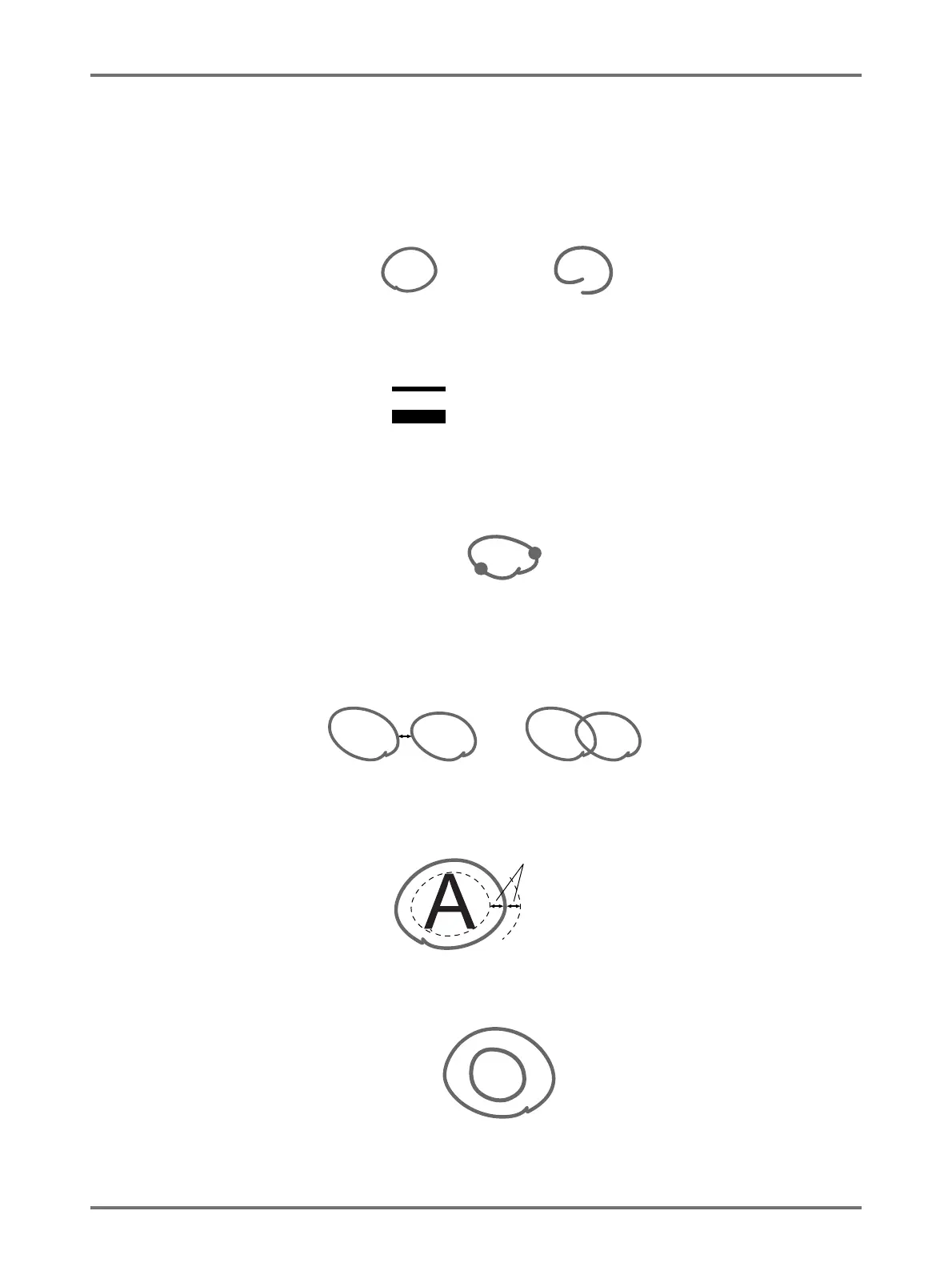
• Make sure to properly connect the edges of the area you draw with the pen. If the edges are not connected, the
specified area may not be recognized.
• The line width of the specified area should be between 1 mm to 3 mm (2.25 to 4.5 points). Lines less than 1 mm
or wider than 3 mm will not be recognized as a specified area.
• Areas that are 10 mm × 10 mm or less will not be recognized as a specified area.
• If the area specified by the pen exceeds A3 size, it will not be recognized.
• Do not create dark points on the pen line.
• Up to 20 pen areas can be created on one original. An error will occur if you select more than 20 areas.
• Do not overlap the pen areas. If the edges touch, the specified area may not be recognized.
Leave 3 mm or more of space between pen-enclosed areas.
• Make sure the pen line is approximately 3 mm away from text or an image of the original. Sections within 3 mm of
the pen line will be lost.
• Do not enclose an area within an area. If you do so, the inner pen area will not be recognized.
• Specified areas outside of the scanned area (size of the print paper being used) will not be separated.
Valid
Invalid
1 mm (2.25 pt)
3 mm (4.5 pt)
Invalid
Valid
3 mm
Invalid
3 mm
Invalid



 To Next Page