Basic Operations
Printing with 1-Colour
61
7
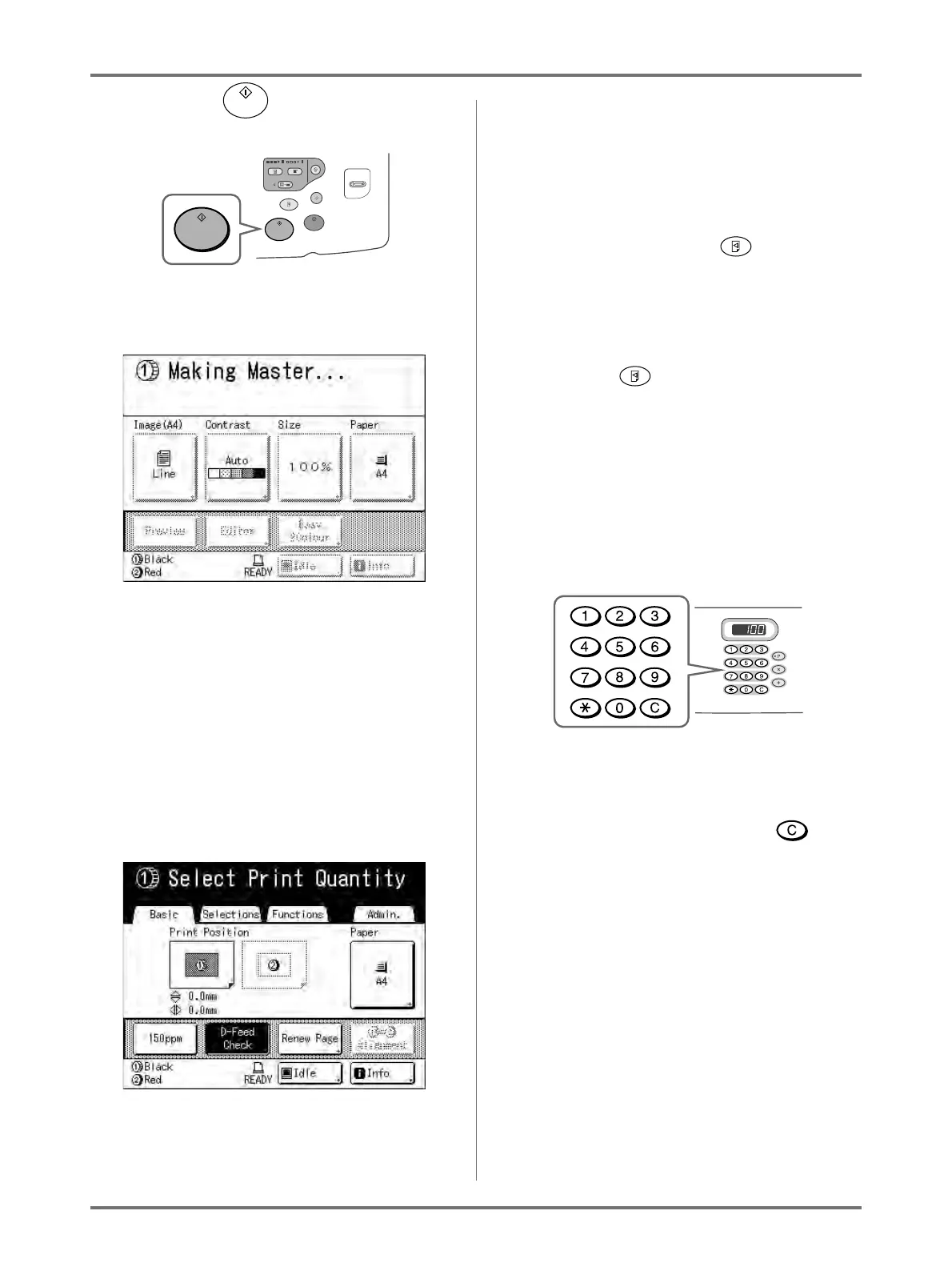
Press the key.
The original is scanned, separated, and a master
made.
Tip:
Auto Idling
Wait for a moment if “Idling” is displayed. Once
idling has stopped, making of the master begins.
Factory default is set to idle automatically at the
beginning of the master-making when the
machine is inactive for over 12 hours.
)p.160
When a master is made, a proof copy will be
printed.
When a proof copy is printed, the Print Basic
Screen appears.
8
Check the proof copy result.
Check the proof copy; e.g., print position and den-
sity.
If necessary, change print position and density.
• Print Position ()p.115)
• Print Density ()p.114)
After adjustment, press the key to print a
proof copy.
Important!:
• When the machine has not been used for a long
period of time, the print quality may suffer due
to dry ink on the Print Drum.
Press the key to print proof copies sev-
eral times.
Note:
• You can also adjust the print position, the den-
sity, and the speed while print process is in
progress.
9
Enter the number of copies using the
Print Quantity Keys.
The specified number is displayed on the Print
Quantity Display.
Note:
• To change the number, press the key,
then re-enter the correct number.



 To Next Page