EasyManua.ls Logo

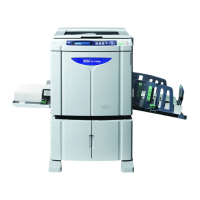
Riso SE 9480 - User Manual

Riso SE 9480
268 pages
Print Icon
To Next Page IconTo Next Page
Loading...

Table of Contents

Questions and Answers

  • L
    lancemaddenAug 11, 2025
    What to do if my Riso SE 9480 shows a Paper Jam Error?
    • L
      Lawrence MclaughlinAug 11, 2025
      If your Riso Disc Duplicator indicates a Paper Jam Error, carefully remove the jammed original document or printing paper from the device.
  • J
    Jason MccarthyAug 17, 2025
    What to do if my Riso SE 9480 Disc Duplicator shows a Jam Error?
    • M
      Melinda WagnerAug 18, 2025
      If your Riso Disc Duplicator displays a Jam Error, the immediate action is to clear the jammed document or printing paper from the system.
  • J
    Jake KirkAug 23, 2025
    What to do if my Riso Disc Duplicator is showing a Consumable Error?
    • N
      Nicholas CampbellAug 25, 2025
      If your Riso Disc Duplicator displays a Consumable Error, replace the depleted consumable, such as the ink or master roll.
  • K
    Keith PetersAug 29, 2025
    What to do if my Riso Disc Duplicator displays an Installation Error?
    • C
      christopher69Aug 29, 2025
      If your Riso Disc Duplicator shows an Installation Error, ensure that all parts or units are properly installed within the device.
  • J
    Jessica SwansonSep 4, 2025
    What to do if my Riso SE 9480 shows an Optional Device Error?
    • R
      Ryan HernandezSep 4, 2025
      If your Riso Disc Duplicator is showing an Optional Device Error, check the optional device for any issues.

Riso SE 9480 Specifications

General IconGeneral
BrandRiso
ModelSE 9480
CategoryDisc Duplicator
LanguageEnglish

Related product manuals