Advanced Features
Automatic Sorting Into Groups [Program]
134
Saving Programs
Store frequently-used Program settings for later use and printing.
A total of 12 settings (Single or Multiple Mode) can be stored.
1
Create and enter Programed Printing
settings.
Follow steps 1-3 in “Setting Up for Programed
Printing” ()p.132).
2
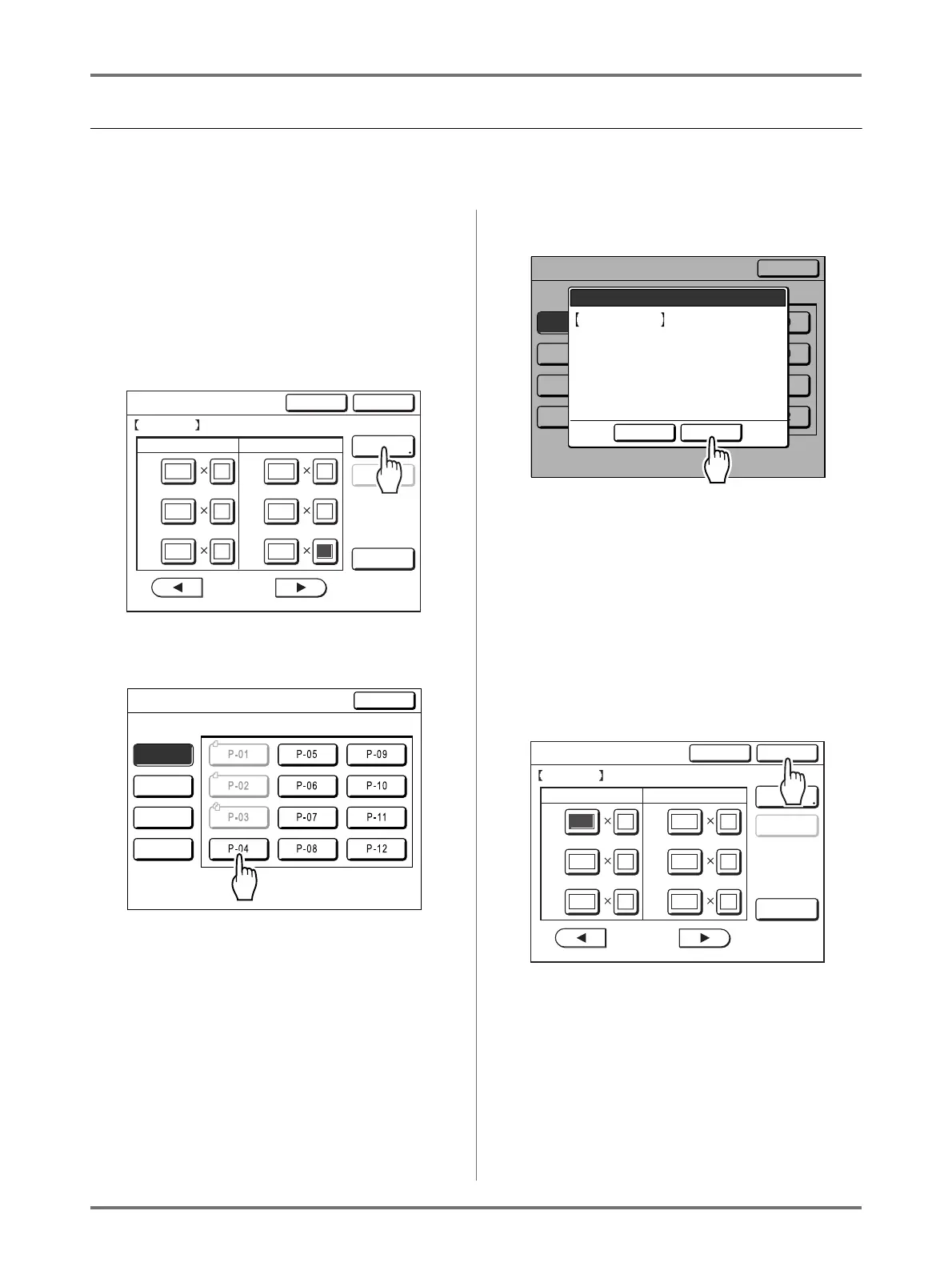
Touch [Entry/Call] on the Program
Screen.
3
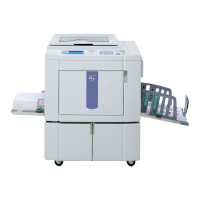
Touch an unused button.
Unused buttons are displayed with a solid line.
Used buttons are grayed out and are not avail-
able.
4
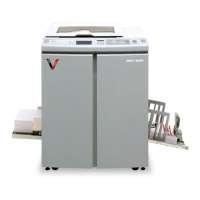
Touch [OK].
Returns to the Program List Screen. The Program
is stored.
You can name each program for your conve-
nience. See step 3 in “Renaming a Program”
()p.135).
Note:
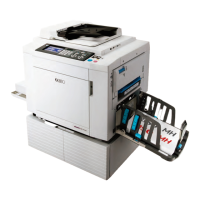
• After saving the Program, touch [Close] on the
Program List Screen to return to the Program
Screen.
Touch [OK] on the Program Screen to print
from a saved Program.
10
2
130
20
240
550
3
60
70
Cancel OK
Single Page Mode
Program-A Total:1280
Cps. Sets Cps. Sets
Entry/Call
Revise
Clear All
P
.1/25
GG
002
001
003
004
005
006
Close
Program List
Select a Register Frame for a Button
Register
Retrieve
Rename
Clear
Close
Program List
Select a Register Frame for a Button
Register
Retrieve
Rename
Clear
Cancel OK
This Setting will be
Registered
OK?
P-04
10
2
130
20
240
550
3
60
70
Cancel OK
Single Page Mode
P-04 Total:1280
Cps. Sets Cps. Sets
Entry/Call
Revise
Clear All
P
.1/25
GG
002
001
003
004
005
006


 To Next Page