Advanced Features
Using Job Memory Functions [Job Memory]
141
Storing Job Memory
1
Set various settings for a print job.
2
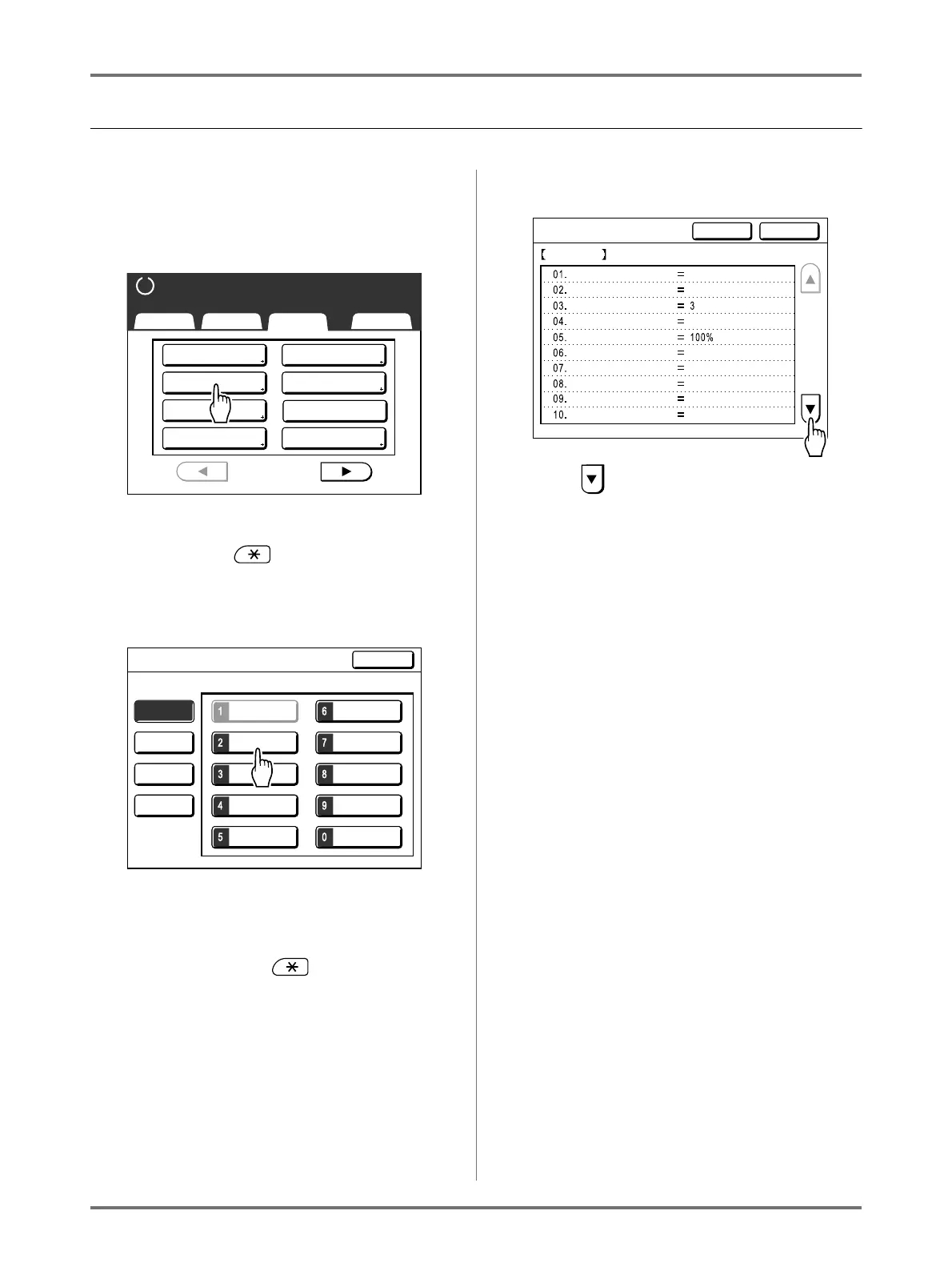
Touch [Job Memory] on the Func-
tions Screen.
Note:
• Job Memory Screen can also be invoked by
pressing the key on the Print Quantity
Keys.
3
Touch an unused button.
Unused buttons are displayed with a solid line.
Used buttons are grayed out and are not avail-
able.
Note:
• If you pressed the key to open the
screen, first touch [Register] then select an
available button.
4
Confirm settings.
Touch and scroll down to check all items.
Note:
• To change a setting, touch [Cancel] and start
over again. (Return to step 1.)
5
Touch [OK].
Returns to the Job Memory Screen. Settings are
updated.
Each job memory can be named for your conve-
nience. See step 2 in “Renaming a Job Memory”
()p.142).
2 Up
Basic Selections Functions Admin.
P
.
Program
Book Shadow
1/4
Job Memory
Dot Process
Multi-Up Print
Contrast Adj
Tone Curve
Ready to Make Master
M-6
M-2 M-7
M-3 M-8
M-4 M-9
M-5 M-10
Job Memory
Rename
Clear
Retrieve
Select a Register Frame for a Button
Register
Close
M-1
Register P.
Status Check
Cancel OK
M-2
Photo
OFF
1/4
OFF
OFF
OFF
Auto
OFF
OFF
Image
Dot Process
Contrast
Ink Saving
Size
Margin+
Paper Size
Max. Scan
Book Shadow
Multi-Up Print


 To Next Page