PG 11
PG 12
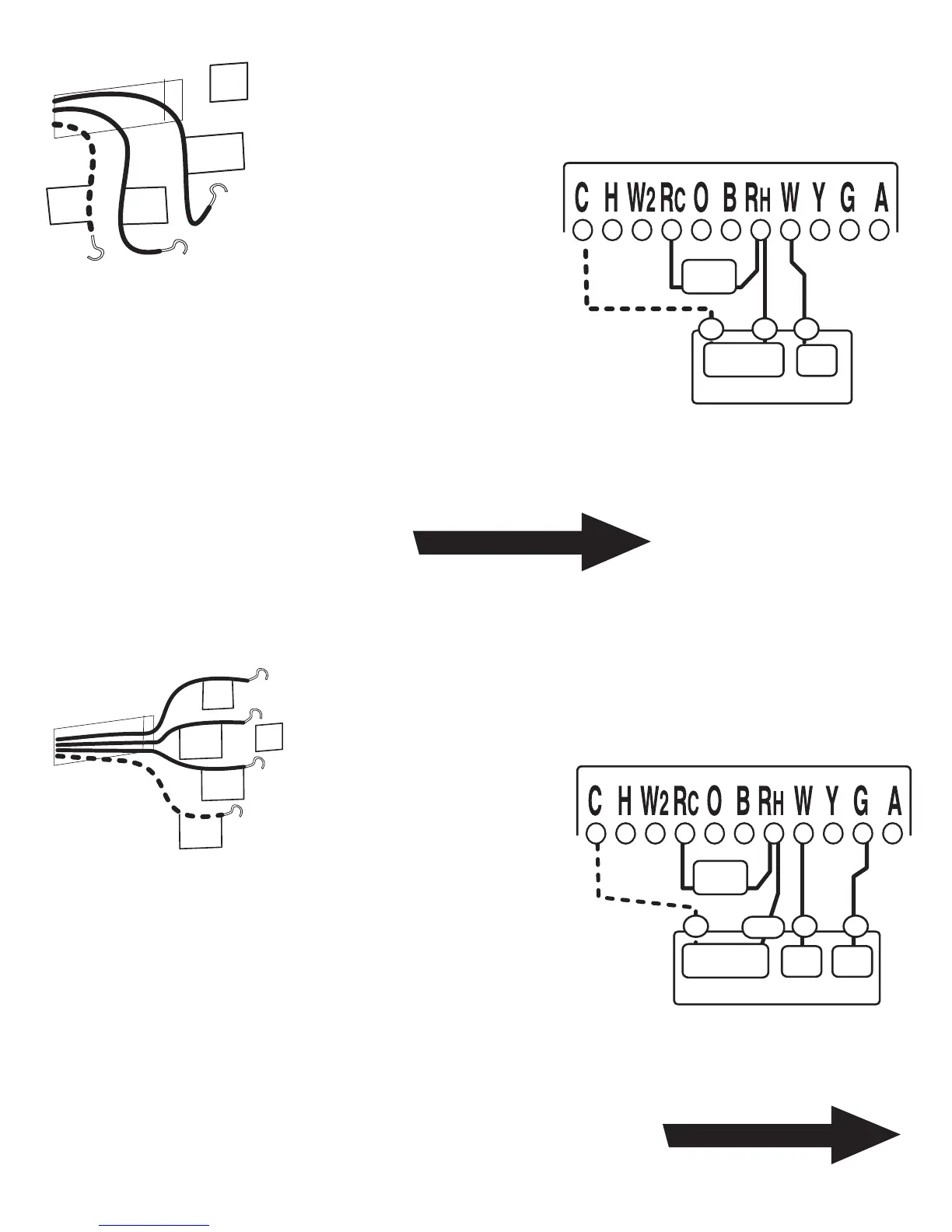
STEP 1 - Connect the R (or
RH) wire to the RH terminal on
the thermostat.
This connects the Heater
Power to the thermostat.
STEP 2 - Connect the W wire
to the W terminal on the
thermostat.
This connects the heater control line to
the thermostat.
Your Heater is now connected to the
thermostat.
STEP 1 - Connect the R (or
RH) wire to the RH terminal
on the thermostat. This
connects to the Heater
Power .
STEP 2 - Connect the W wire to the W
terminal on the thermostat.
This connects the heater control line to the
thermostat.
STEP 3 - Connect the G wire to the G terminal on
the thermostat.
This connects the Fan to the thermostat.
Your system is now connected to the thermostat.
Return To Page 9
Return To Page 9
2 WIRE Heating
(GAS MILLIVOLT or 24vac)
NOTE: Wires marked with
the dotted line are optional.
For your Remote Control to
operate you must connect
the C wire.
3 WIRE
W
RH
R
or
From Furnace
C
RH
W
C
Fr
om
Furnace
G
or R
jumper
wire
FURNACE
HEAT
Thermostat
R
W
C
HEAT
Power
FURNACE
jumper
wire
Heat
Power
Heat
W G
RH
C
FAN
Thermostat
NOTE: Wires marked with
the dotted line are optional.
For your Remote Control to
operate you must connect
the C wire.



 To Next Page
 Loading...