21
PRINTING AND USB CONNECTION
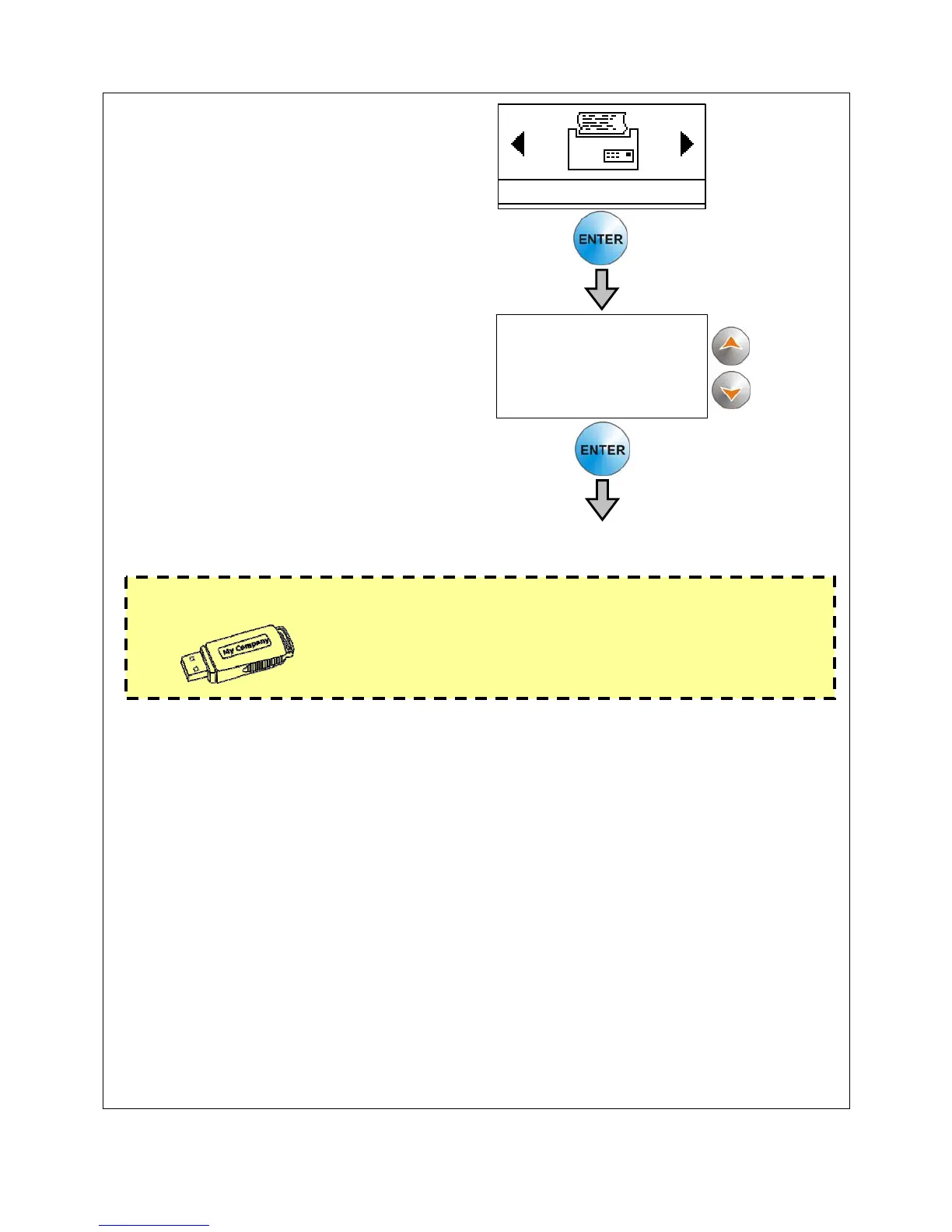
Select one of the following
ambients using key C (¿À).
Press ENTER to proceed.
USB copy
By connecting a USB memory to port H data transfer will be made.
By installing special software on PC (on request) it is possible to show/print data
stored on USB memory.
Optional: on request it is possible to purchase a PC data transfer kit ( software +
cable).
Print last report
By connecting a serial printer to connector F, it is possible to print last fusion report
(press ENTER for preview, press again ENTER for start printing, STOP for ending
printing).
Print all
By connecting a serial printer to connector F, it is possible to print all fusion reports
(press ENTER to start printing, STOP for ending printing).
Print by date
By connecting a serial printer to connector F, it is possible to print reports by
introducing report date (press ENTER for preview, press again ENTER for start
printing, STOP for ending printing).
Warning!
Everytime a USB memory is connected to port, this
will be formatted (ALL DATA CONTAINED WILL BE
ERASED)! We suggest to use a USB memory
exclusively for ELEKTRA.
OPTIONS
USB copy
Print last report
Print all reports
Print by date




 To Next Page