22
2.3 Functons of the dsplay
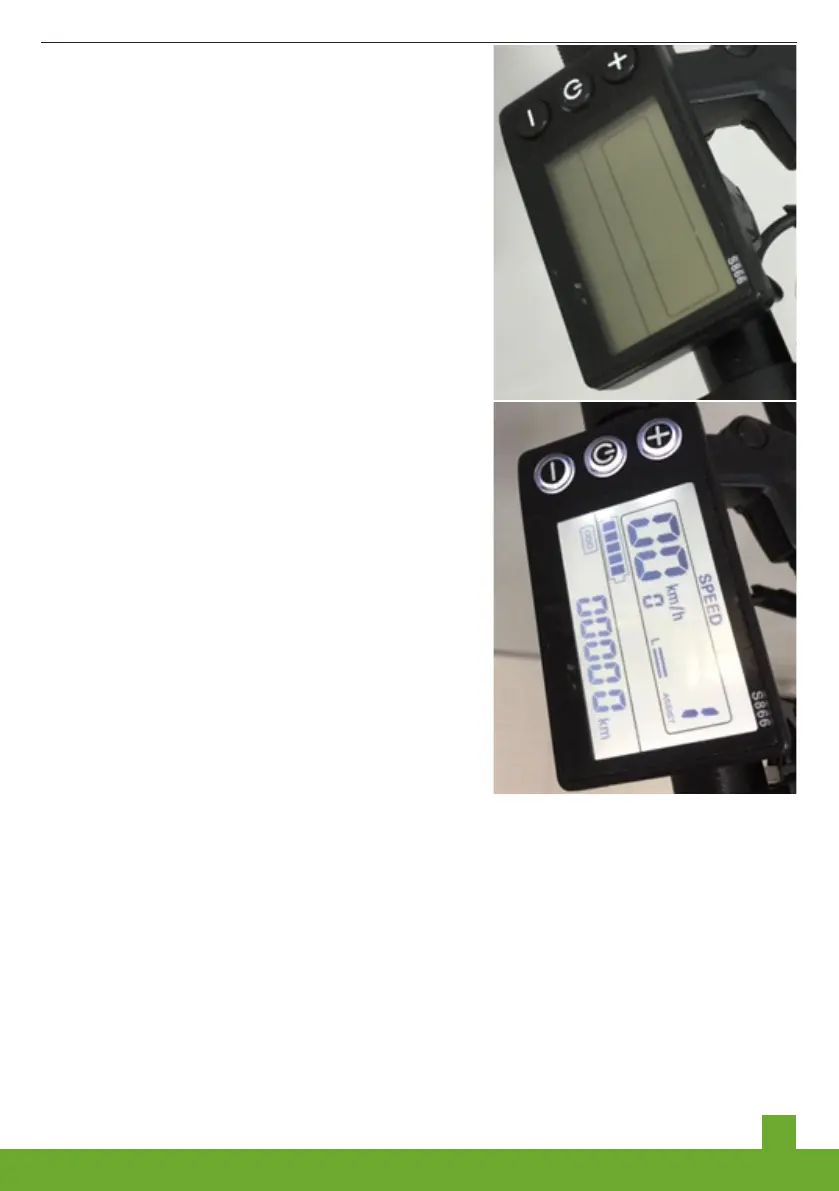
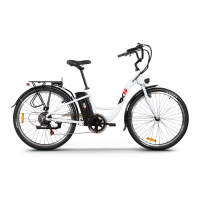
Pls refer to below LCD display,there are
three buttons one the left,from up to
down,top button is for up,mid button is for
Mode,the bottom button is for down.
2.3.1 Press mode button for seconds until
you see the screen is turned on as below
picture shows:
2.3.2, When you turn on the display,it is
with PAS 1,when you ride it ,press UP
button,can change from PAS 1 to PAS
5,the down button is from PAS 5 to PAS 1.
2.3.3, If you stop riding,pls press Mode
button for seconds to turn off the display.
2.3.4 Pls press the UP button for
seconds,the front light will be turned on
and will be turned off if you press for
seconds again.The rear light is battery
light,there is button to turn on/off it.
For detail information,pls refer to the
display user manual attached with the e-
bike,
2.4 Functions of the operation panel
The related instruction manual should be provided separately from this main manual.
Please find it and read it careful and thoroughly to know how to operate the panel.
3. Using and Changing the Battery
3.1 Advantages of a Lithium Battery
Your electric bicycle is equipped with high quality lithium batteries, which are
light and create no pollution to the environment, as a typical green energy
source. As Your electric bicycle is equipped with high quality lithium batteries, which are
light and create no pollution to the environment, as a typical green energy source. As well
as the above features, the lithium batteries have the following advantages:


 To Next Page