23
• chargng wthout memory effect
• bg electrc energy capacty, small volume, lght n weght, wth large
current output, sutable for hgh power vehcles.
• long lfe
• A wde workng range of temperature: -10°C to +40°C
3.2. Removng and Installng the Battery Pack.
If an AC outlet s avalable wthn reach of your bke, you can charge your
bke drect there.
Removng the battery s useful for chargng n a locaton where the bcycle
may not fit or when no reachable AC power supply exsts at the place
where the bke s parked.
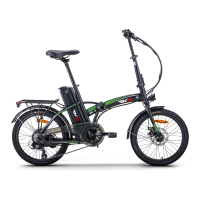
• For electrc bkes wth new round battery case as fig.18 show, please
you turn on the lock n the bottom of carrer, then remove the battery;
Otherwse, to nsert the battery case, then swtch off the lock, then the
battery s fixed well.
•
3.3. Procedure for Chargng
Note:Before chargng, please also read carefully the manual
accompaned wth the bke, f any, for the charger and battery ssued by
the relatve manufacturers, to know more detals.
Please charge the bke battery accordng to the followng procedure:
3.3.1. Make sure the battery man swtch s turned off. Then open the
chargng socket cover, whch s stuated at the rear end of the battery
pack.
3.3.2 Insert the charger output plug nto the battery securely and then,
plug the man cable of the charger nto a reachable AC outlet;
3.3.3 When chargng, the LED on the charger wll become red, showng
the chargng s on. It becomes green, after the battery s fully charged.
3.3.4 To finsh chargng, you must dsconnect the charger nput plug first
from the AC outlet, and after that, dsconnect the charger output plug from
the battery pack. Fnally, close the cover on the chargng socket of the
battery pack and check the socket, f covered for sure!


 To Next Page