201.028 REV 1 Date of Issue: 18 June 2018
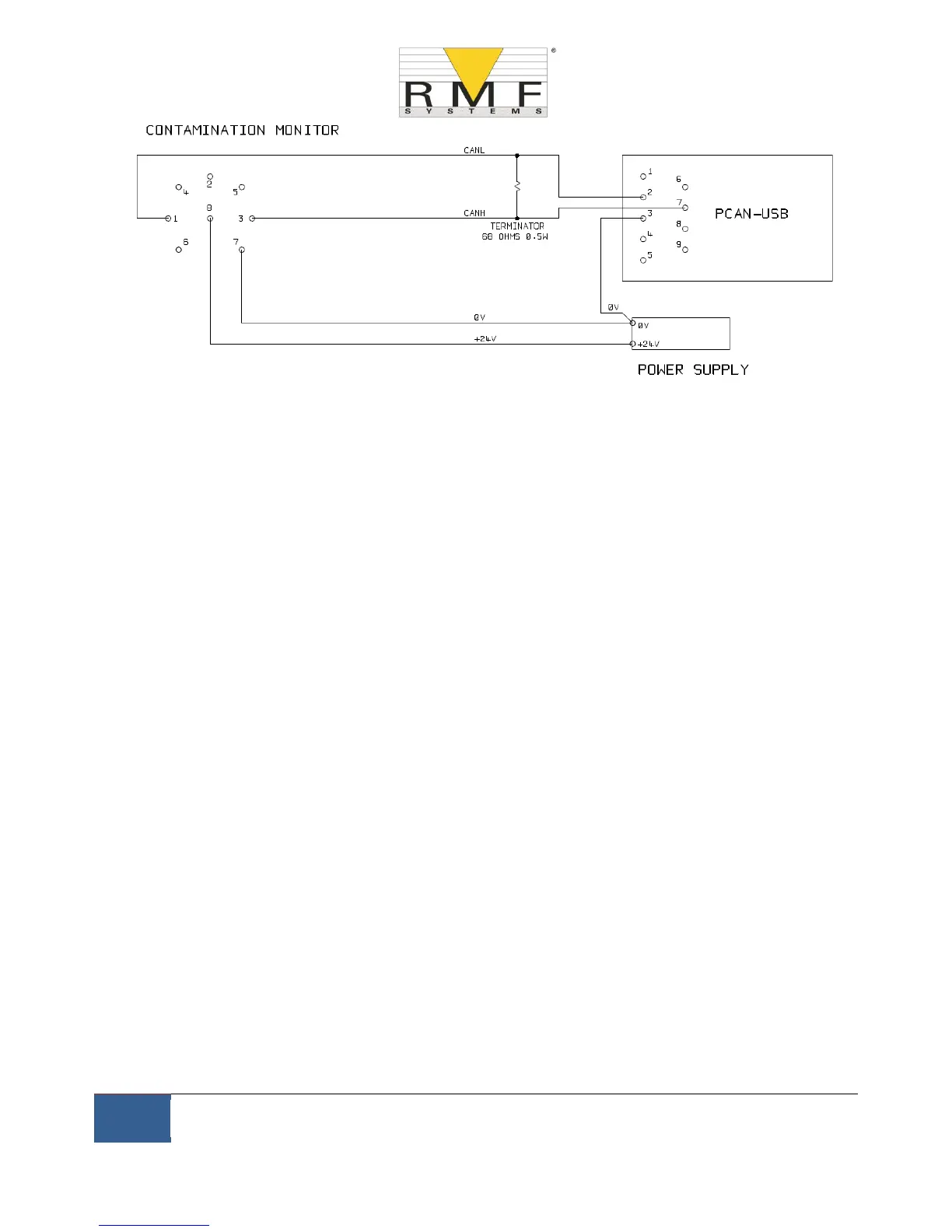
Figure 11.2 Connecting the CMS to the PCAN-USB Adaptor
The ``TERMINATOR’’ resistor shown simulates the combined effect of the bus termination resistors normally used
on either end of a CAN-bus network. Its value is not critical; anything from 50-150 ohms will work.
11.2.1.2 Initial Configuration
− Initially we connect using the CMS-USBi interface so that the CMS can be comfortably configured using
RMF-View. Detailed information is provided earlier in the user guides but the general procedure is:
− Install RMF-View
− Plug in the CMS-USBi
− The ``Hardware Found’’ wizard will appear. If you have an Internet connection you can let Windows
Update install the driver, otherwise point the wizard to the drivers provided.
− Plug the CMS into the CMS-USBi
− Start RMF-View
− Select Tools/Remote Control to connect to the CMS.



 To Next Page