201.028 REV 1 Date of Issue: 18 June 2018
11.2.1.2.1 Suggested General Settings
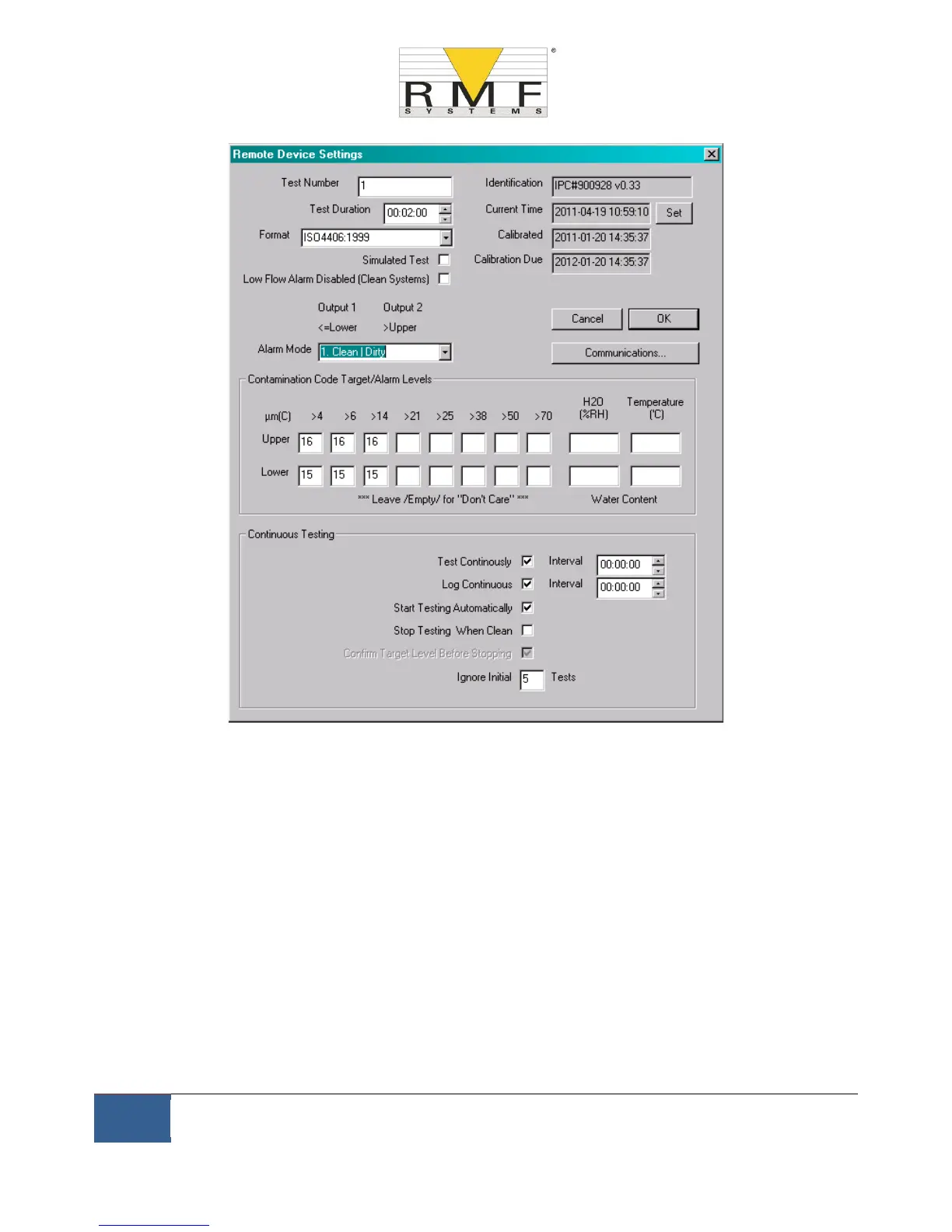
Figure 11.3 General Settings
Press the Settings button to open the Settings dialogue. The important settings for this walk-through are:
− Test Duration; 10 seconds
− Test Continuously: On, interval 0.
− Start Testing Automatically: On
− Stop Testing When Clean: Off
− Simulate Test: On
NOTE: Simulate Test will cause fictitious test results to be generated in order to test communications and
demonstrate the unit. Do not forget to turn this off before deploying in a real application!
11.2.1.2.2 Suggested Communication Settings
Press the ``Communications...’’ button to open the Communications dialogue. See figure 6.30



 To Next Page