24
8.6 Test sequences
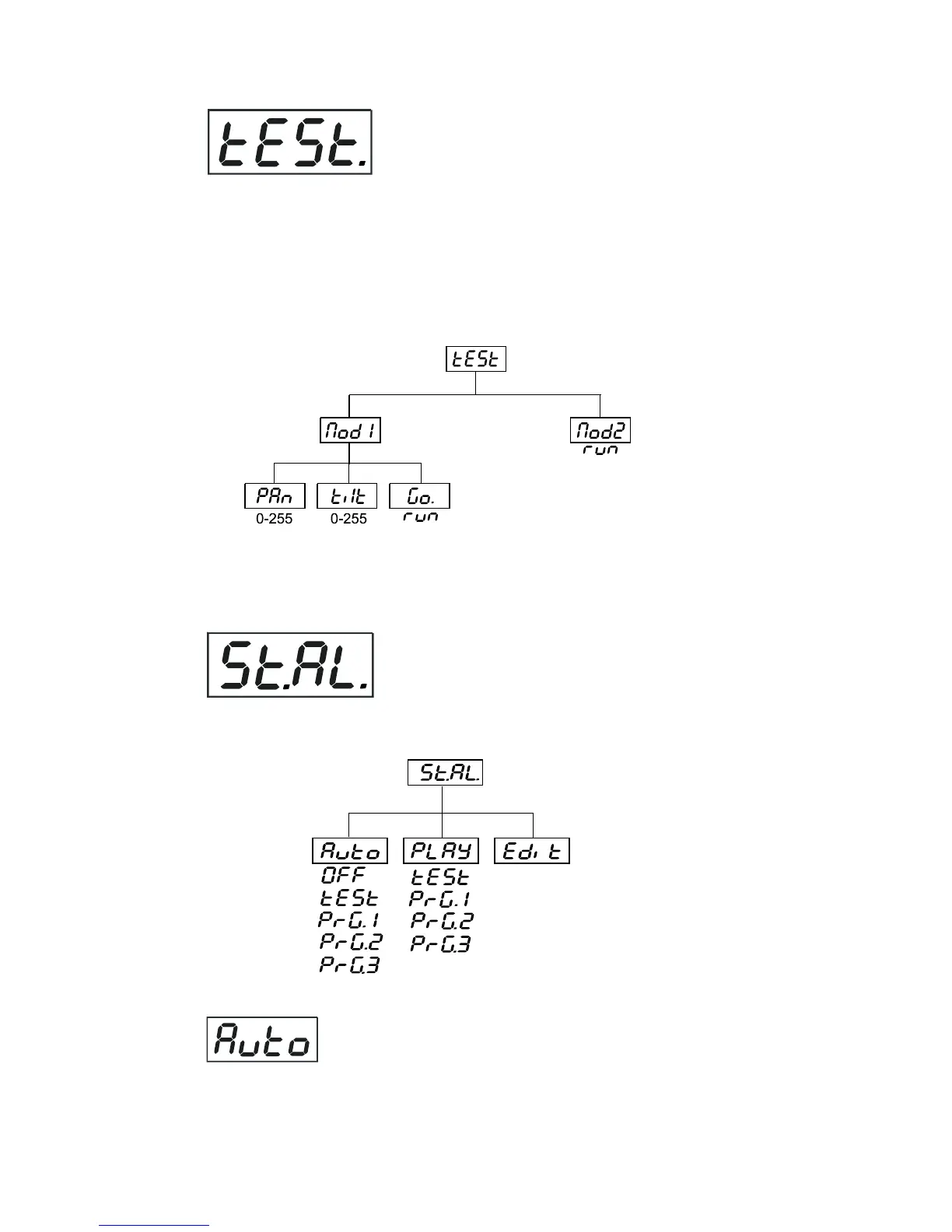
This function allows you to run a special demo-test sequences without an external controller, which will show you
some possibilities of using WASH 250 XT. Press [Up] and [Down] keys to select the "Mod1" or "Mod2" sequences.
The "Mod1" is suitable for projections on the wall, ceiling or ground without any head-movement, the "Mod2"
uses all WASH 250 XT functions and therefore is good for a complete introduction of the fixture.Select "Mod1" or
"Mod2" by [Up] and [Down] buttons and press [Enter] to confirm the choice.If the test program is running,messages
"run/test" blink on the display.
If you want to pause the runnnig program in the required position, press the [Enter]-button(messages"PAUS"/"
test" blink ).To continue the program running,press the [Enter]-button again.
8.7 Stand-alone setting
This menu offers options for stand-alone mode as a selection of the playing program,programming and modifying
current programs.
Presetting playback
This function allows you to select the the program which will be played in the stand-alone mode after switching
the fixture On.Use the [Up] and [Down] buttons to select desired program ("tESt"- bilt-in program) or "OFF" if you
don't want trigger any program after switching the fixture On and press [Enter] to confirm or [Mode] to cancel and
return to the menu.Selected program will be played continuously in a loop as long as it appears on the display.
This option should be set "OFF" for all slaves in the master/slave chain by reason of the right program starts.



 To Next Page