4.6 Display
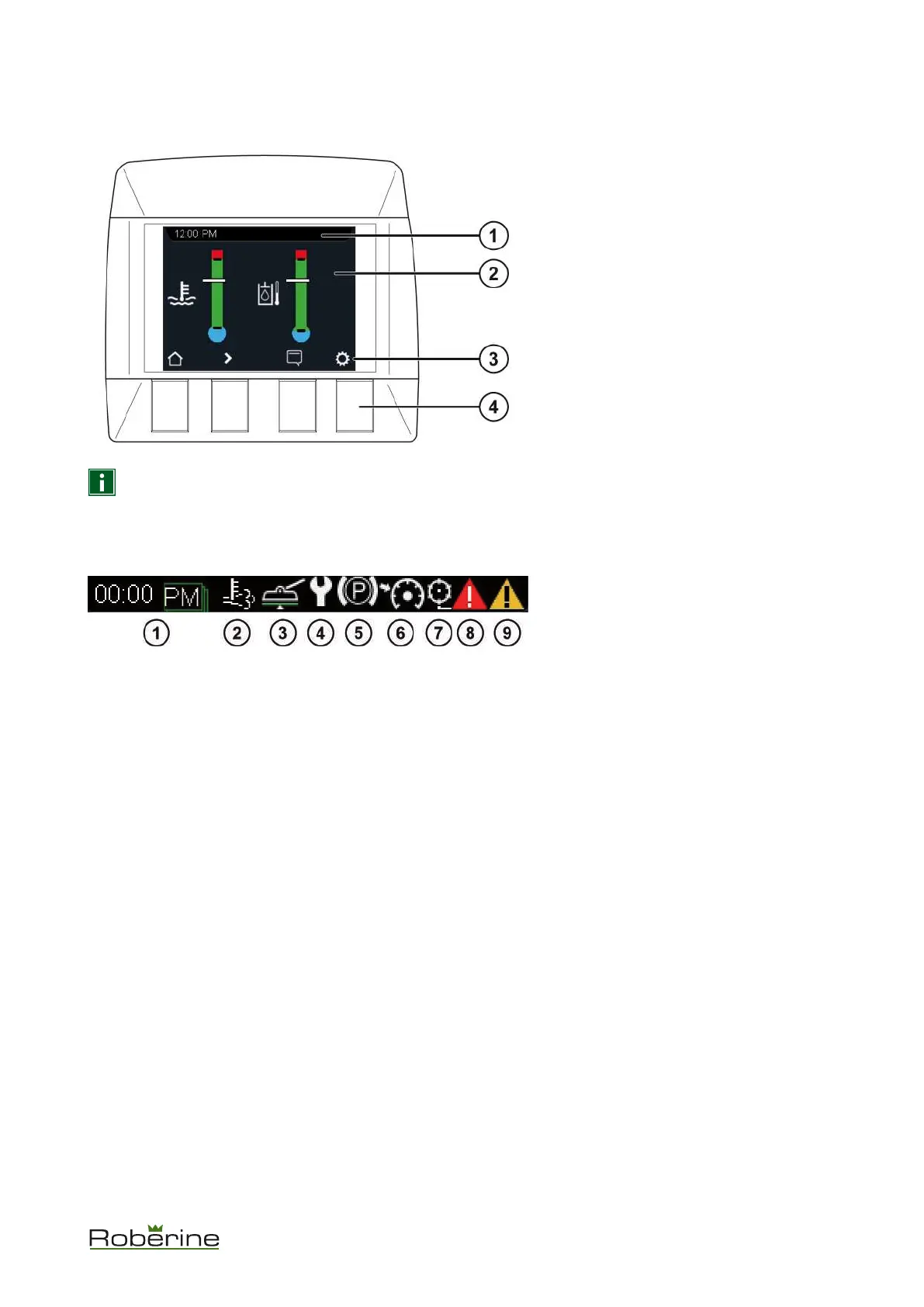
Overview of the display functions.
1. Status bar
2. Screen
3. Button functions:
• Home
• Next screen
• Alarms
• Settings
4. Buttons
NOTICE Enter a new screen or press a button to activate the button functions (3) bar. It disappears
automatically after a few seconds.
4.6.1 Status bar
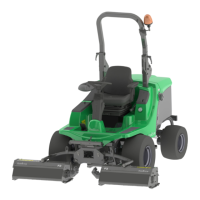
Overview of the status bar icons.
1. Time
2. DPF regeneration active
3. Weight transfer active
4. Service required
5. Parking brake ON
6. Cruise control active
7. Mowing active
8. Collective alarms
9. Collective warnings
Description 20


 To Next Page