8.6 Cleaning the dust unloading valve
Before you begin: Park the machine safely and let the engine cool down.
1. Open the bonnet.
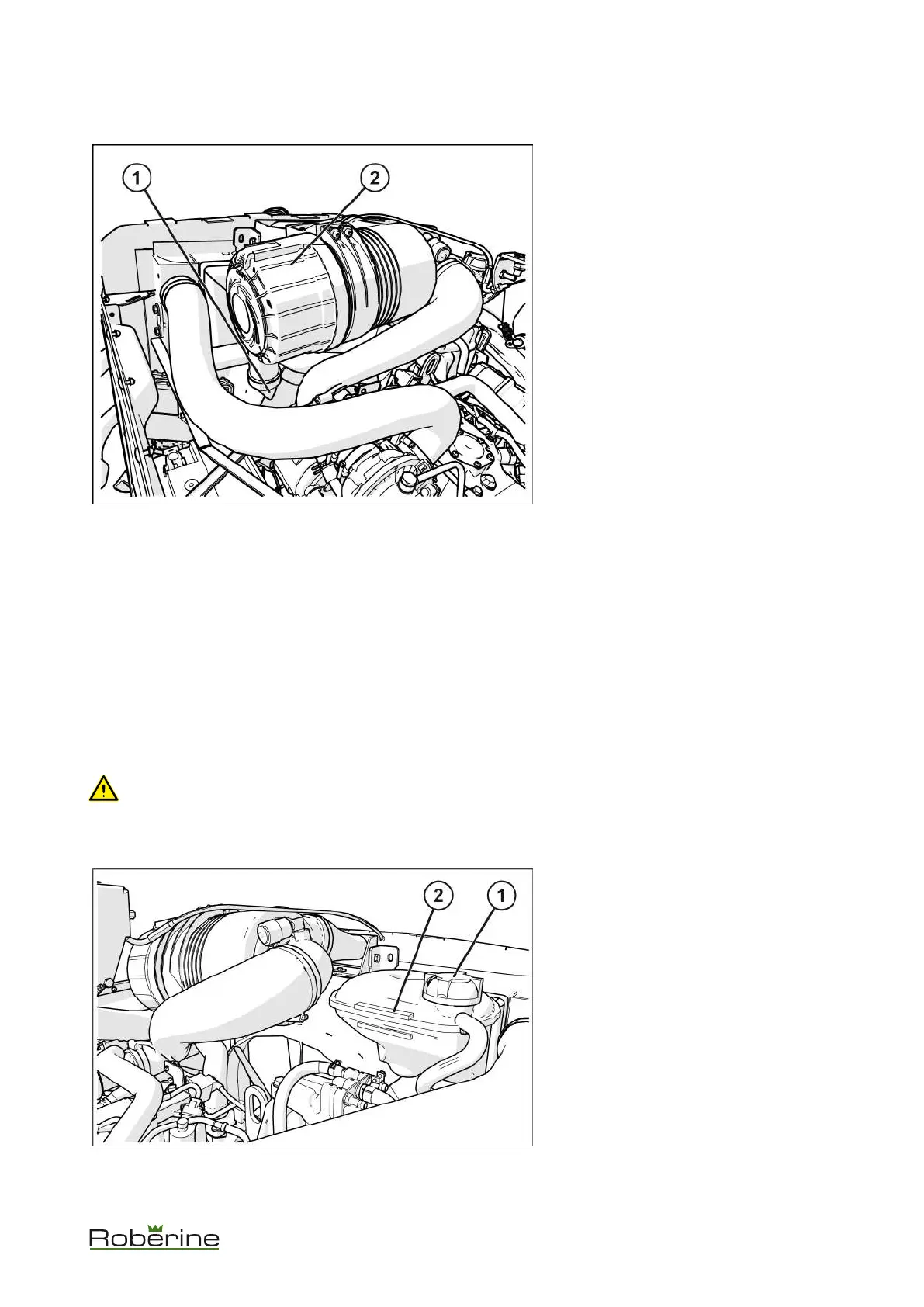
2. Squeeze the dust unloading valve (1) to
clean it.
3. Remove and replace if it is damaged.
4. Check the inside of the cyclone filter cap.
5. Clean primary filter.
8.7 Cooling system
Roberine recommends the following coolant:
• Havoline AFC + B 50/50 (BL01)
If the recommended coolant is not available, use a low silicate ethylene glycol base coolant concentrate in a 50% mixture
of concentrate with quality water. This provides freeze protection to -37 °C.
Use a coolant with a conditioner or add conditioner before use.
In certain regions, protection against lower temperatures may be required. Read the label on the coolant packaging or
contact your authorised service centre for the most recent information and recommendations
8.7.1 Checking the coolant level
CAUTION! The radiator will be hot and can burn skin. Built-up pressure may cause explosive release of coolant
when the radiator cap is removed.
Before you begin: Park the machine safely and let the engine cool down. Make sure the engine and radiator have
cooled to such an extent that they can be touched with bare hands.
1. Open the bonnet.
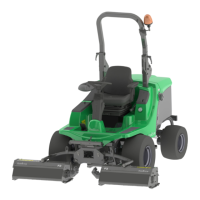
2. Slowly unscrew the cap (1) as far as the
first stop to allow the pressure to escape.
3. Remove the cap.
4. Check the coolant level.
The coolant should be between the
maximum and minimum level (2).
5. If coolant level is low, add coolant.
6. Install and tighten the cap
7. Remove any dirt from the air intake grill
and the radiator.
8. Inspect the hoses for leaks and loose
connections.
9. Close the bonnet.
Maintenance 52


 To Next Page