4.6.4 Status and setting screens
NOTICE Use the Page button to switch screens.
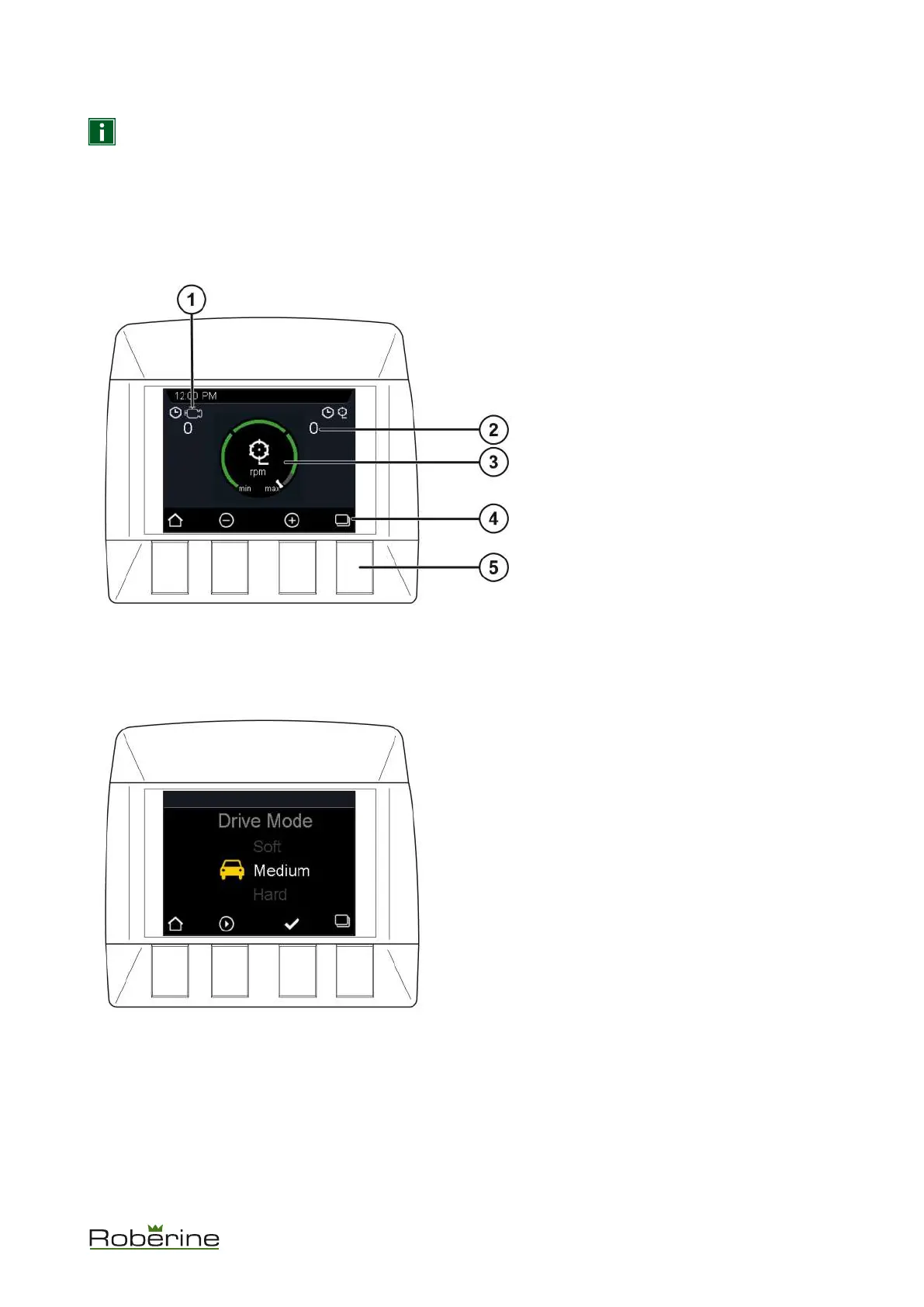
Mower rpm (R5 only) / running hours
On settings screen 1 the mowing units rpm (R5 only) can be adjusted if needed. Press - to decrease the rpm and + to
increase the rpm.
The default mowing rpm is 950. It can be set to 850, 750 or 650 rpm.
1. Engine hours
2. Mowing hours
3. Mowing units rpm
4. Button functions:
• Home
• Decrease mowing units rpm
• Increase mowing units rpm
• Pages
5. Buttons
Drive mode
On settings screen 2 the drive mode can be set.
Description 25


 To Next Page