EasyManua.ls Logo

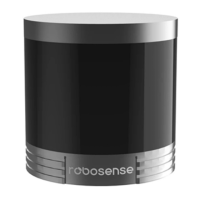
RoboSense LIDAR RS-Helios-1615 - User Manual

Default Icon
60 pages
Print Icon
To Next Page IconTo Next Page
Loading...
RS-Helios-1615 User Manual
RS-Helios-1615

Table of Contents

Questions and Answers

  • M
    Marvin AllenAug 14, 2025
    What to do if I can see data in Wireshark but not in RSVIEW RoboSense LIDAR RS-Helios-1615?
    • J
      Johnathan DixonAug 15, 2025
      If you can see data in Wireshark but not in RSVIEW, try the following: First, turn off the computer firewall and allow RSVIEW to bypass it. Second, ensure that the IP address of the computer is consistent with the IP address of the LiDAR. Next, verify that the Data Port setting on RSVIEW is correct. Finally, confirm that the RSVIEW installation directory or configuration file storage directory only contains English characters.
  • T
    Timothy HicksAug 18, 2025
    Why are there frequent data dropouts in my RoboSense LIDAR RS-Helios-1615 LiDAR?
    • G
      Grace SchmittAug 18, 2025
      If you experience frequent data dropouts with your RoboSense Robotics LiDAR, check the following: First, determine whether there is excessive traffic or collisions on the network. Second, check for other network devices sending excessive broadcast packets, which can slow down the sensor. Third, ensure that the computer or interfaces are fast enough to meet the packet flow requirements. Finally, remove all other network devices and directly connect the sensor to the computer to test for packet loss.
  • J
    Joseph MartinezAug 21, 2025
    What to do if there is no data output when RoboSense LIDAR RS-Helios-1615 sensor is connected to a router?
    • T
      Tiffany BondAug 22, 2025
      If your RoboSense Robotics sensor is connected to a router and there is no data output, try turning off the DHCP function of the router or setting the IP address of the sensor to the correct IP address inside the router.
  • K
    Karen MurphyAug 25, 2025
    What to do if RoboSense LIDAR RS-Helios-1615 Robotics LiDAR rotates but no data output?
    • J
      jennacurryAug 25, 2025
      If the LiDAR rotates but there is no data output from your RoboSense Robotics system, check the following: Confirm that the network connection is normal and that the computer network configuration is correct. Use software like Wireshark to check if the packet output is normal. Turn off firewalls and any security software that might be blocking the network. Also, check that the power supply is normal and try restarting the sensor.
  • J
    Jeremy SimmonsAug 27, 2025
    Why is GPS/PTP not synchronizing in RoboSense Robotics?
    • K
      Kelly OrtegaAug 28, 2025
      If the GPS/PTP is not synchronizing with your RoboSense Robotics system, ensure the synchronization mode is correctly set on the web page. Verify the GPS baud rate is 9600bps and the serial port is set to 8N1 (8 bits, no parity, 1 stop bit). Check the GPS signal level (3.3V TTL or RS232), ensure the 1PPS pulse is continuous and correctly connected, and confirm the GPRMC message of NMEA is correct. Ensure the GPS and Interface Box share the same ground, the GPS has received a valid message, and the GPS module is outdoors. Finally, check if the PTP Master synchronization protocol complies with the current PTP protocol and if the PTP Master is working correctly.
  • E
    Eric NortonAug 31, 2025
    What to do if RoboSense Robotics LiDAR keeps restarting at startup?
    • M
      Mary BaileyAug 31, 2025
      If the LiDAR keeps restarting at startup, check the input power connection and polarity to ensure they are normal. Make sure the voltage and current of the input power supply meet the requirements (voltage input ≥12V, input current ≥2A). Also, verify that the mounting base of the device is level and that the fixing screws at the bottom of the LiDAR are not too tight.
  • M
    Michael BrownSep 4, 2025
    How to fix RSVIEW software if it outputs point cloud into a ray in RoboSense Robotics?
    • L
      Laura CooperSep 4, 2025
      If the RSVIEW software outputs the point cloud into a ray, and you are using Windows 10, set RSVIEW to run in compatibility mode with Windows 7.
  • T
    Tommy HarrisSep 7, 2025
    What to do if RoboSense LIDAR RS-Helios-1615 Robotics LiDAR motor does not rotate?
    • E
      Emily SantosSep 7, 2025
      If the LiDAR motor does not rotate, check whether the LED indicators on the Interface Box are normal and whether the power input is normal. Also, check if the connection cable between the Interface Box and the LiDAR is loose.
  • W
    Wesley PetersonSep 10, 2025
    What to do if the red LED indicator in the Interface Box of RoboSense LIDAR RS-Helios-1615 is off or blinking?
    • D
      Danielle SwansonSep 12, 2025
      If the red LED indicator in the Interface Box is off or blinking, check whether the input power connection and polarity are normal.

Summary

Manufacturer Information

Disclaimer of Liability

Legal notice regarding copyright and usage restrictions for the manual.

Product Certifications

Information on product certifications, including IP67 rating.

Safety Notices and Precautions

Laser Safety and Operational Guidelines

Instructions for safe operation, including laser safety and overheating warnings.

Helios Series Product Overview

Product Appearance and Interface

Physical Appearance and Coordinate System

Visual description of the LiDAR and its coordinate system.

Aviation Plug Pin Definitions

Detailed pinout and function for the aviation connector.

Interface Box Details and Connections

Unboxing and Installation Guide

Standard Package Contents

List of items included in the standard product package.

Sensor Mounting Requirements

Guidelines for securely mounting the LiDAR sensor.

Quick Connection and Network Setup

Sensor Specifications and Features

Detailed Sensor Parameters

Technical specifications including channels, wavelength, range, and resolution.

Point Cloud Display and Reflectivity

Explanation of point cloud generation and object reflectivity.

Laser Return Modes and Phase Locking

Description of different laser return modes and phase locking.

Time Synchronization Methods

Configuration for various time synchronization methods like GPS and PTP.

Communication Protocols

MSOP and DIFOP Protocol Overview

Introduction to the Main Data Stream Output and Device Information protocols.

MSOP Data Packet Structure

Detailed breakdown of the MSOP UDP packet format.

DIFOP Packet Structure

Vertical Angles and Timing Calculations

Channel Angles and Point Timing

Vertical angles per channel and point timing calculation methods.

Troubleshooting Common Issues

Web Interface Operations

Device Information Screen

Viewing device status and firmware versions via the web interface.

Sensor Setting Interface

Diagnostic Screen and System Updates

Information Registers Definitions

Motor, Ethernet, and FOV Registers

Definitions for registers controlling motor speed, Ethernet, and FOV.

Firmware Versions and Angle Registers

Registers for firmware versions and corrected angle data.

Serial Number, Time, and Status Registers

Registers for serial number, UTC time, and operational status.

Fault Diagnosis and GPS Status Register

Registers for fault diagnosis and GPS signal status.

RSView Data Visualization Software

RSView Installation and Features

Guide to installing and using RSView for LiDAR data visualization.

Network Setup and Data Streaming

Capturing, Replaying, and Analyzing Data

ROS & ROS2 Integration Guide

ROS;ROS2 Software and Driver Setup

Installing ROS/ROS2 and compiling the LiDAR driver package.

PC Configuration and Data Display

Viewing Offline Data with rslidar_sdk

Mechanical Drawings and Dimensions

Sensor Cleaning Procedures

Cleaning Precautions and Required Materials

Safety advice and list of materials for cleaning the LiDAR sensor.

Detailed Cleaning Method

Step-by-step instructions for cleaning the LiDAR sensor lens and body.

RoboSense LIDAR RS-Helios-1615 Specifications

General IconGeneral
Channels16
Laser Wavelength905 nm
Power Consumption12 W (typical)
Weight0.81 kg
Operating Voltage9-36 VDC
Operating Temperature-30°C to +60°C
Frame Rate10 Hz
Point Cloud Data Rate320, 000 points/sec
Points per Second320, 000 points/sec
TypeLiDAR
Range0.3 - 150 m @10% reflectivity
Detection Range0.3 - 150 m @10% reflectivity

Related product manuals