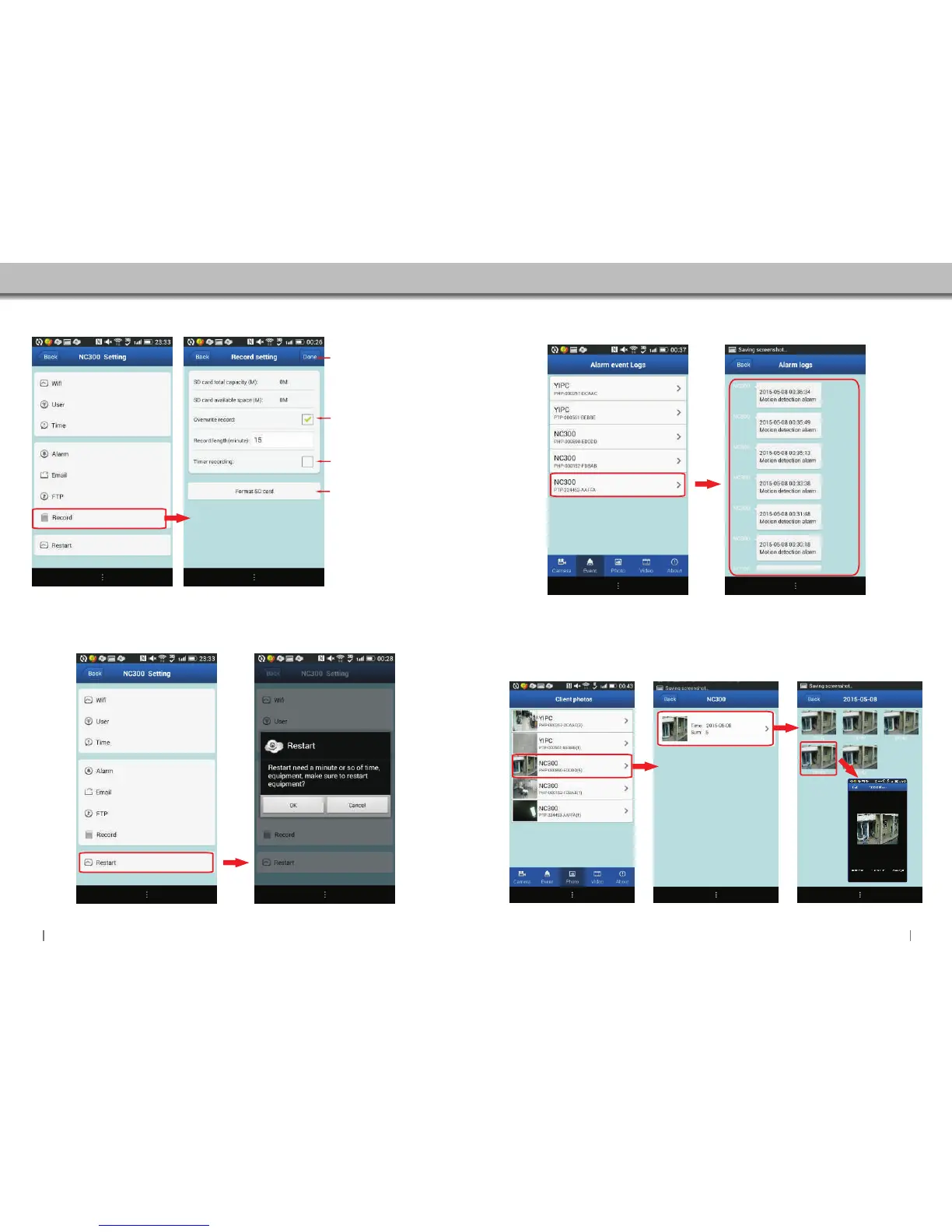
4.5.7 Record Setting
Click to access Record settings.
4.5.8 Reboot
Click to Reboot Camera.
Enable:SD Card recording will
be overwritten when SD Cards
capacity is full.
(SD card not included)
Start time and end can be set on
your camera.This mode will
automatically record on those
set time.
It's better to format the SD Card
before recording.
4.7 Photo
4.6 Event
Display the alarm logs.
Check the record videos.
2423
Click “Done”to store and
enable all settings.


 To Next Page