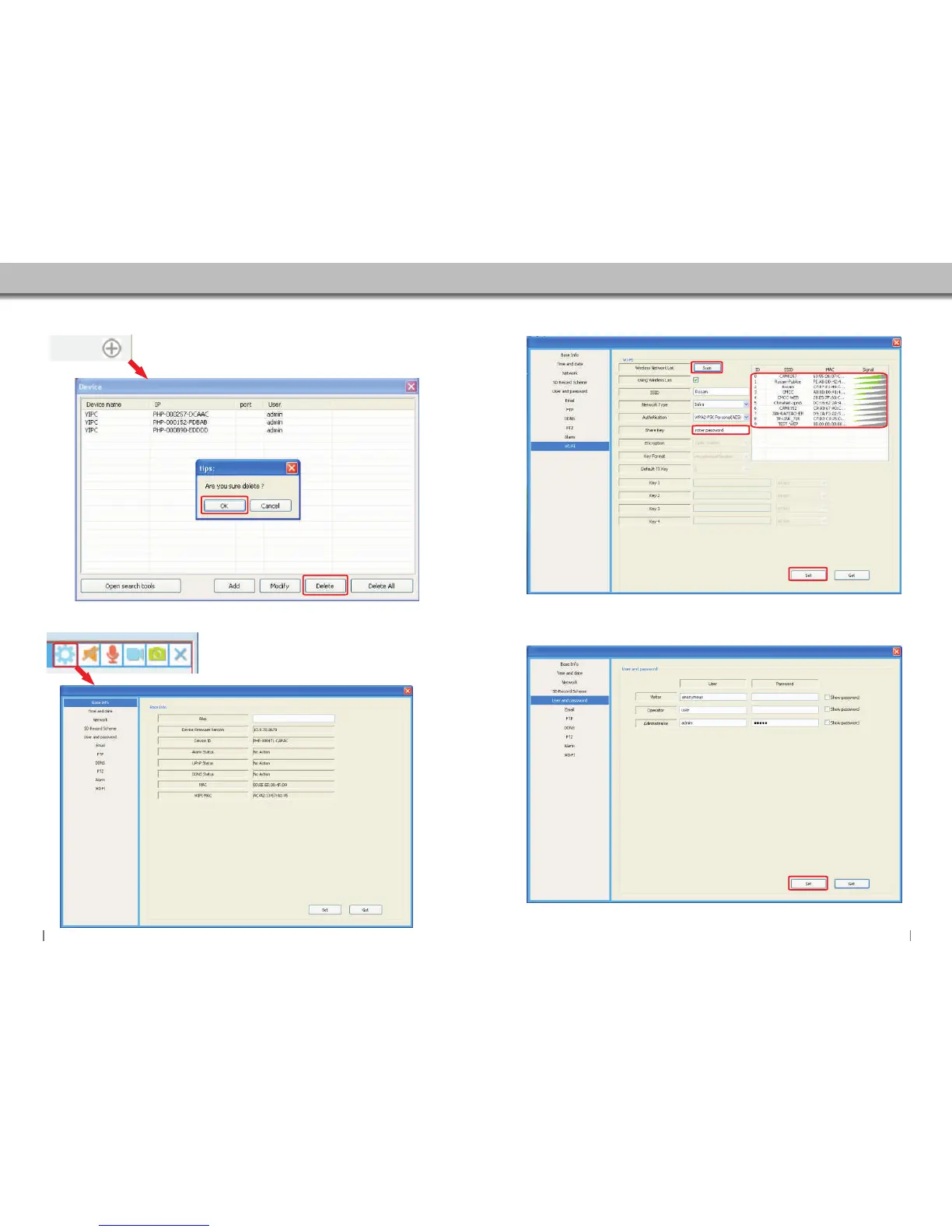
5.4 Delete Camera
Select camera that you want to delete.Then click the Delete button.
If you want to delete all the cameras.click Delete All.
5.5 Camera Settings
Click to access camera settings.
5.5.1 Wifi Setting
Click here to scan the “Wireless Access Points”around you.
Wireless Acces Point displayed,
select your target network,input
it's password.(if PW is required)
Enter Wifi password.then click Set button.
Click “Set”to store and enable WIFI settings,
camera will restart automatically,you can unplug
the LAN cable to use the WIFI.
5.5.2 User Setting
You can change the user name and password in here.
Click “Set” to store and enable all settings.
3029


 To Next Page