28
R9V
Monday T1 – Stop time
■ Press
once to set ‘T1’ stop time.
■ Press
to set hour. Press or
to advance or decrease hour.
■ Press
to set minutes. Press or
to advance or decrease minutes
■ Once finished programming the various
days press
to save and exit back to
main menu.
■ Press
at any time to cancel and exit
back to main menu.
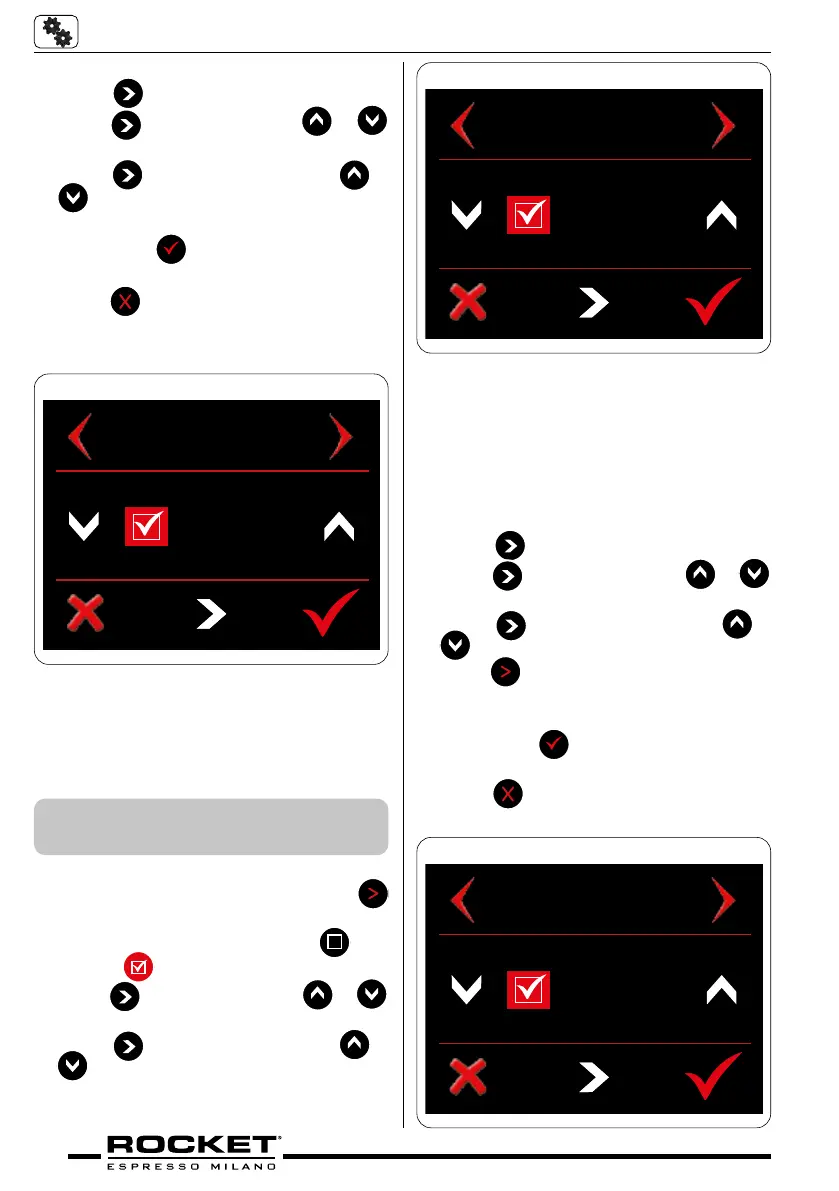
MONDAY T1
STOP
10:30
g_5.26
Monday T2 – Start time
■ Following on from T1 settings press
once to navigate to Monday T2 menu
■ To enable ‘Monday T2’ press
box
so that
appears
■ Press
to set hours. Press or
to advance or decrease hours
■ Press
to set minutes. Press or
to advance or decrease minutes
5.5.2 Day & Time Auto Settings
‘T2’
MONDAY T2
START
17 : 00
g_5.27
Monday T2 – Stop time
■ Press
once to set ‘T2’ stop time
■ Press
to set hours. Press or
to advance or decrease hours
■ Press
to set minutes. Press or
to advance or decrease minutes
■ Press
once to navigate to the next day
of the week and repeat above instructions
■ Once finished programming the various
days press
to save and exit back to
main menu.
■ Press
at any time to cancel and exit
back to main menu.
MONDAY T2
STOP
23 : 00
g_5.28


 To Next Page