EN | 11
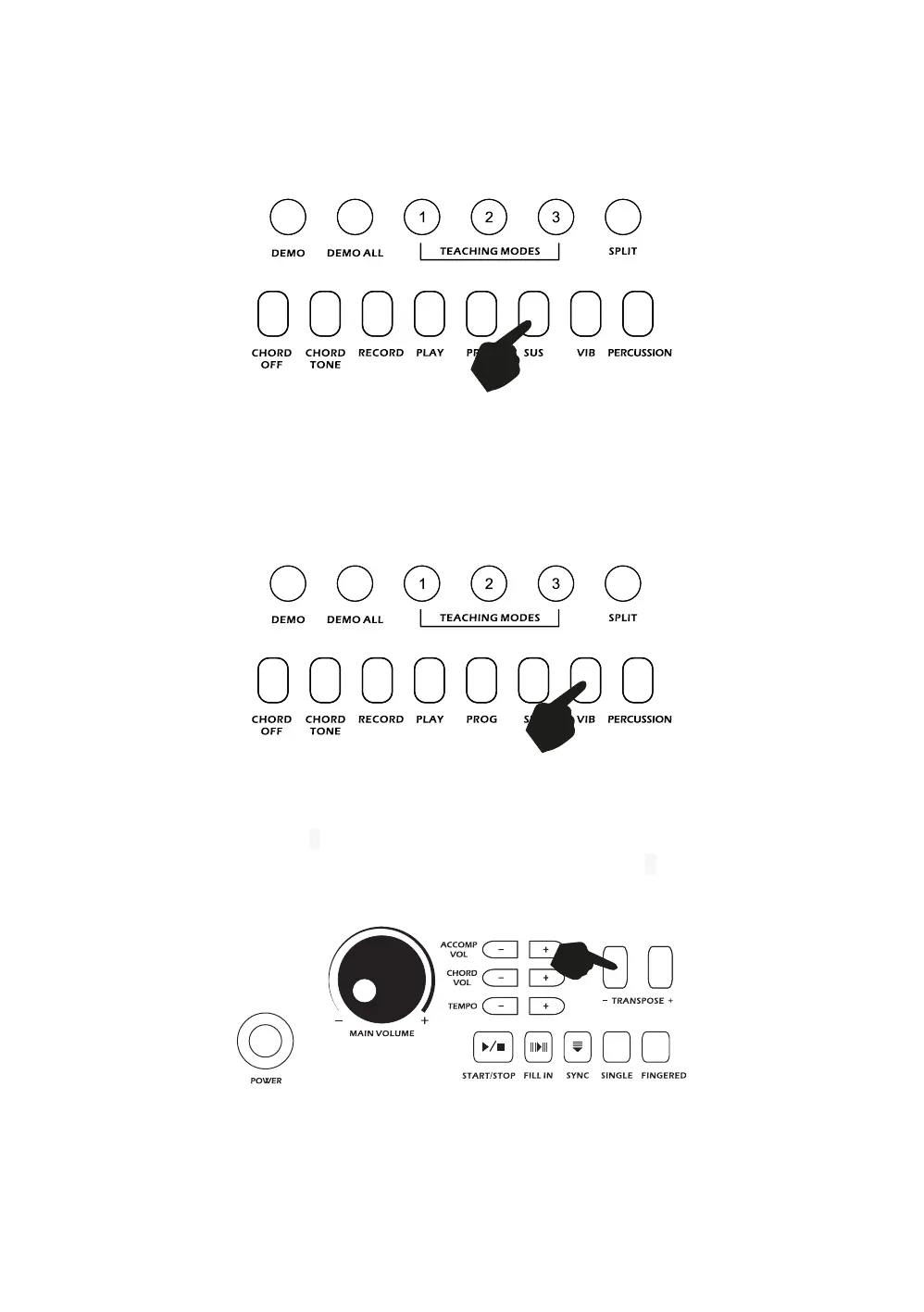
Sustain:
Touch the [SUS] button to enter Sustain mode. Once this mode is selected the sound of each note played
is prolonged. Touching the [SUS] button again will turn the sustain feature off and exit this mode.
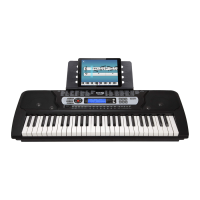
Vibrato:
Touch the [VIB] button to enter Vibrato mode. Once this mode is selected each time a note is played a
trembling effect is added to the end of the note. Touching the [VIB] button again will turn the Vibrato
feature off and exit this mode.
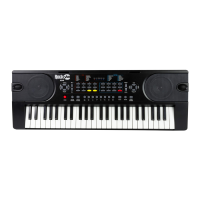
Transpose:
Touching the [TRANSPOSE -/+] buttons alters the musical scale of the note being played. You can adjust
the scale by 6 levels upwards or downwards. Pressing both the [TRANSPOSE -/+] buttons at the same
time will make the musical scale revert to 0. The transpose level will be reset to 0 after power off and on.



 To Next Page