EN | 17
Recording Function
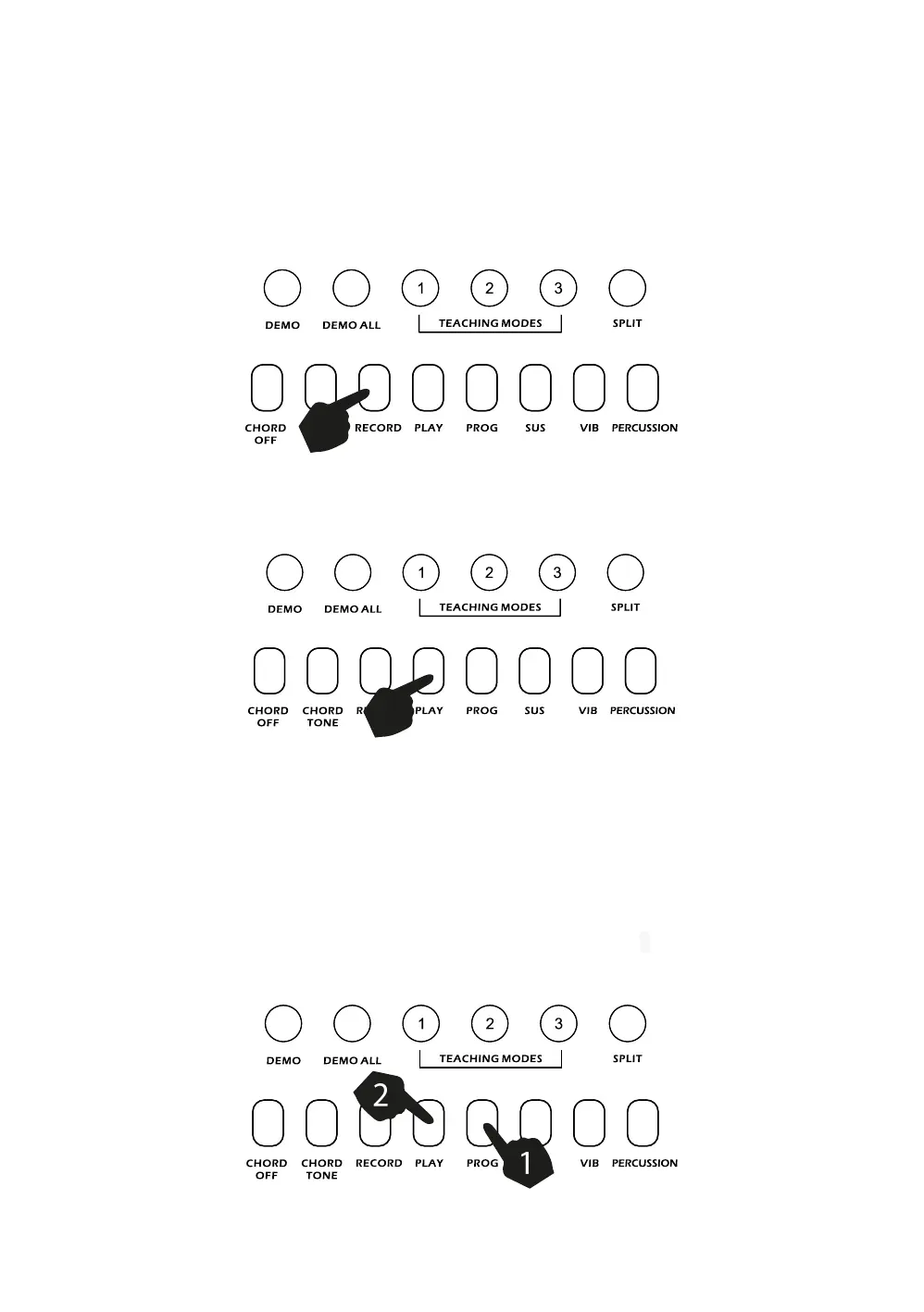
Touch the [RECORD] button to enter the recording mode. Press any key to start recording. The maximum
recording capacity is 46 notes. When the recording capacity is full the LCD display will show [FL]. Each
time you touch the [RECORD] button, the previous memory will be cleared and the keyboard will enter the
recording mode again.
Touch the [PLAY] button to play back the recorded notes.
Rhythm Programming
Press the [PROG] button to activate the Rhythm Program mode. You can then play the keyboard and
record your percussion track (up to 46 percussion beats). To listen to your piece touch the [PLAY] button
and the keyboard will playback your edited percussions. You can then play along to your recorded
percussion. You can also adjust the speed of the playback using the [TEMPO -/+] buttons. To cancel the
Programming mode, touch the [PROG] button again.



 To Next Page