EN | 12
Metronome:
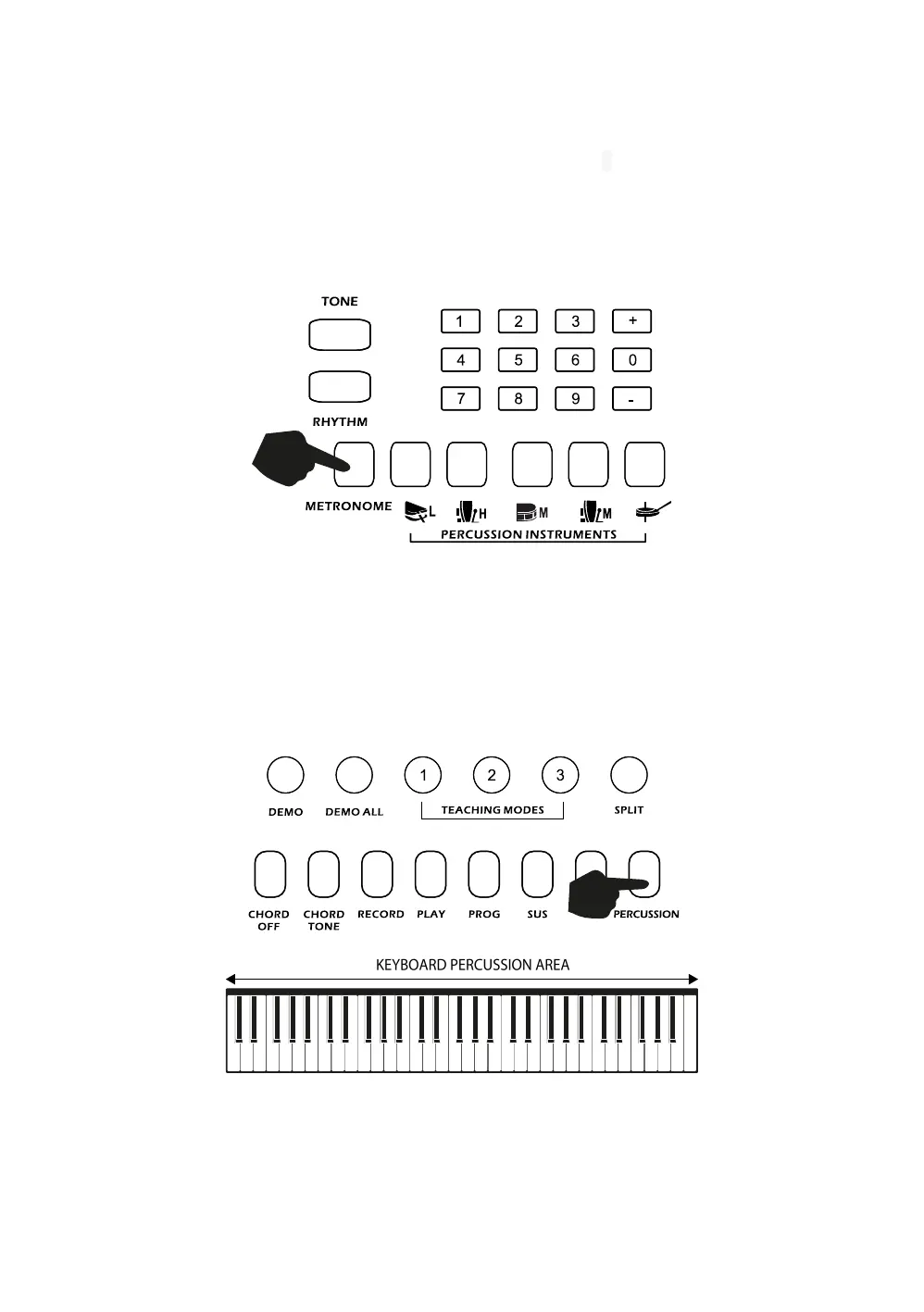
Touch the [METRONOME] button to start the tick-tock beat. There are four beats to choose from.
Depending on what the performance needs, you can touch the [TEMPO -/+] buttons to speed up or slow
down. Press the [METRONOME] button repeatedly to cycle through to the required beat pattern. The LCD
display will indicate the beat you have chosen. The metronome effect is added to the music once you start
playing. To exit this mode touch the [START/STOP] or [METRONOME] button again.
Panel Percussion Instruments:
To access the 61 Percussion sounds, touch the [PERCUSSION] button. Once the button has been
selected the keyboard’s keys turn into percussion instruments and play the percussion sounds
accourdingly. Refer to Appendix I. for a table of the 61 percussion sounds available.



 To Next Page