36
Quick Start Guide
1. Unpack, Connect and Go
This manual shows you how to operate your
z
21
Digital System and control your layout using the
Z21 mobile and driver stand apps. Please prepare the following items:
the
z
21
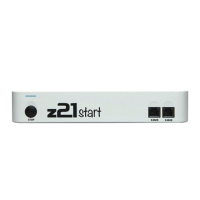
Digital Centre and the supplied AC adaptor
the supplied WLAN router and the supplied AC adaptor
the supplied network cable
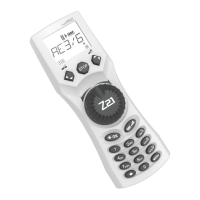
your smartphone or tablet PC with Internet access, optionally or additionally the MULTIMAUS
®
(Art. No. 10810)
In addition, you will also need access to your Roco and Fleischmann layout, ideally prepared with a
powered track without capacitator, as e.g. Art. No. 61190 (geoLine), Art. No. 42517 (RocoLine), Art.
No. 22217 (Fleischmann N) or Art. No. 6430 (Fleischmann H).
1.1 How to Connect Your
z
21
Digital System
1. Place the
z
21
Digital Centre into your system for good accessibility.
2. Connect the supplied clamping terminal to the powered track. Ensure good contact.
2. Plug the cable of your powered track into the track socket “Track Out” of the
z
21
Digital
Centre.
3. Connect the switching adaptor to the DC power socket “DC Power”.
4. Connect the switching adaptor of the
z
21
Digital Centre to the mains power outlet.
8041500920.indd 36 14.12.2017 09:48:42


 To Next Page