58
Z21 Operating Instructions
6. Driver Stand
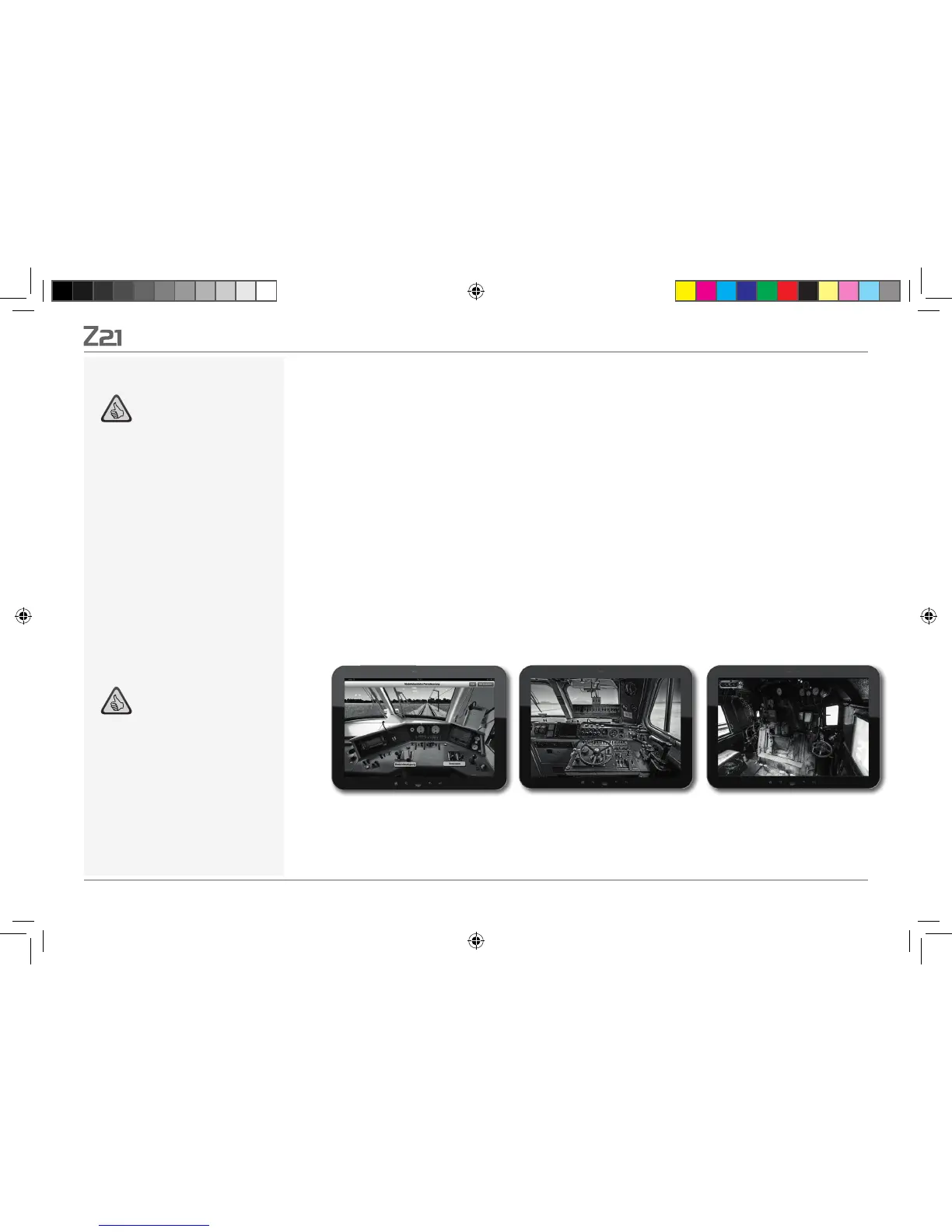
Get aboard and control your loco from an exactly reproduced virtual loco stand. Maximum driving
fun guaranteed!
The model-specific driver stand apps for Tablets are controlled by simply touching the clearly laid
out operating elements. Slide your finger over the virtual accelerator and the locomotive starts
putting on speed. Touch the signal horn and the characteristic locomotive sound will appear. The
headlights, interior illumination and all other digital functions of our assortment can be operated
just as easily.
You can obtain photo-realistic driver stands directly in your app. Further
driver stand apps will continuously follow – for many favourites of our assortment and for all
major current novelties.
E-Loco Diesel loco Steam loco
Highlights
Reproduction of historical driver
stands for maximum driving fun
Select the desired speed for every
kind of drive, from beginner to pro
Fade out your own background
images and slideshows to create the
perfect atmosphere
Download current driving data from
the decoder via RailCom
©
Steam, diesel and E-loco driving
stands available in the AppStore and
from Google Play (as of July 2012)
Further apps on major new products
and long-term favourites in preparati
-
on
For iPads v1.3 and over and
Android tablets v2.3 or over
Note: As the driver stands are highly-detailled
photographs, we recommend that you use a
high-performance tablet.
More information is available online at www.
z21.eu
8041500920.indd 58 14.12.2017 09:48:54


 To Next Page