57
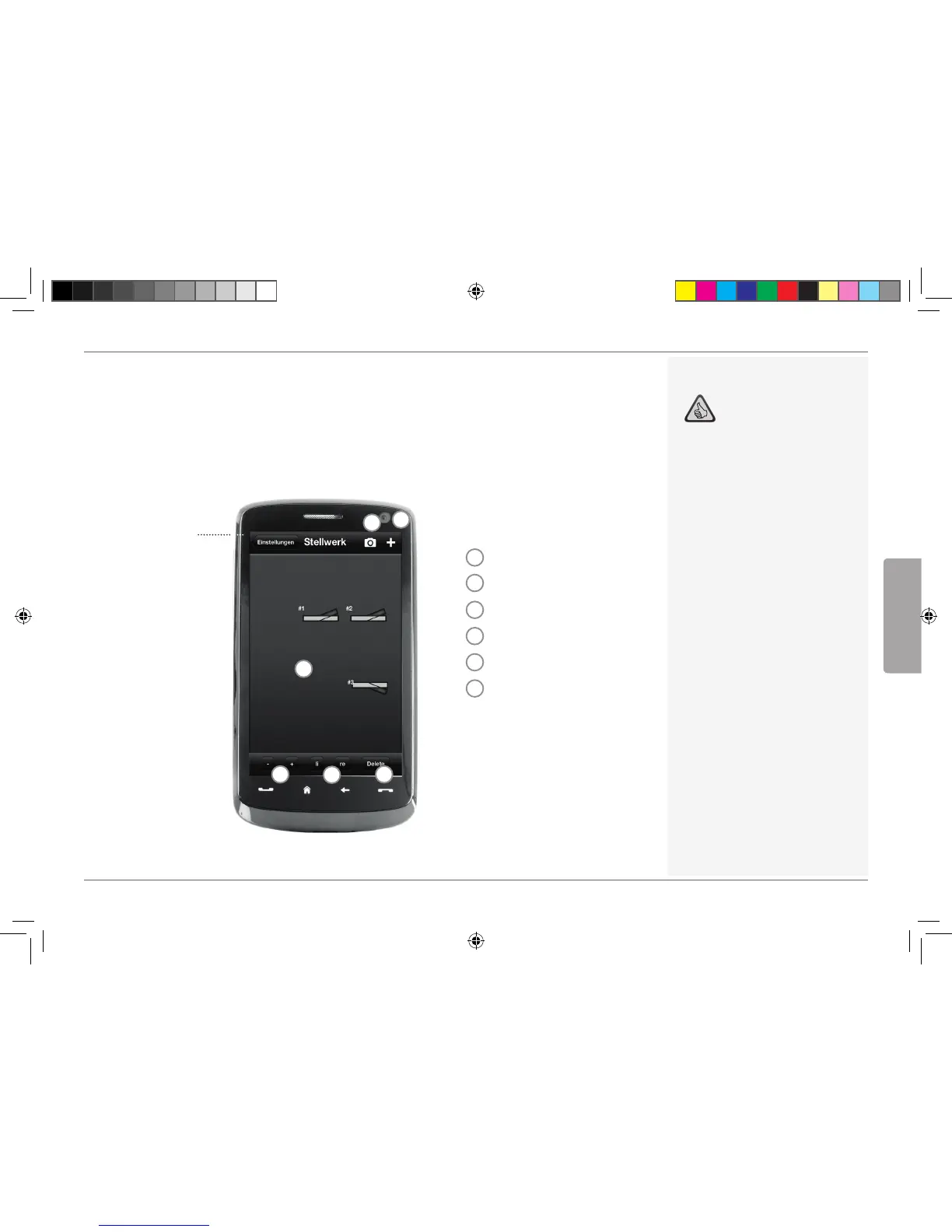
Overview: Z21 Driver Stand
5.7 Setting and Handling of Magnetic Items
With this menu, you can set up and switch digital magnetized items on the layout quickly and conve-
niently. Switches, signals and other digital components can be controlled easily with your fingertips.
Back to
settings
(see Page 52)
Highlights:
Easy control of all magnetized
articles on the layout
Switch management by touch
Visualization with customized
background images
For switches, signals and all other
digital components
1
Create background image
2
Create new article
3
Change size
4
Rotate
5
Delete
6
Briefly tap touch magnetized
items to configure. Touch
magnetized items longer to
change sizes and angles.
1
2
3
4
5
6
English
8041500920.indd 57 14.12.2017 09:48:53


 To Next Page