54
5.4 Loco Settings
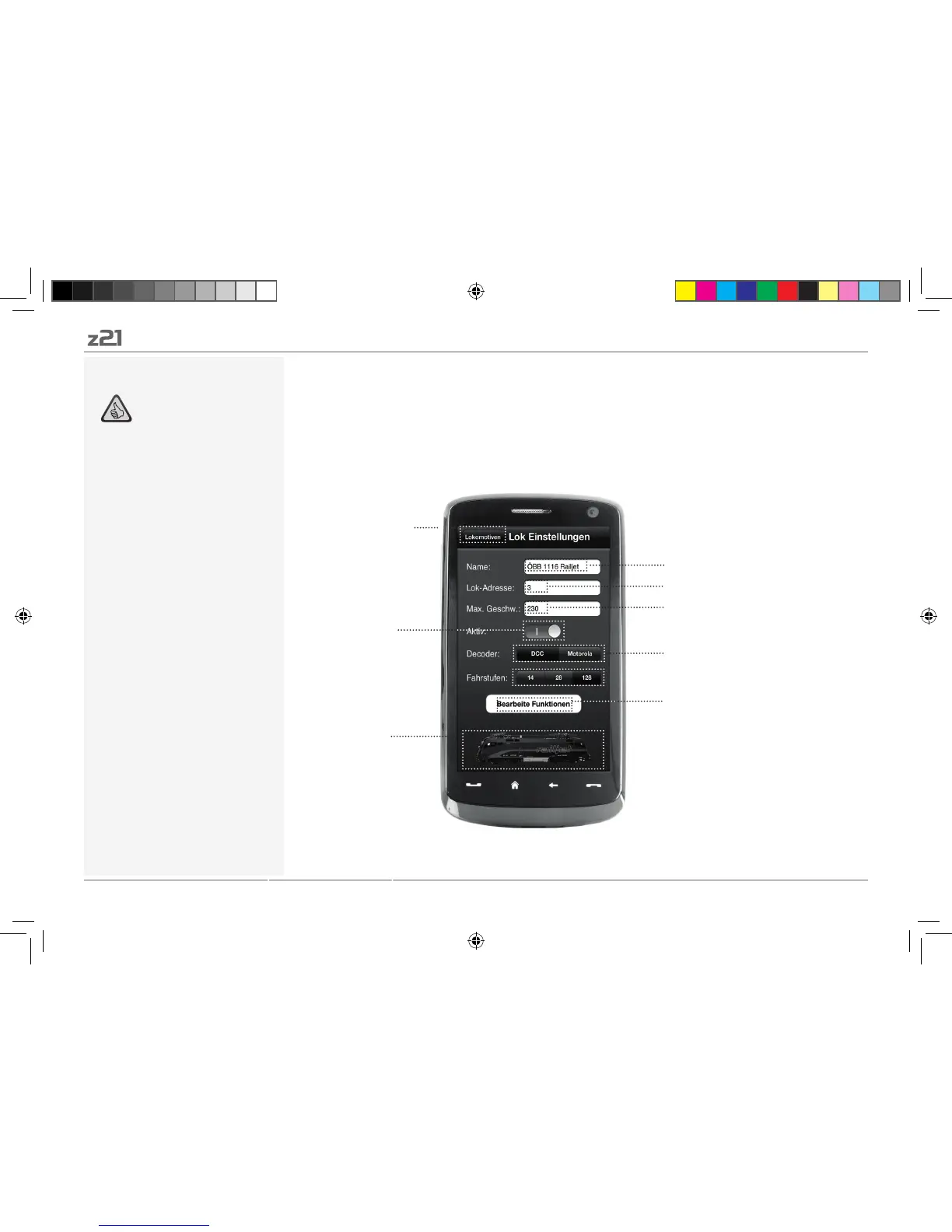
You can lay down the basic settings for each of your locomotives in the register card “Loco Settings”.
Only the most important parameters are given here. This allows even beginners to quickly find their
way.
Back to loco
library
(see Page 53)
Z21 Mobile App
Highlights:
Clear access to major loco settings
Quick assignment of loco addresses
Easy orientation for new model railway
fans
Loco designation
Loco decoder address
Maximum speed
DCC/Motorola switchover
Add images
from the loco library
or take a new image
using a smartphone
camera
To register card “Functions”
(see Page 55)
Fade in/out of
loco library
8041500920.indd 54 14.12.2017 09:48:51


 To Next Page