II
BRIEF
TOUR
II
To get started, here is a brief tour
of
the basic operations
of
the Rodgers 595:
TURN ON/TURN OFF
To turn the organ on, press the power rocker switch at the top ( I
).
In approximately 5 seconds,
the
SET and General Cancel pistons will light, indicating the power is on and the organ is ready to
play. To tum the power off, press the power rocker switch at the bottom
(0).
The power to the
organ is off.
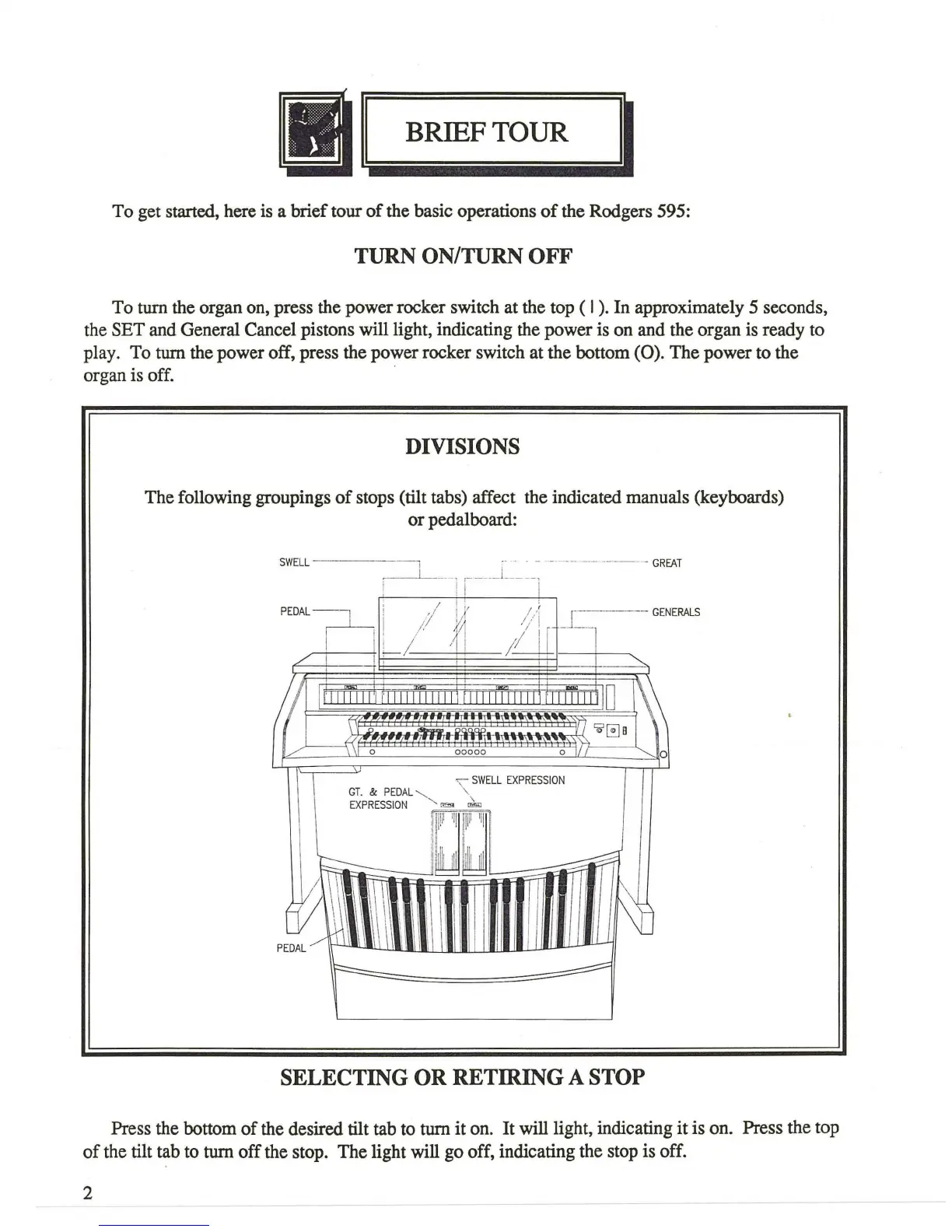
DIVISIONS
The following groupings
of
stops (tilt tabs) affect the indicated manuals (keyboards)
or
pedalboard:
SW
ELL
·· · · -
··
--
·
-·-·
---
-
GREAT
I i I
__
_
__
L ___ 1
PEDAL
--:=t_
~
/ #
;,/~;
/il
l
r
_l_-=--
GENERALS
I I
Ll-
'I I
/
~
/ ! ;
;, ;,
~
~
0
I I I U
lH
ll
'l u
lllll
l
ll
l t
lllllll
l l 1
11'
I
11111
'11
0 1\\
I ·
~
liQ.9.CII=
, n
~[!]
B
1 \
/...J---n?~l
o
ooooo
o
II
-, SW
ELL
EX
PRE
S
SIO
N
GT
. &
PED
AL
'-...
'
EX
PRES
S
IO
N
'-
"""'
~
~
u~~~~~~~~~~~~~
il
I
11
~
PED
~j
i' J
i I
SELECTING OR RETIRING A STOP
Press the bottom
of
the desired tilt tab to turn
it
on. It will light, indicating it is on. Press the top
of
the tilt tab to turn off the stop. The light will go off, indicating the stop is off.
2







 To Next Page