Photocells automatic calibration
The Super Elf X3 is fitted with an automatic photocells calibration system. Proceed as
Remove all the yarn from the spool
body, and verify that the photocells glass and
button on the feeder side for about 10 seconds, till the
a short blinking than remains steady ON:
performed by the feeder SW. Wait a few seconds, that reset the
feeder by switching it OFF,
than back ON. The automatic calibration is needed
when replacing the feeder circuit board or
one of the sensors groups.
if the calibration procedure is
made with yarn on the spool body, or with glass
dirty, the feeder can go in alarm “SYSTEM ERROR 4” and it is completely
the feeder, remove the yarn from spool body, or the dust from
ation again. If, after performing correctly
the automatic calibration, the same
error is still displayed on the loom Dialog panel,
proceed as here below described:
Check the stopper pin position and distance from the spool body (see page 16)
correct connection of the photocell circuit inside the spool body
Replace the top spool body sector (that includes the sensors)
Replace the stopper magnet housing
board and make a new automatic calibration
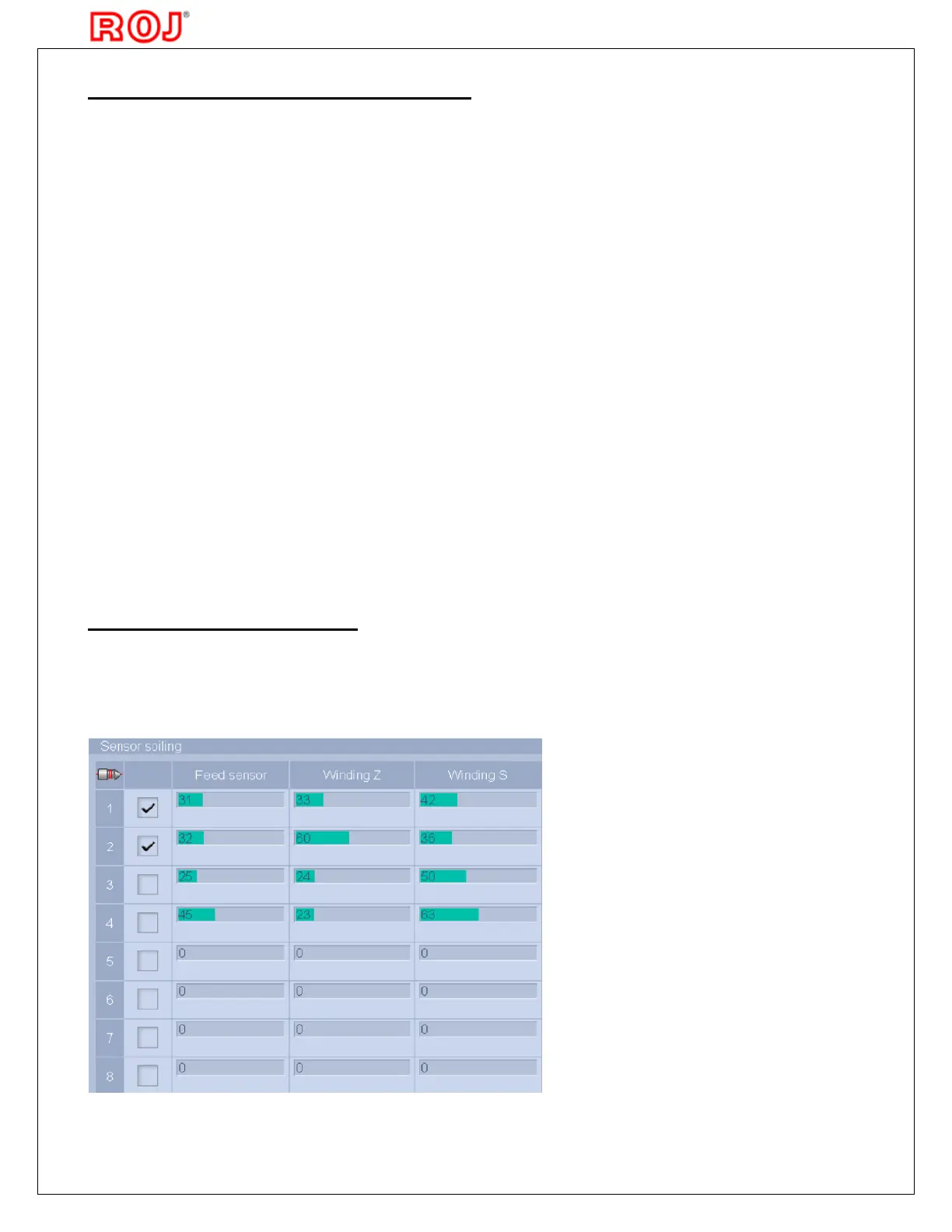
Super Elf X3 works with an automatic compensation system, to grant same level of
reading signals, even when the dust stats to accumulate on the window glass of the
The amount of dust accumulated it is indicated on relevant display page,
this information for the Reserve sensor it is not yet implemented on loom display



 To Next Page