52
Recording a Cassette or MD
Here’s how to record the sound from a cassette or MD.
4
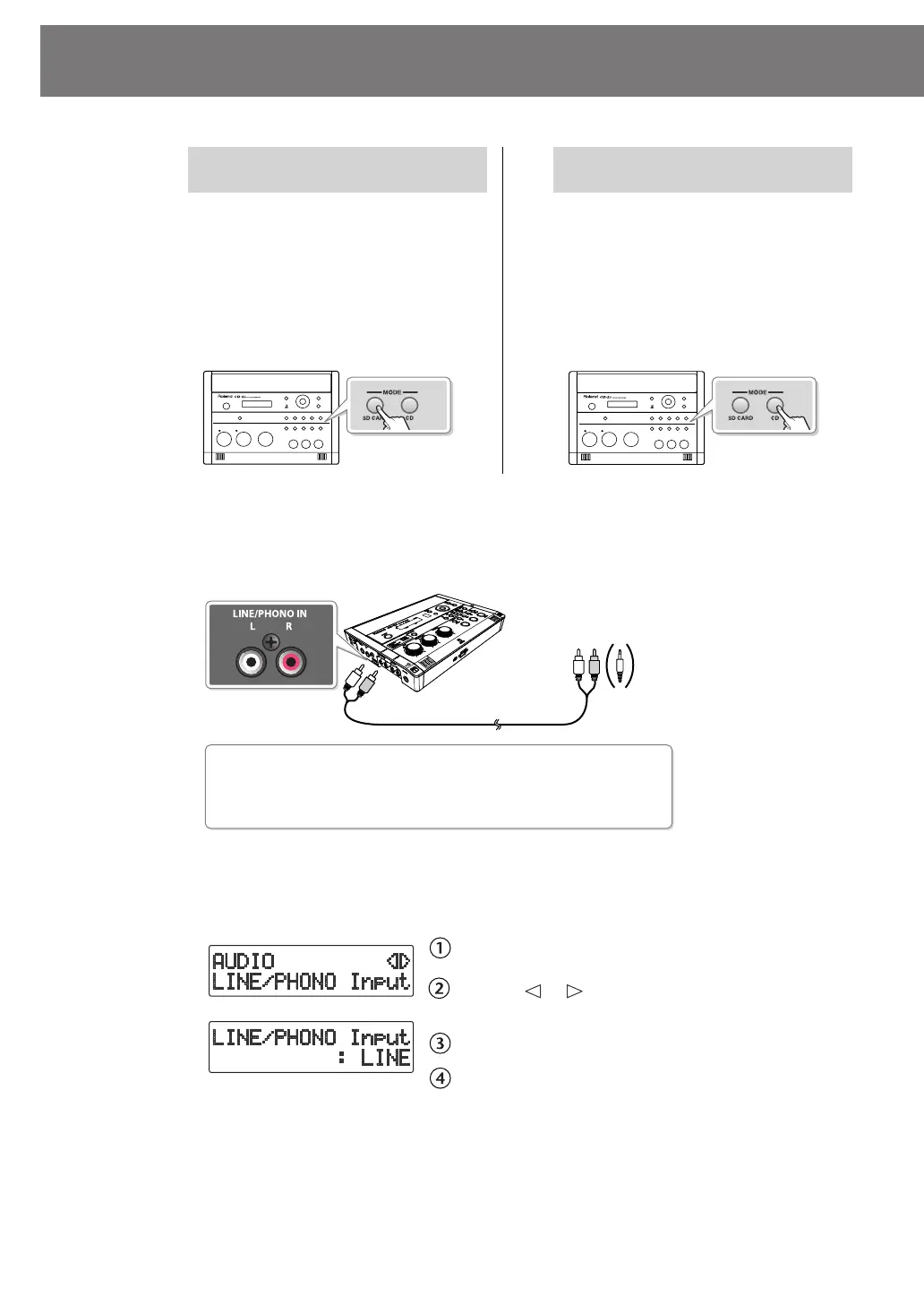
Connect your audio device (e.g., cassette deck) to the CD-2i’s LINE/
PHONO IN jacks.
Use audio cables to connect the CD-2i’s LINE/PHONO IN jacks to the output jacks of
your audio device (e.g., cassette deck).
fig.connect-record-e.eps
5
Press the [MENU] button to access the menu screen and select “LINE/
PHONO Input.“
fig.menu-overdub-e.eps
Press the [MENU] button to access the menu screen.
Use the [ ] [ ] buttons to choose “LINE/PHONO
Input.”
Press the [ENTER] button to confirm your choice.
Use the [+] [-] buttons to change the value to select
“LINE.“
* With the factory settings, this is set to Line.
If You’re Recording to an SD
Memory Card
If You’re Recording to a
CD-R/RW Disc
1
Turn on the power
(
☞
Page 21, 23).
1
Turn on the power
(
☞
Page 21).
2
Insert the SD memory card
(
☞
Page 25).
2
Insert the CD
(
☞
Page 28).
3
Set the audio source to “SD.”
Press the [SD CARD] button so it’s lit.
fig.selectCD-e.eps
3
Set the audio source to “CD.”
Press the [CD] button so it’s lit.
fig.selectSD-e.eps
To the output jacks of
the record player
CD-2i: RCA phono type
Audio device: RCA phono type
Types of plugs that can be connected
* Portable players use a stereo mini type jack.
RL
CD-2i_e.book 52 ページ 2010年3月15日 月曜日 午前10時15分




 To Next Page