Adding Accompaniment to Your Performance
Selecting Specied Rhythm Parts
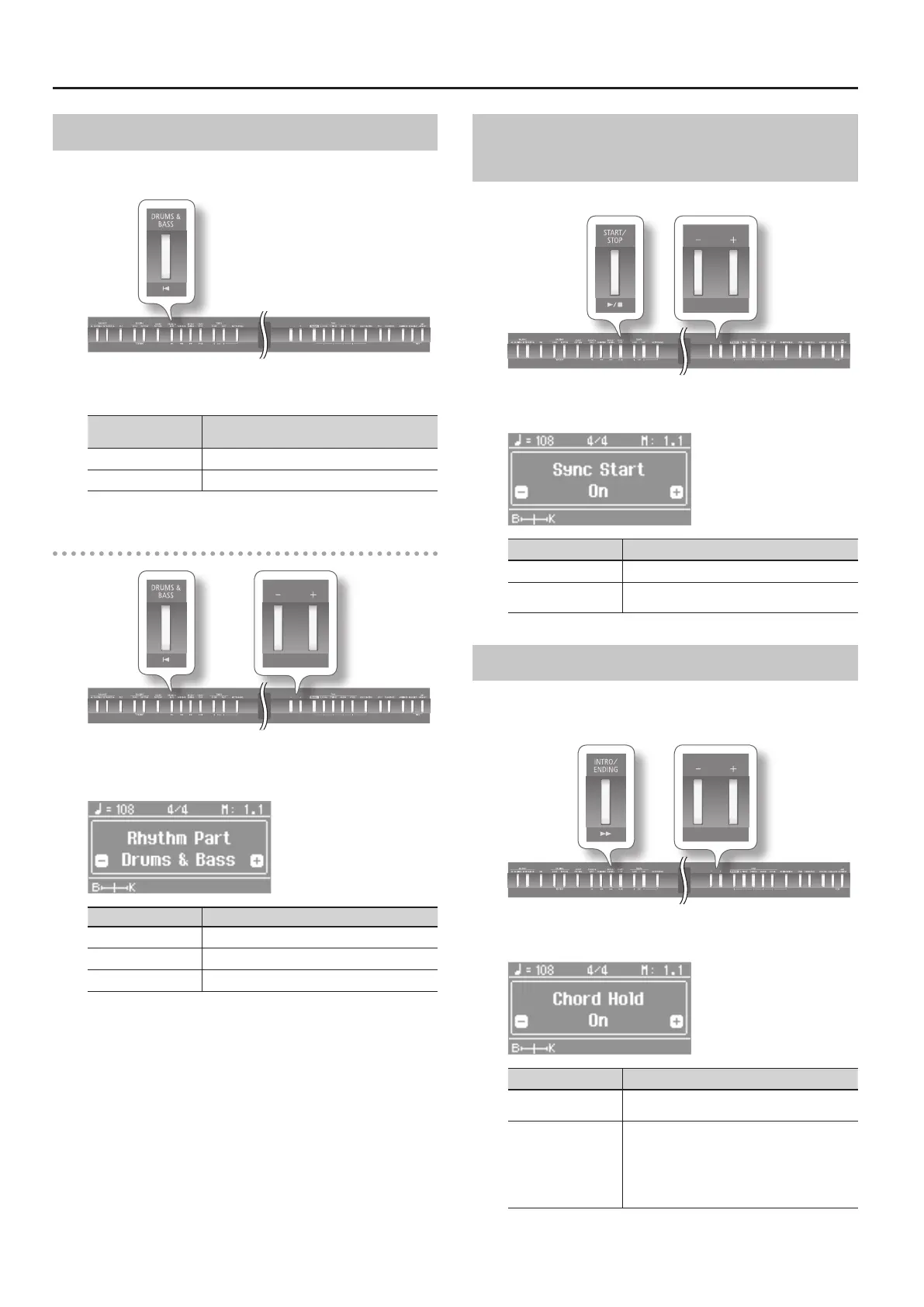
As an example, proceed as follows to select a drum-only rhythm
part.
1. Press the [DRUMS & BASS] button.
[DRUMS & BASS]
button
Explanation
Unlit Play all parts.
Lit Play only the selected Rhythm Part.
Selecting the rhythm parts (Rhythm Part)
1. Hold down the [DRUMS & BASS] button, and press the [–]
[+] buttons.
Value Explanation
Drums & Bass
Play only the drum and bass parts.
Bass Play only the bass part.
Drums Play only the drum part.
Starting the Rhythm by Playing a Key
(Sync Start)
You can have the rhythm start playing when you press a key.
1. Hold down the [START/STOP] button and press the [–] [+]
buttons.
Value Explanation
On The rhythm starts playing when you press a key.
O
The rhythm does not start playing when you press
a key.
Holding the Last Chord (Chord Hold)
When you play a chord, the rhythm performs according to the
chord you play, and the chord continues to sound until you press
another chord. This feature is called “Chord Hold.”
1. Hold down the [INTRO/ENDING] button and press the [–]
[+] buttons.
Value Explanation
On
Continue chord’s rhythm until you play another
chord.
O
All parts play while you hold down the chord.
When you lift ngers o keys, the drum part
continues but all other parts stop.
You can create a jazz four verse by having the
drums play by themselves, feature the piano
accompaniment, etc.
* The Chord Hold setting is ignored while Chord Pattern is turned
on.
22


 To Next Page