Convenient Functions
Making the Power Automatically
Turn O After a Time (Auto O)
With the factory settings, the unit’s power will automatically be
switched o a certain amount of time after you stop playing or
operating the unit.
If you don’t need the power to turn o automatically, set “Auto O”
to the “O” setting as described below.
MEMO
This setting is automatically saved in the FP-80.
1. Press the [SONG] and [RHYTHM] buttons simultaneously.
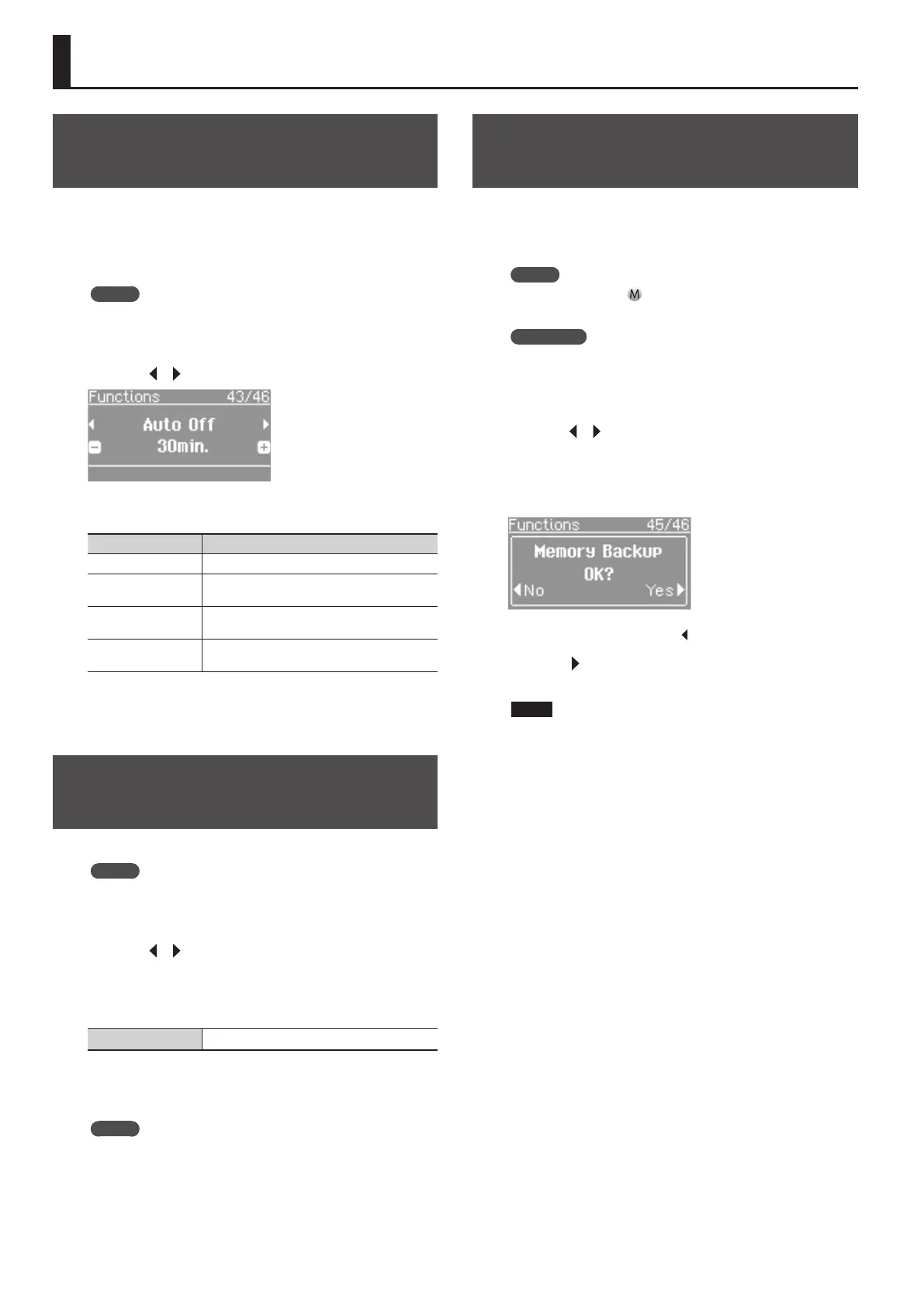
2. Press the [ ] [ ] (SLOW/FAST) buttons to select “Auto O.”
3. Press the [–] [+] buttons to adjust the value.
Value Explanation
O The power will not turn o automatically.
10min.
The power will automatically turn o if no
operation is performed for 10 minutes.
30min. (default)
The power will automatically turn o if no
operation is performed for 30 minutes.
240min.
The power will automatically turn o if no
operation is performed for 240 minutes (4 hours).
4. Press the [SONG] and [RHYTHM] buttons simultaneously
to nish.
Adjusting the Brightness of the
Display (Display Contrast)
Use this setting to adjust the brightness of the screen.
MEMO
This setting is automatically saved in the FP-80.
1. Press the [SONG] and [RHYTHM] buttons simultaneously.
2. Press the [ ] [ ] (SLOW/FAST) buttons to select “Display
Contrast.”
3. Press the [–] [+] buttons to adjust the value.
Value 1 (dark)–10 (bright)
4. Press the [SONG] and [RHYTHM] buttons simultaneously
to nish.
MEMO
Another way to access this adjustment is to hold down the
[METRONOME] button while turning the power on.
After adjusting the brightness, turn the power o, then on
again.
Retaining Settings After Power-o
(Memory Backup)
Temperament settings, equalizer settings, and other settings are
reset to their default values when the FP-80 is turned on.
You can automatically restore the desired settings if you save them
in internal memory.
MEMO
In this manual, the “
” icon indicates settings retained by the
Memory Backup function.
REFERENCE
For a list of settings saved by Memory Backup, see “Items Stored
by Memory Backup” (p. 57).
1. Press the [SONG] and [RHYTHM] buttons simultaneously.
2. Press the [ ] [ ] (SLOW/FAST) buttons to select “Memory
Backup.”
3. Press the [METRONOME] button.
The Memory Backup screen appears.
If you decide to cancel, press the [ ] (SLOW) button.
4. Press the [ ] (FAST) button to select “Yes.”
Memory Backup will be carried out.
NOTE
Do NOT turn o the power while “Executing...” is displayed.
5. Press the [SONG] and [RHYTHM] buttons simultaneously
to nish.
40


 To Next Page