Operation Guide
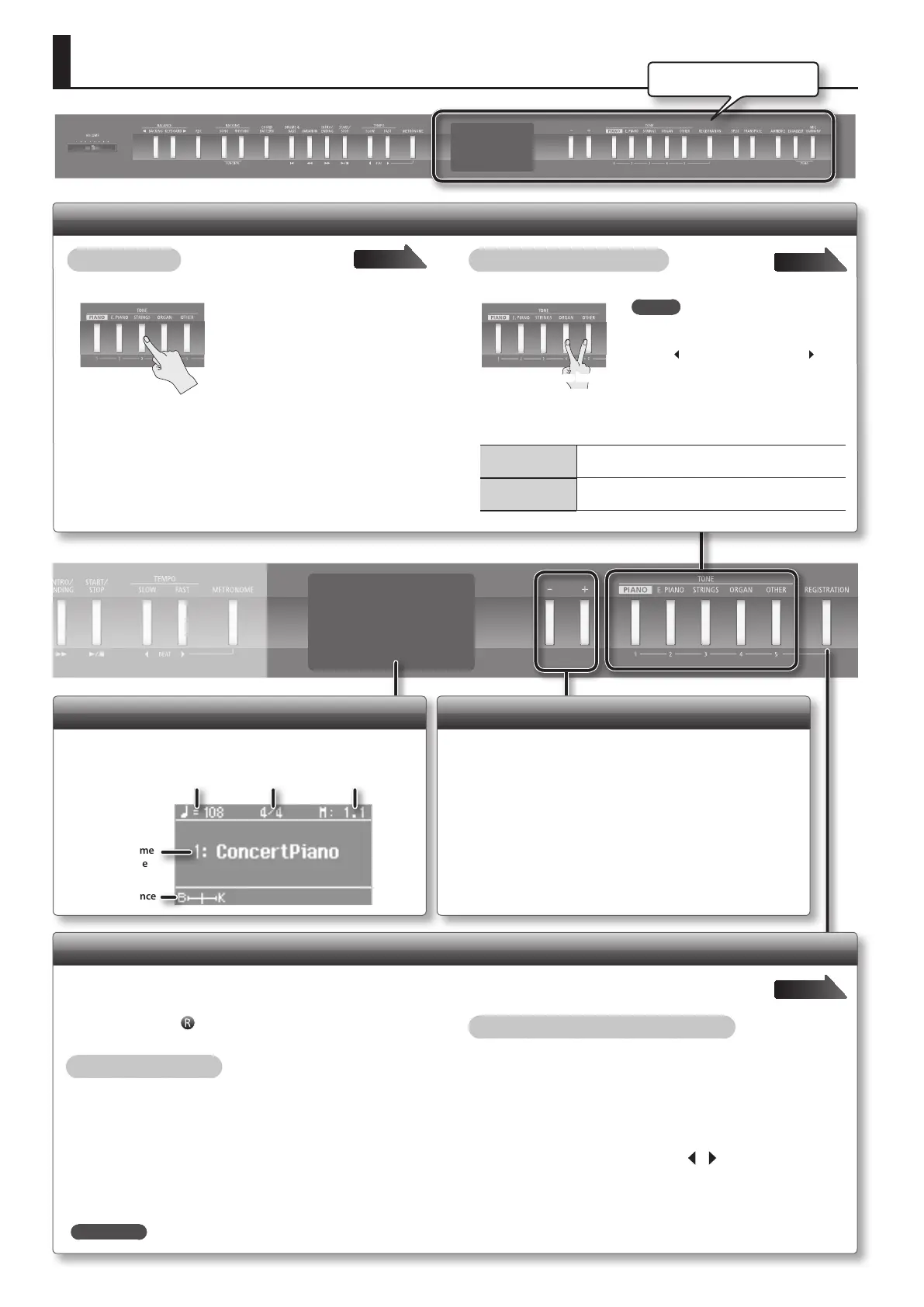
Display
The display shows information such as the tone name,
rhythm name, song name, tempo, and time signature.
Volume Balance
Tempo Time Signature Measure
Tone Name
Rhythm Name
Song Name
Describing this area
Switching Tones
Switching tones
Press one of the TONE buttons, and then press the [–] [+] buttons.
Layering two tones (Dual Play)
Press any two TONE buttons simultaneously.
Press two buttons
Changing the tones
Tone 1
(Left-side button)
Press the [–] [+] buttons.
Tone 2
(Right-side button)
Hold down the right-most of the lit TONE button, and
then use the [–] [+] buttons.
Page 14
Page 14
Selecting Variation Tones/Adjusting the Settings
You can select tone variations, rhythms, and songs, and adjust
various settings.
• Hold down the [–] [+] buttons if you want the value to continue
changing.
• To rapidly raise the value, hold down the [+] button and press the
[–] button.
• To rapidly reduce the value, hold down the [–] button and press
the [+] button.
• To return the setting to its default value, press the [–] and [+]
buttons simultaneously.
Recalling Performance Settings (Registration)
You can use the registration feature to save the current performance settings
into a “registration” that you can recall whenever you wish.
Each registration holds a full set of tone settings, rhythm settings, and other performance-related values.
Page 36
In this manual, the “ ” icon indicates settings that are saved into
registration memory.
Recalling a registration
1. Press the [REGISTRATION] button.
2. Press one of the number buttons, from [1] to [5], to select
the registration.
3. Press the [–] [+] buttons to select the registration
variation.
Saving current settings into a registration
1. Set the desired performance settings: tone, rhythm, and
so on.
2. While holding down the [REGISTRATION] button, press
a button from [1] to [5] to select a registration and then
press the [–] [+] buttons to select a registration variation.
3. Use the [–] [+] buttons and the [ ][ ] (SLOW/FAST)
buttons to give a name to the registration.
4. Press the [METRONOME] button.
REFERENCE
For details on the settings that can be stored, refer to “Settings Saved in Registrations” (p. 57).
MEMO
When using Dual Play, you can adjust
the volume balance by pressing
the [
BACKING] or [KEYBOARD ]
button while holding down the TONE
button.
6



 To Next Page