EasyManua.ls Logo

Roland FP-9 - Page 31

Roland FP-9
40 pages
Print Icon
To Next Page IconTo Next Page
To Previous Page IconTo Previous Page
Loading...
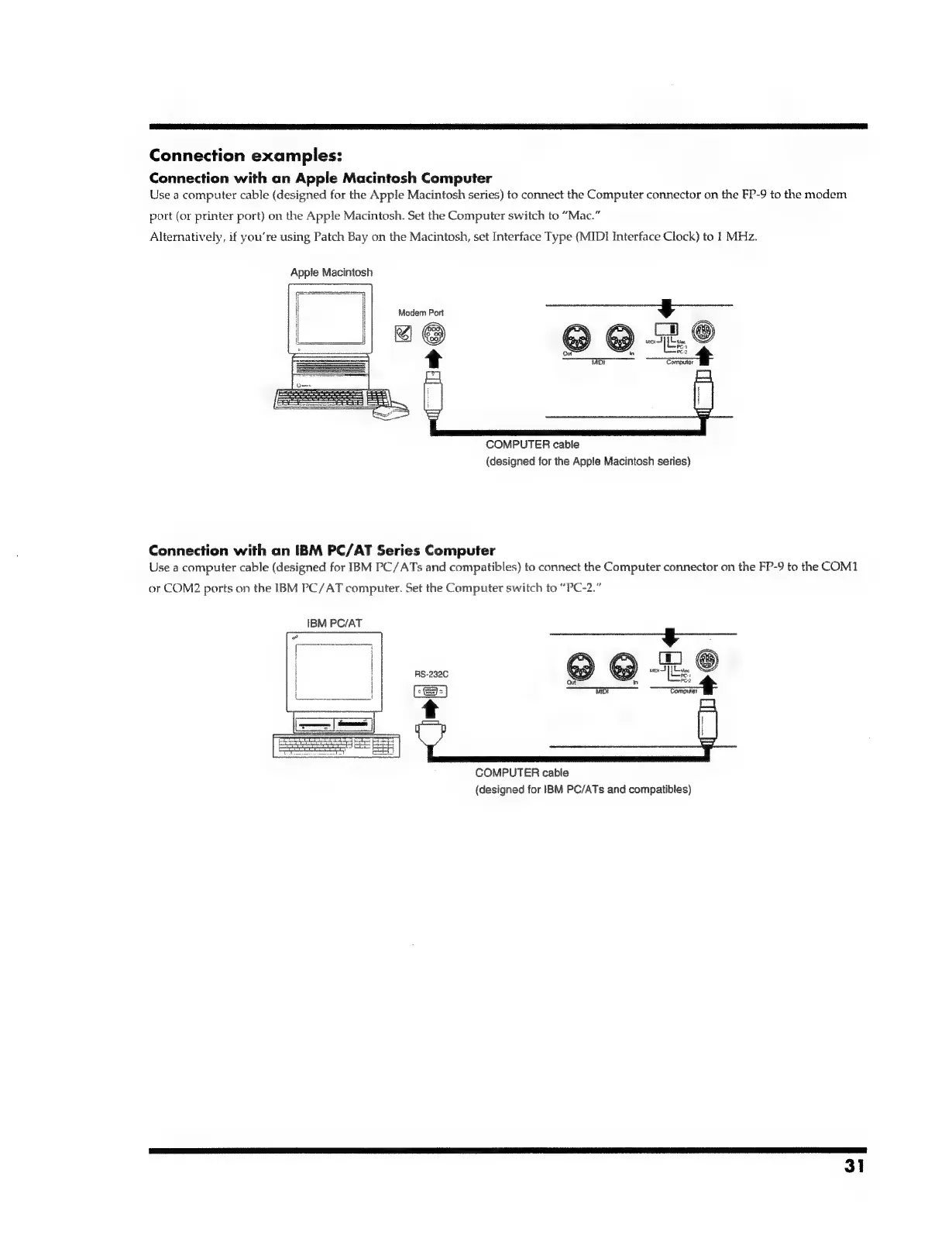
Connection
examples:
Connection
with
an
Apple
Macintosh
Computer
Use
a
computer
cable
(designed
for
the
Apple
Macintosh
series)
to
connect
the
Computer
connector
on
the
FP-9
to
the
modem
port
(or
printer
port)
on
the
Apple
Macintosh.
Set
the
Computer
switch
to
“Mac.”
Alternatively,
if
you’re
using
Patch
Bay
on
the
Macintosh,
set
Interface
Type
(MIDI
Interface
Clock)
to
1
MHz.
Apple
Macintosh
Modem
Port
¥
L
COMPUTER
cable
(designed
for
the
Apple
Macintosh
series)
Connection
with
an
IBM
PC/AT
Series
Computer
Use
a
computer
cable
(designed
for
IBM
PC/ATs
and
compatibles)
to
connect
the
Computer
connector
on
the
FP-9
to
the
COM1
or
COM2
ports
on
the
IBM
PC/AT
computer.
Set
the
Computer
switch
to
“PC-2.”
IBM
PC/AT
@ @
=e
Out
in
MIDS
amoutat
COMPUTER
cable
(designed
for
IBM
PC/ATs
and
compatibles)
31

Related product manuals