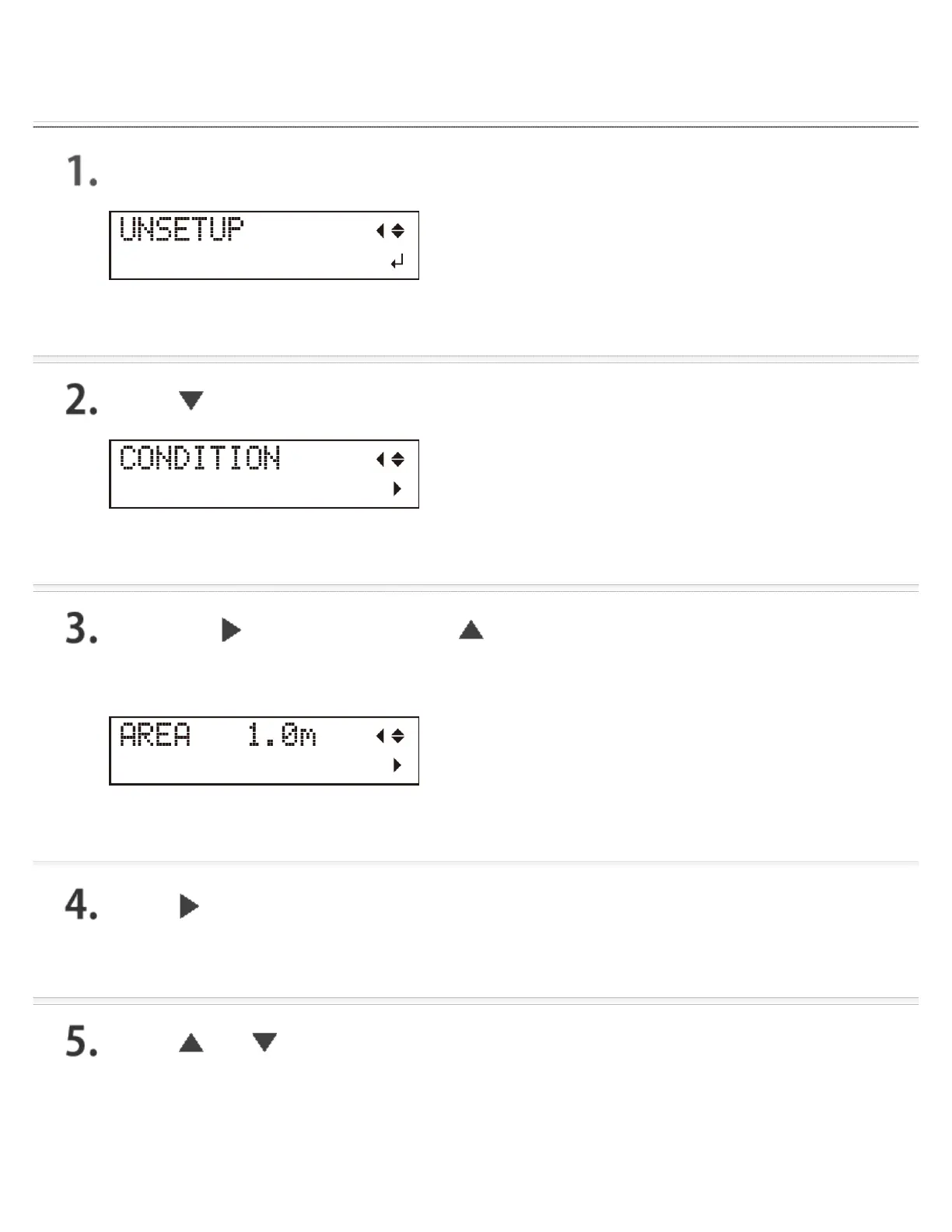
Procedure
Press [MENU] several times to display the screen shown in the figure.
Press [ ] to display the screen shown in the figure.
Press the [ ] key, and then the [ ] key.
The screen shown in the figure below is displayed.
Press [ ].
Press [ ] or [ ] to set the value for the required length of the material
to cut.
It is a good idea to set a value that is about 0.2 m (7.9 in.) longer than the required material length.




 To Next Page