54
Chapter 4 Setting Effects
11. Limiter
(Smooth Out Irregularities in Volume)
This effect compresses the sound when it exceeds a specified
volume level, thus preventing distortion.
Available Settings:
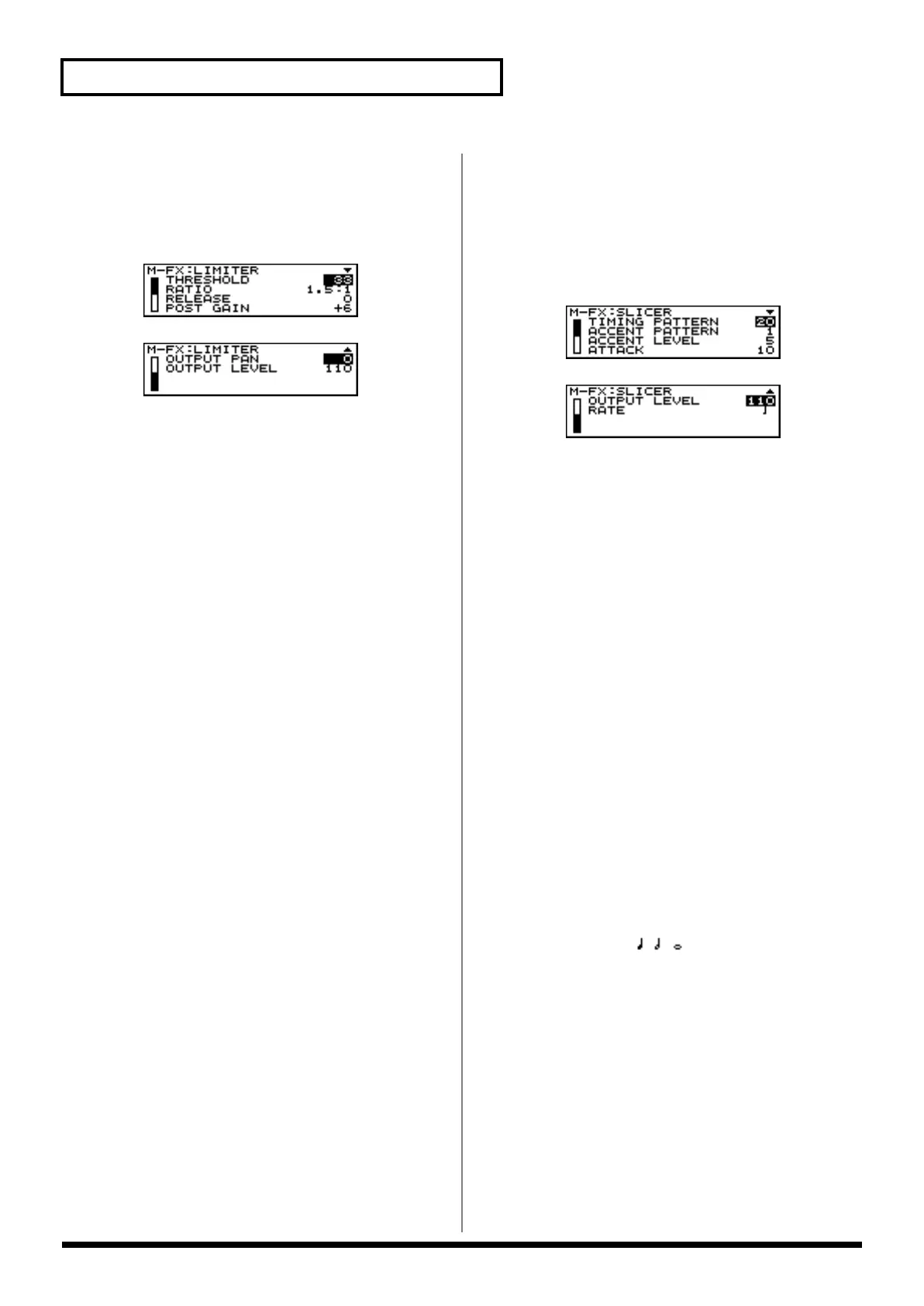
- THRESHOLD (Threshold Level) [CTRL 1]
Specifies the volume level at which compression will
begin.
Range: 0–127
- RATIO (Compression Ratio) [CTRL 2]
Specifies the ratio of compression.
Range: 1.5:1, 2:1, 4:1, 100:1
- RELEASE [CTRL 3]
Specifies the time from when the volume drops below
the Threshold Level until compression is no longer
applied.
Range: 0–127
- POST GAIN [CTRL 4]
Adjusts the output signal.
Range: 0, +6, +12, +18
- OUTPUT PAN [CTRL 5]
Specifies the stereo location of the output from the
Limiter effect.
Range: L64–63R
- OUTPUT LEVEL [CTRL 6]
Specifies the output volume of the Limiter effect.
Range: 0–127
12. Slicer
(Apply Successive Cuts to the Sound)
By applying successive cuts to the sound, this effect turns a
conventional sound into a sound that appears to be played as
a backing phrase. This is especially effective when applied to
sustain-type sounds.
Available Settings:
- TIMING PATTERN [CTRL1]
Select a pattern to specify the timing at which the sound
will be cut.
Range: 34 types
- ACCENT PATTERN [CTRL 3]
Specifies the location of the accents.
Range: 16 types
- ACCENT LEVEL [CTRL 4]
Adjusts the volume of the accents.
Range: 0–127
As this setting is increased, the accent will be more
pronounced.
- ATTACK [CTRL 5]
Adjusts the attack speed of the sound.
Range: 1–10
As this setting is increased, the attack will become faster.
- OUTPUT LEVEL [CTRL 6]
Adjusts the output volume from the Slicer effect.
Range: 0–127
- RATE [CTRL 2]
Determines the note value unit which will be cut.
Available Settings:


 To Next Page
 Loading...