Using the Sequencer
11
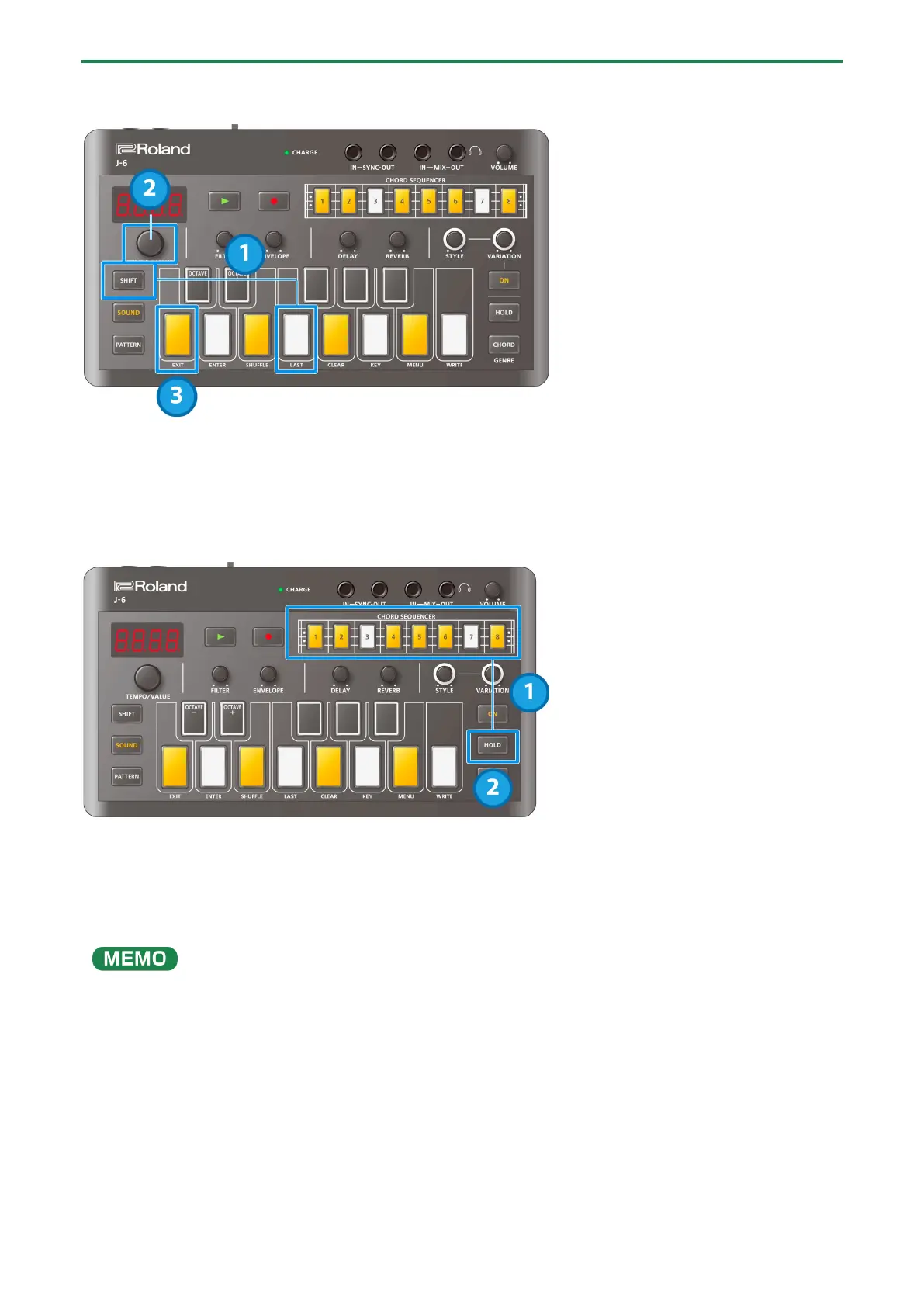
Setting the playback range (last step)
1.
Hold down the [SHIFT] button and press the [F (LAST)] keyboard button.
2.
Turn the [TEMPO/VALUE] knob to set the value.
3.
When you are finished, press the [C (EXIT)] button.
Inputting consecutive ties (long notes)
1.
Select a step that contains notes and press the [HOLD] button.
This inputs a tie into the next step.
2.
Press the [HOLD] button once again.
This inputs a tie into the next step after.
You can input long notes by pressing the [HOLD] button a number of times.
To delete a tie, select a step that contains a tie and press the [HOLD] button. The button goes dark.
When inputting a tie into a step, the step must not contain any notes.



 To Next Page
 Loading...