Using the Sequencer
12
Useful sequencer functions
Copying steps (COPY)
1.
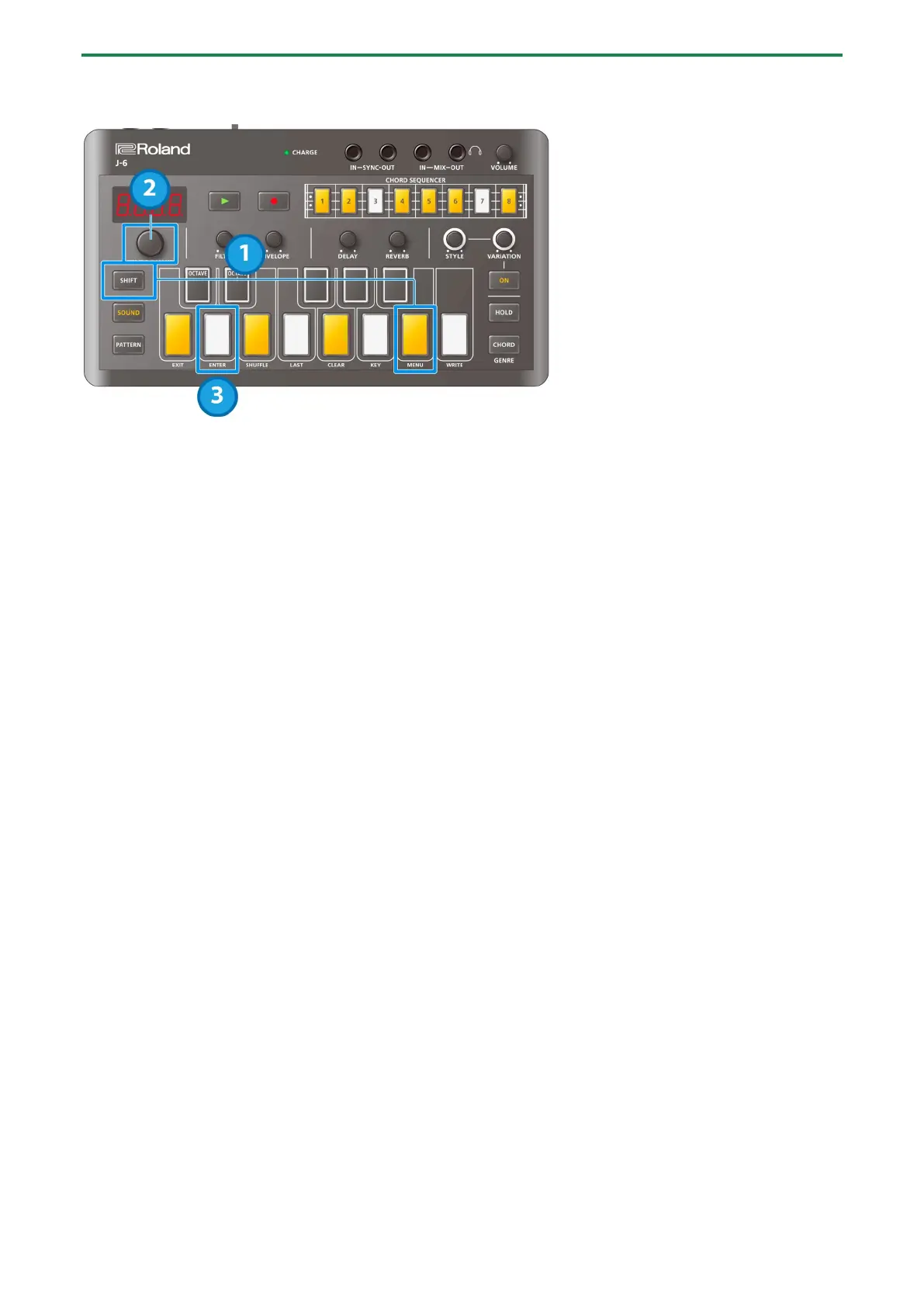
While a step is selected, hold down the [SHIFT] button and press the [B (MENU)] keyboard button.
2.
Use the [TEMPO/VALUE] knob to select “COPY”.
3.
Press the [D (ENTER)] button.
Pasting a copied step (PSTE)
1.
While a step is selected, hold down the [SHIFT] button and press the [B (MENU)] keyboard button.
2.
Use the [TEMPO/VALUE] knob to select “PSTE”.
3.
Press the [D (ENTER)] button.
The data is pasted into the selected step.
Inserting an empty step (INSR)
1.
While a step is selected, hold down the [SHIFT] button and press the [B (MENU)] keyboard button.
2.
Use the [TEMPO/VALUE] knob to select “INSR”.
3.
Press the [D (ENTER)] button.
The empty step is inserted into the selected step, and all steps afterwards are shifted forward by one step.
Copying all steps to double the length (DUPL)
1.
While a step is selected, hold down the [SHIFT] button and press the [B (MENU)] keyboard button.
2.
Use the [TEMPO/VALUE] knob to select “DUPL”.
3.
Press the [D (ENTER)] button.
The steps up through the last step are copied after the last step, doubling the length.
Changing the step length (BEAT)
1.
Hold down the [PATTERN] button and turn the [TEMPO/VALUE] knob to edit the number of beats (the
step length) in one measure of the pattern (
Beat(P.18)).
To set and make the beat play back shorter, such as 1/4th the beat’s length (“1_4”, sixteenth notes), set STYLE [ON] to a
phrase whose length matches that of the beat, by selecting the values from STYLE: 3 (see the “Phrase List(P.31)” for details).


 To Next Page
 Loading...