124
Chapter 6 Creating and Editing Songs
Chapter 6
■ Deleting Measures (Delete)
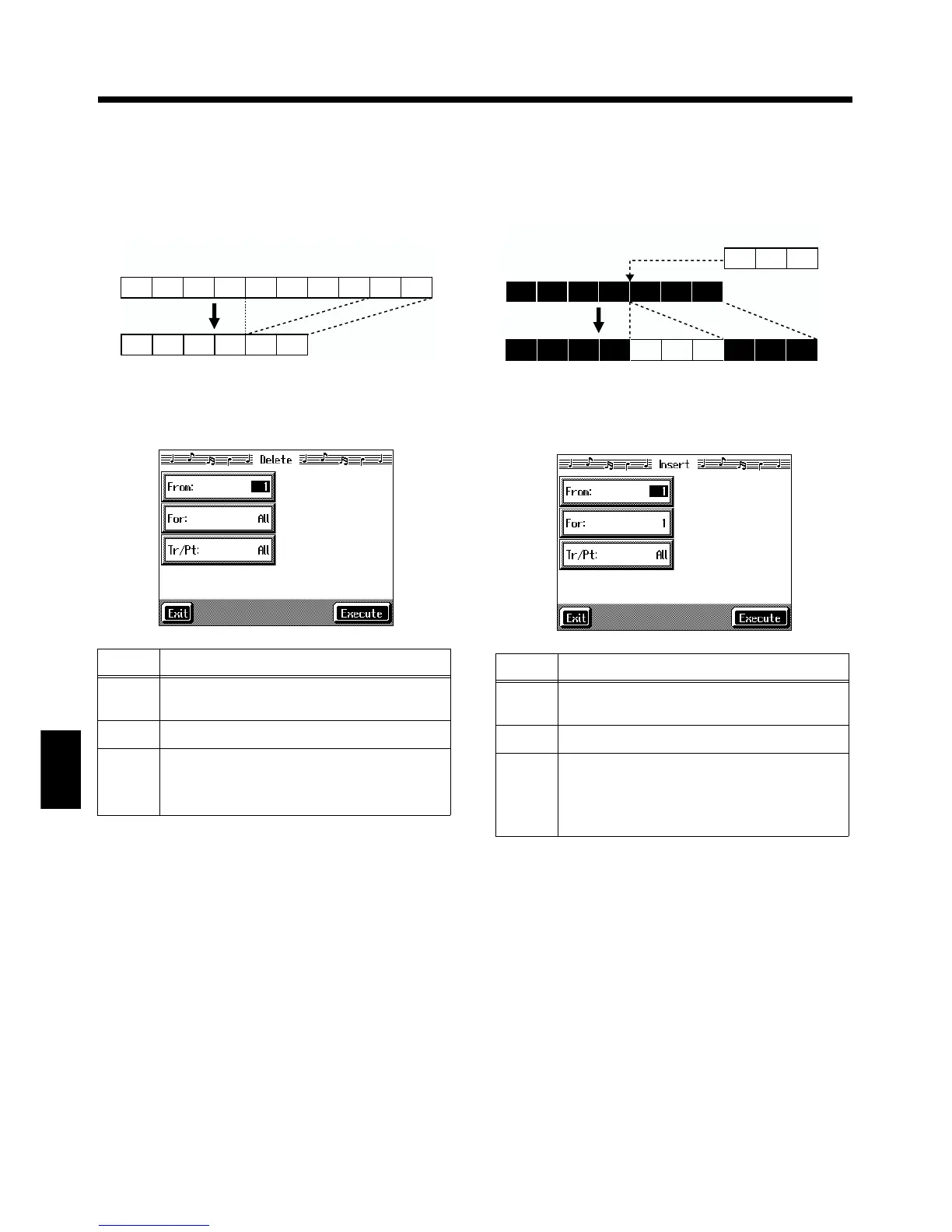
You can delete a part of a performance measure by measure.
When a portion of a performance is deleted, the rest of the
performance is shifted up to fill the gap. Erasing measures in
a specified passage is called “deleting.”
fig.e_delete.e
At Step 3 of “Selecting the editing function” (p. 121), select
<Delete>.
A screen like the one shown below appears.
fig.d-e-del.eps_50
■ Inserting Blank Measures
(Insert)
You can add a blank measure at a location you specify. This
addition of a blank measure is called “insertion.”
fig.e_insert.e
At Step 3 of “Selecting the editing function” (p. 121), select
<Insert>.
A screen like the one shown below appears.
fig.d-e-ins.eps_50
Item Content
From
Measure number of the first measure of the
segment to be deleted
For Number of measures to be deleted
Tr/Pt
Track button or part number to be deleted
When “All” is selected, the same portion of all
parts is deleted.
1 2 3 4 5 6 7 8 9 10
1 2 3 4 5 6
Ex. To delete measures (bars) 5-8
Item Content
From
Measure number of the first measure of the
segment to be inserted
For Number of measures to be inserted
Tr/Pt
Track button or part number where data will be
inserted
When “All” is selected, blank measures are in-
serted at the same place in all parts.
1 2 3 4 5 6 7
Ex. To insert measures (bars) 5-7
1 2 3 4 5 6 7 8 9 10



 To Next Page