12
RolliBot RolliCool 208 Portable AC with Heater User Manual
Section 4. Wireless Setup
For your convenience, there is an app for the device. The app is compatible with most Android
and iOS smartphones. Additionally, the unit can also be paired with Alexa and other products
from the Amazon Echo Family.
4.1 App Installation
Step1. Use your smartphone to search the Play or App Store for the “RolliCool” application.
Step2. Download and install the app according to your operating system.
4.2 App Pairing
• Powering on the RolliCool will automatically enable Bluetooth® i.e. Bluetooth® will become enabled and stay enabled as
long as the RolliCool is turned on.
• For instructions on how to turn on Bluetooth®, consult materials for your Bluetooth®-enabled smartphone.
• As with most Bluetooth® devices, it is recommended to keep the connected devices at least 32 ft. within each other. The
connection may be terminated or fail to work properly if the connected devices are too far apart.
Step 1. Turn on the AC unit then use your phone to turn on Bluetooth® and open the app.
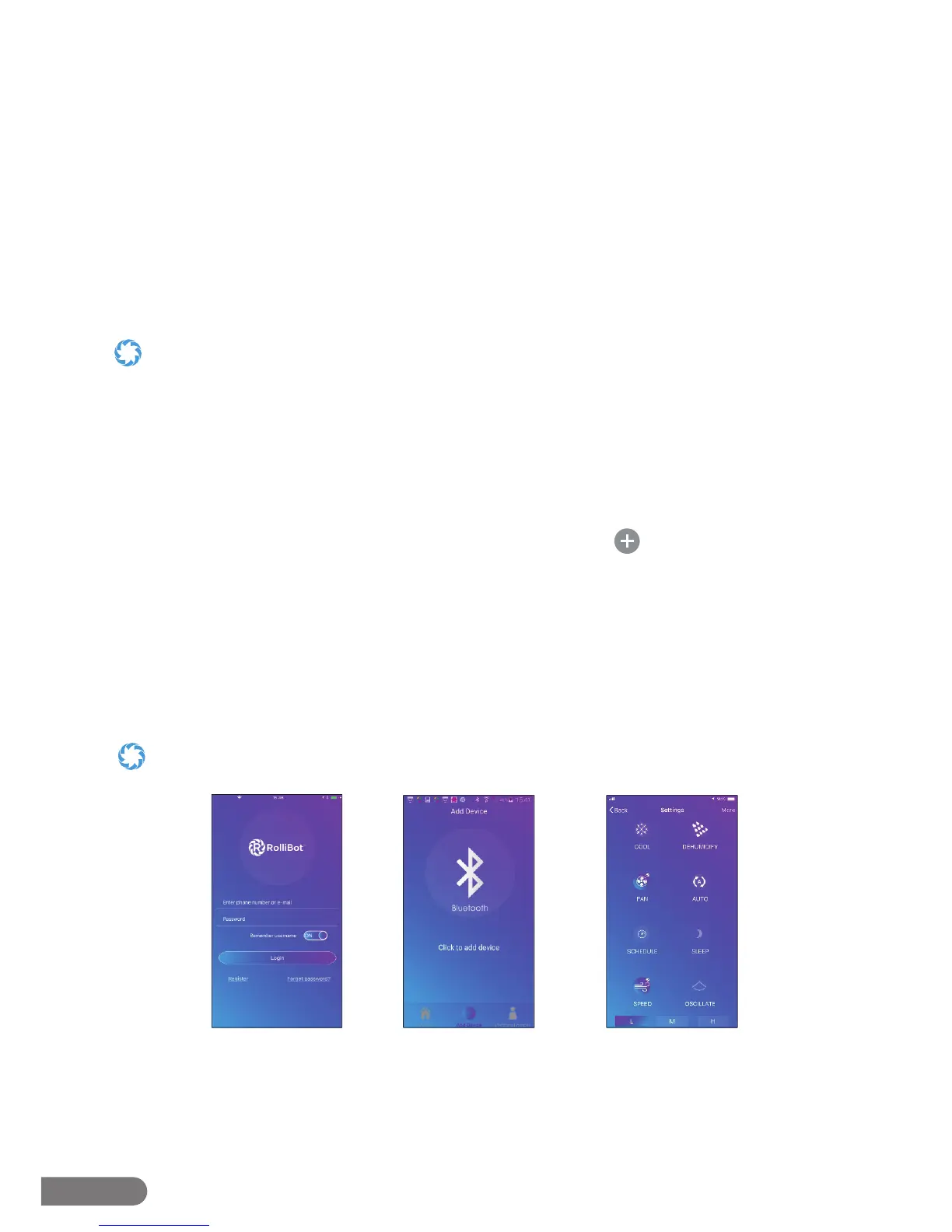
Step 2. Register for an account and return to the app ( g.1).
Step 3. After logging in, select the desired device type and tap the icon.
Step 4. Select the access mode and enter wi- and Bluetooth® info as needed ( g.2).
Step 5. Turn o the AC unit then press and hold the Mode button on the unit’s control panel for
~5 seconds. The unit may beep and the “WIFI” light should start blinking. At this point,
the app should begin pairing.
Step 6. After connecting successfully, the app can be used to set cooling schedules, change
modes, and more ( g.3).
Your device may be set to a di erent model name by default. To change the device name, tap “More” in the upper corner
then select “Rename device” to enter a new name for your COOL208.
g.1 g.2 g.3


 To Next Page