76
Reference Manual
00809-0100-4809, Rev DA
Section 4: Operation and Maintenance
September 2015
Operation and Maintenance
1. Close instrument valves to ensure that the pressure is isolated from the transmitter.
2. Open the bleed valves on the transmitter to remove all pressure.
3. Remove the cap and the RTD wiring only from the temperature housing and from the
transmitter.
4. Remove the transmitter.
5. Remove the RTD plug.
6. Pull the RTD wire out of the nipple and remove the RTD. Remove the RTD by inserting
the wires through a
7
/16-in. deep socket. Then use pliers or vise grips to rotate the
socket. The RTD is in a thermowell. No live line pressure will be present.
7. Install the new RTD and thread finger tight plus
1
/8 of a turn. Thread the wires through
the nipple. Note it may be easier to remove the terminal block from the temperature
housing to reinsert the RTD wires.
8. Using appropriate thread lubricant, reinstall the
1
/2-in. NPT plug.
9. Use the same PTFE gaskets to reinstall the transmitter to the Annubar Flowmeter sensor
head.
10. Use a torque wrench to tighten the stainless steel hex nuts in a cross pattern to 300
in-lbs.
11. Reconnect the RTD wires in the temperature housing and replace the cover.
12. Open the instrument valves.
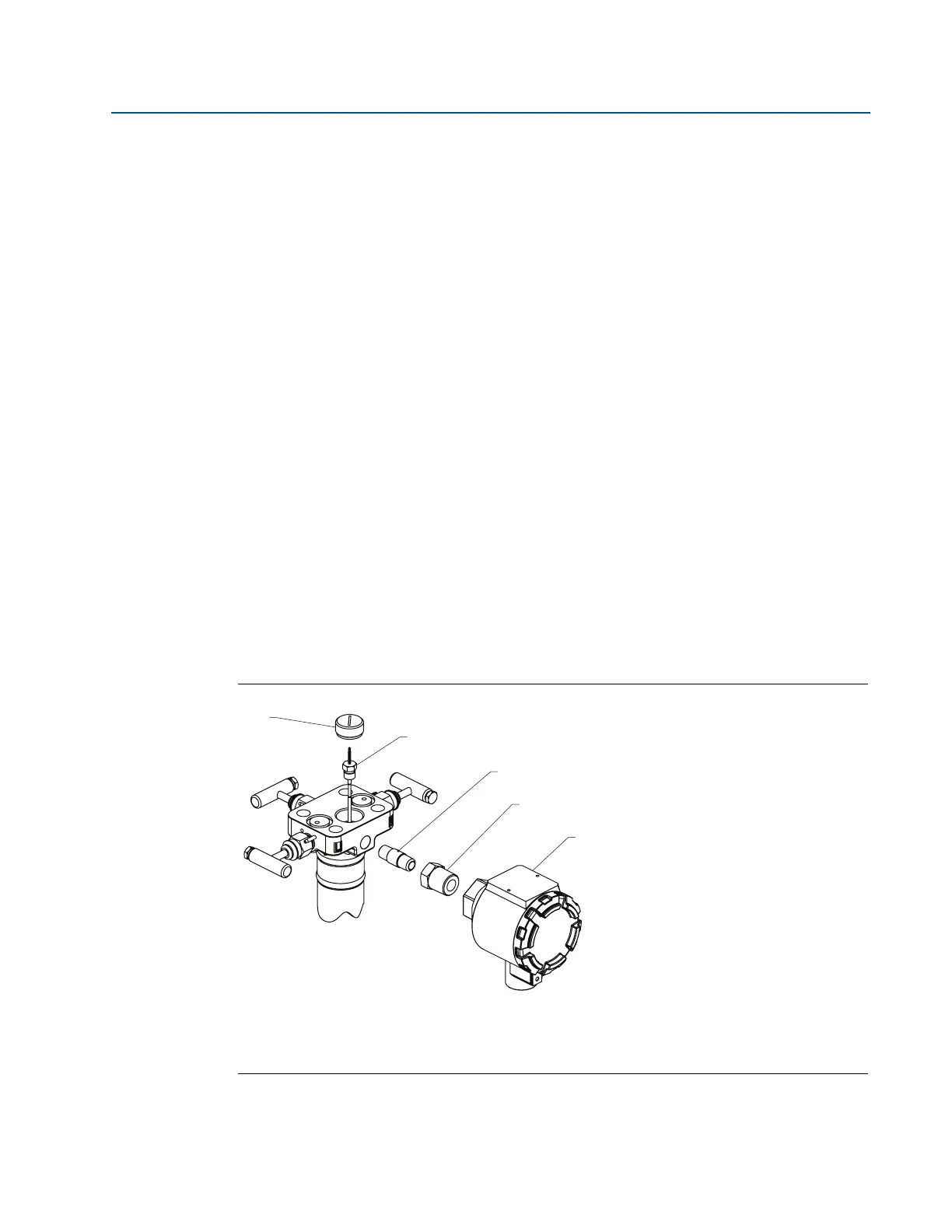
Figure 4-1. Exploded View of Direct Mounted Annubar Sensor, Integral RTD Installation
A. RTD plug
B.
1
/4-in. MNPT RTD
C.
1
/4-in. MNPT close nipple
D.
1
/4-in. FNPT ⫻
1
/2-in. MNPT adapter
E. Temperature housing
A
B
C
D
E










 To Next Page