5.5.1 Multimedia
NOTE:Youcanaccessthisfeaturedirectlyby
pressingtheMEDIAbuttonontheremote
Control.
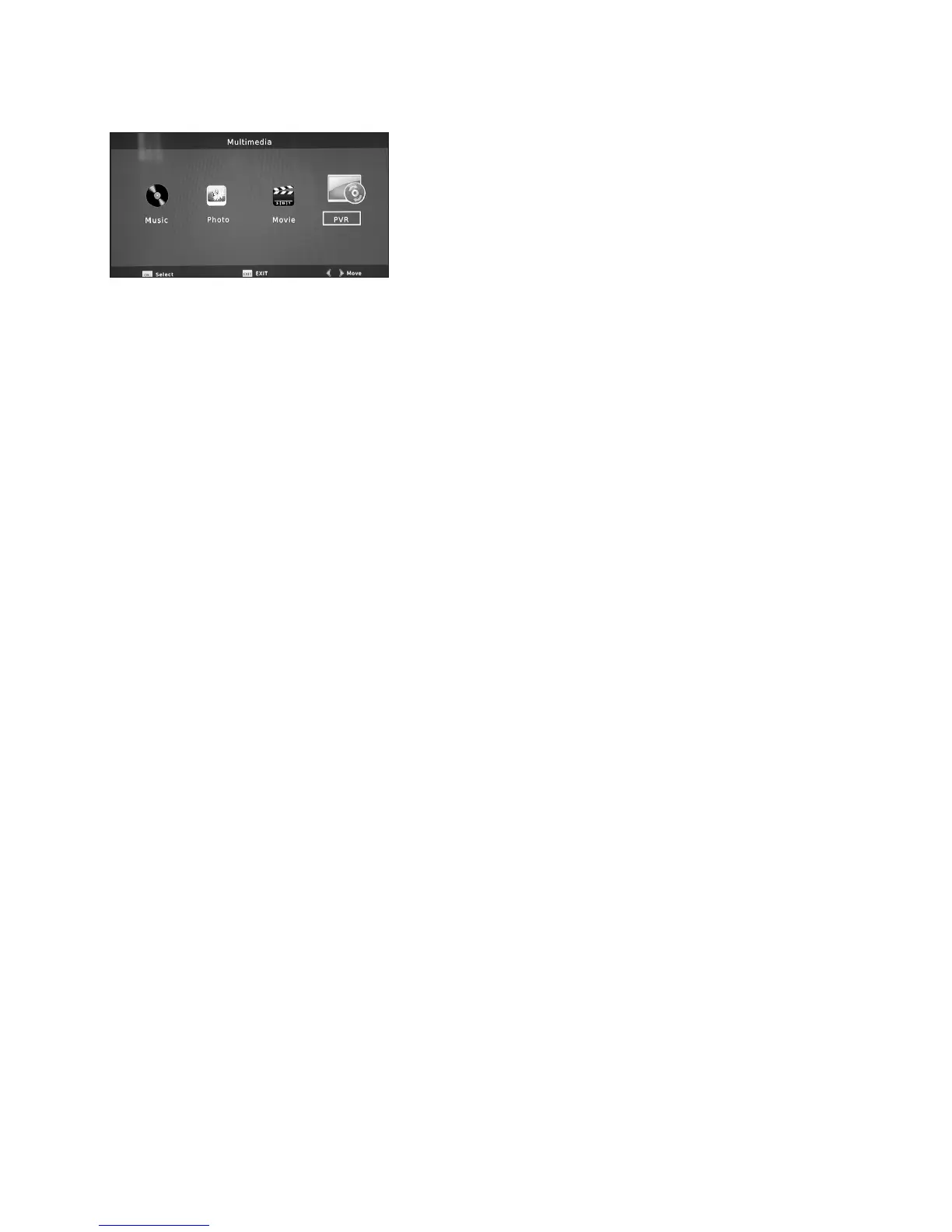
This feature enables you to playback a variety of
music and video files for your enjoyment. When
you have entered the MULTIMEDIA function a
screen will be displayed as shown with a number
of options as follows:
• Movie – To playback MPEG1/4 and AVI Videos
• Music – Plays back MP3 music files
• Photo – Plays both JPEG and Kodak image files
• PVR – Provides quick access to files on a selected device
• Movie:Use the VOL+- buttons to select MOVIE. Press OK. A list of compatible music
files will be shown. Use the CH+- buttons to select the file you wish to play and press
OK. Press the RED button to display FULL SCREEN. All the PLAY controls can be
used, note that the PREVIOUS and NEXT buttons will move you to the previous or next
recordings within a folder. You can also use the GOTO command by pressing the
BLUE button and then entering the time you wish to jump to in the pop up counter.
When you have entered the time as “00:00:00” format press OK to jump to your
chosen point in the file. The REPEAT A-B function only works in full screen playback.
Press the GREEN (Repeat AB) button to set the “A” start point, press the GREEN
(Repeat AB) button when you have reached the “B” stop point you desire. The loop will
then replay repeatedly until you press the GREEN (Repeat AB) button for a third time.
• Music: Use the VOL+- buttons to select MUSIC. Press OK. A list of compatible video
files will be shown. Use the CH+- buttons to select the file you wish to play and press
OK. All the PLAY controls can be used as normal, i.e., FF, FR, NEXT TRACK,
PREVIOUS TRACK etc. You can also use the GOTO command by pressing the BLUE
button and then entering the time you wish to jump to in the pop up counter. When
you have entered the time as “00:00:00” format press OK to jump to your chosen
point in the file.
NOTE:Musicwillcontinueplayingwhenselected,andwillcontinuetoplay
throughoutMultimediamenus,includingPhotos
• Photo: Use the VOL+- buttons to select PHOTO. Press OK. A list of compatible image
files will be shown. If you wish to see all the images as a slide show then press the
PLAY / PAUSE button to start the show (to alter the transition time see SETUP below)
If you wish to view the images one by one then use the CH+- buttons to select the file
you wish to play and press OK to view full screen. Press the NEXT and PREVIOUS
buttons to move backwards and forwards through the available images.
18


 To Next Page