2–2 • Hardware Installation XPression Prime Maintenance Guide (v01)
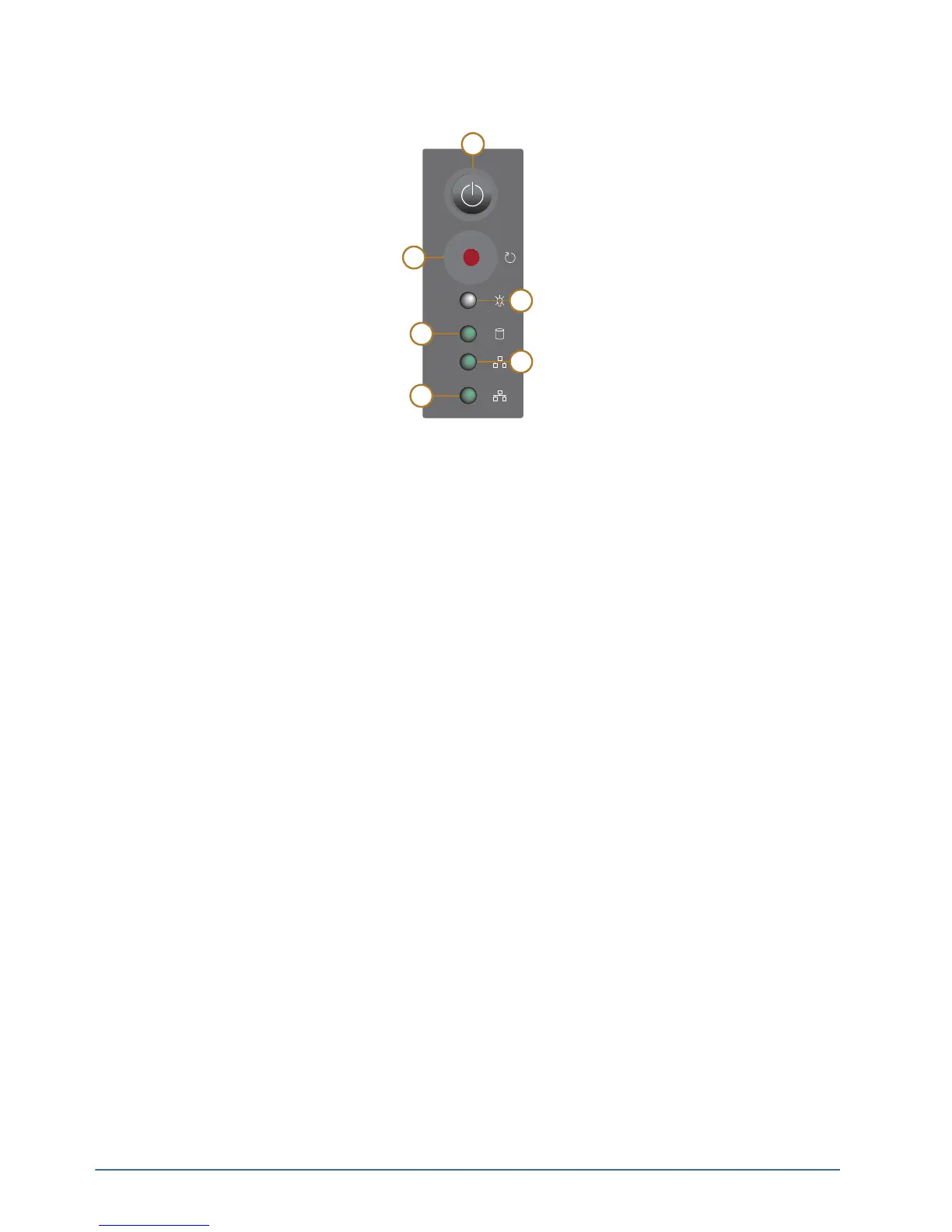
The following diagram (Figure 2.2) displays the Power LED Area of the XPression Prime system. Descriptions of
individual components are contained in the legend below the diagram.
Figure 2.2 Power LED Area
1. Power Button
Press this button to begin the boot procedure. Press and hold the button for five seconds to power down the
system after a hardware or software failure.
2. Reset Button
Press this button to reset the system after a hardware or software failure. Pressing this button also reboots the
system.
3. Power Active Indicator LED
This LED is active when the system is powered on.
4. Hard Disk Activity LED
This LED activates when there is read/write activity on any system hard disk.
5. Network 1 Activity LED
This LED is not active.
6. Network 2 Activity LED
This LED is not active.



 To Next Page