XPression Prime Maintenance Guide (v01) Hardware Installation • 2–3
XPression Prime Rear Input/Output Connections
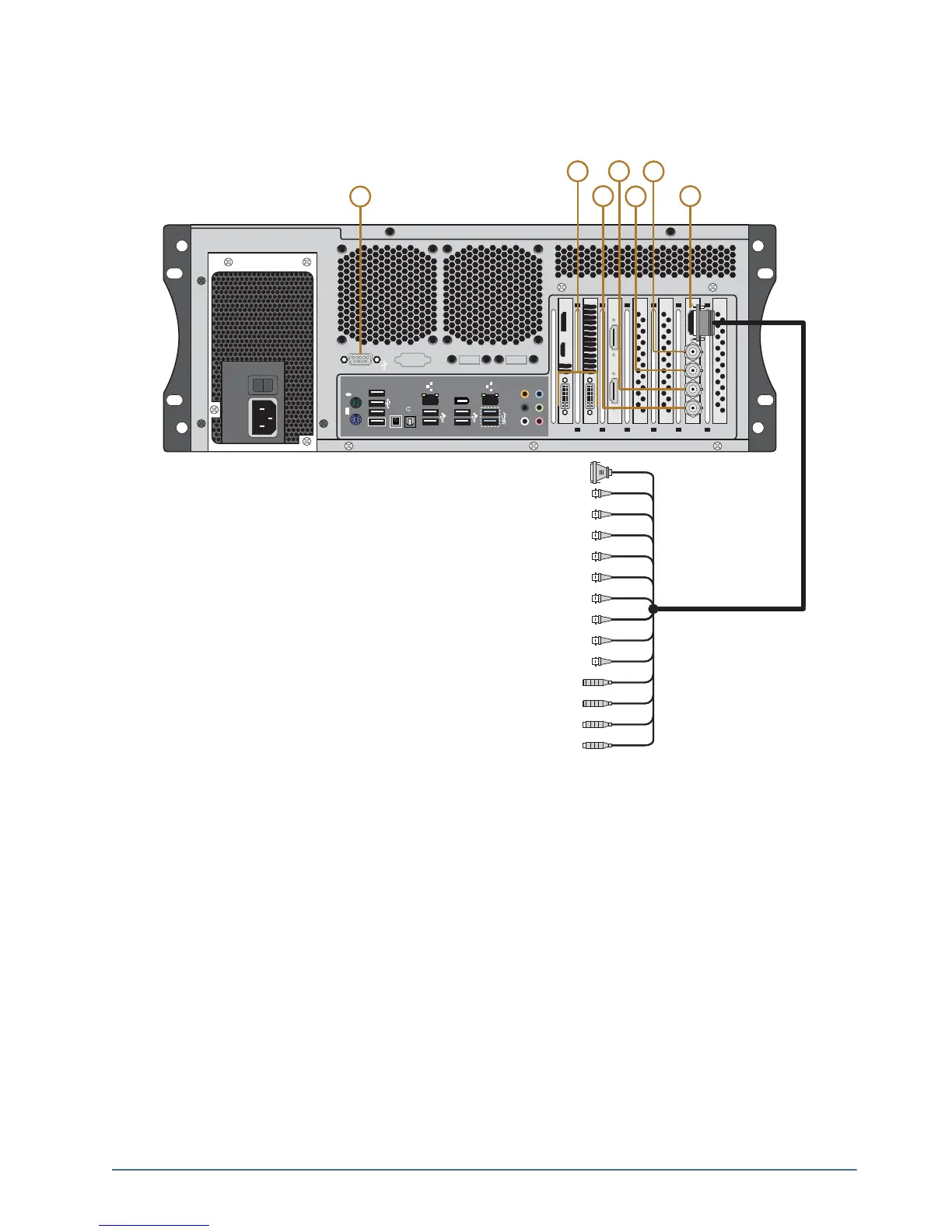
The following diagram (Figure 2.3) displays the Input/Output portion of the XPression Prime system. Descriptions
of individual components are contained in the legend below the diagram.
Figure 2.3 XPression Prime Rear Input/Output Connections
1. RS232 Port
Provides GPI and CII command functionality.
2. DVI Ports
Two DVI-I ports provide outputs for computer monitors. Digital monitors are recommended, however, analog
monitors are supported via VGA-DVI adapters.
3. SDI Input 2
Used for capturing a still image.
4. SDI Input 1
Provides background for when the XPression Prime system is using internal keying and also used for capturing a
still image.
5. SDI Key Out
Provides key or alpha channel output when in external key mode. Provides no output in internal key mode.
0
1
R-Y IN
RS-4222 DECK CONTROL
Y IN
B-Y IN
REF IN
R-Y OUT
Y OUT
B-Y OUT
AES/EBU OUT
AES/EBU IN
AUDIO OUT LEFT
AUDIO OUT RIGHT
AUDIO IN LEFT
AUDIO IN RIGHT
1394
USB3.0
CTR
BASS
REAR
SPK
SIDE
SPK
LINE
IN
FRONT
MIC IN
BIOS
USB BIOS Flashback
S/PDIF
2
3
4
5
6
7
1



 To Next Page