XPression Prime Maintenance Guide (v01) Maintenance • 3–17
Replacing the Power Supply
The XPression Prime system has one power supply, located at the rear of the system on the left-hand side.
Keep the following safety information in mind while removing the power supply from the XPression Prime system:
• Always ground yourself before touching electronic equipment.
• When removing the power supply unit, always support the unit with two hands to help prevent dropping it.
Removing the Power Supply
To remove the power supply from the XPression Prime system:
1. Make sure the XPression Prime system is shut down.
2. At the back of the XPression Prime system, turn off the power switch located on the power supply.
3. Disconnect the power cord from the power supply.
4. Remove the top panel from the XPression Prime system. Refer to the section “Removing and Re-Installing
the Top Panel” on page 3–9 for instructions.
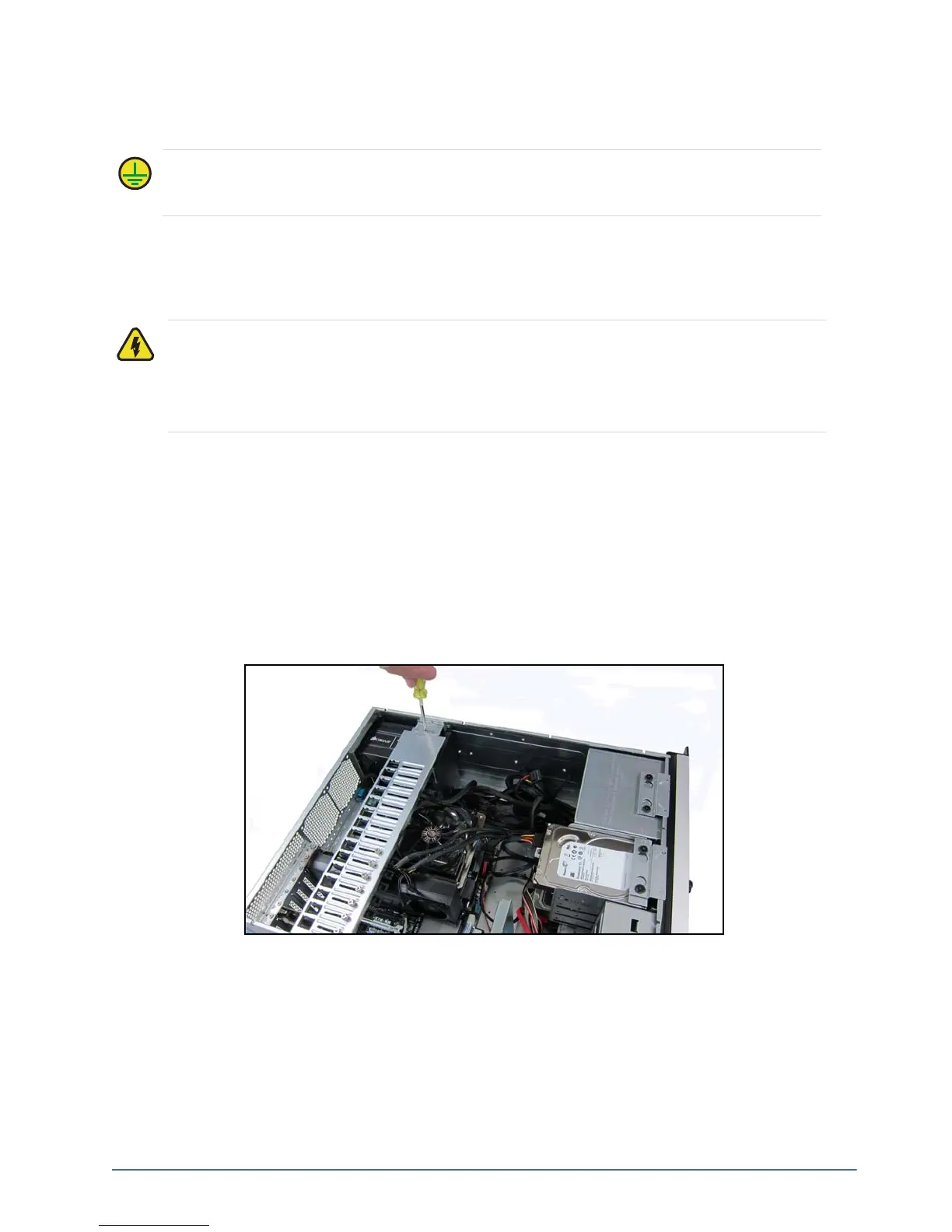
5. Unscrew the retaining bar screw.
Protective Earth — Static discharge can cause serious damage to sensitive devices. Touch the
chassis to dissipate static charge before removing power supplies from the system, and exercise proper
grounding precautions when working around the XPression system.
Warning Hazardous Voltages — Disconnect the power supply from AC mains before servicing.
Hazardous voltages remain within the power supply for a short period of time after removal from the
system. The power supply cover is intended to protect the user from access to these areas, and should
not be removed. Ross Video power supplies are intended to be factory serviced by qualified Ross Video
service personnel only. Service or any component replacement is not advised.



 To Next Page