2–4 • Hardware Installation XPression Prime Maintenance Guide (v01)
6. SDI Fill Out
Provides video fill in external key mode. In internal key mode, it provides the composite key over the input
background source.
7. Decklink Studio Breakout Port
Provides analog video output, audio, and reference input connections.
Rear Peripheral Connections
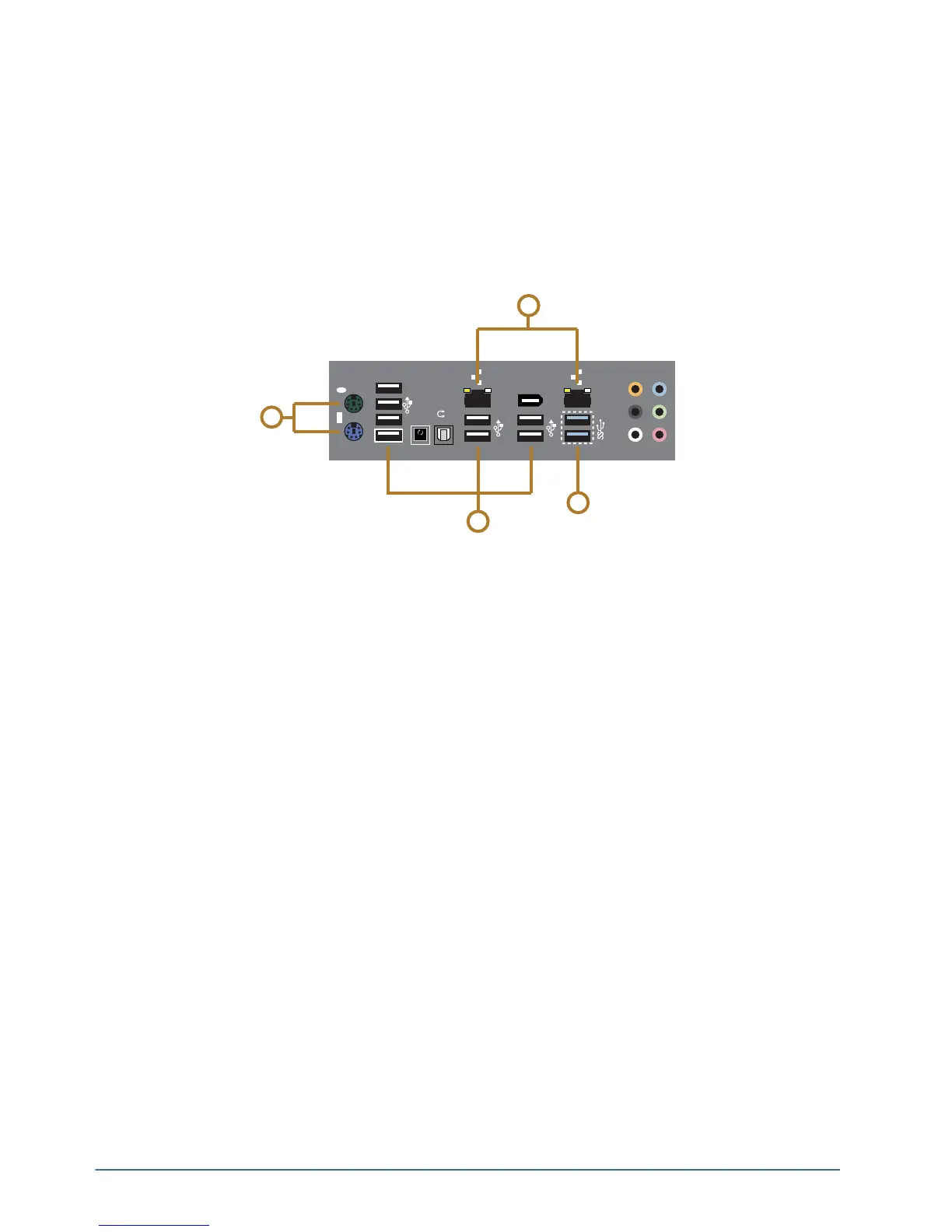
The following diagram (Figure 2.4) displays the peripheral connections under the Input/Output connections.
Descriptions of individual components are contained in the legend below the diagram.
Figure 2.4 Rear Peripheral Connections
1. PS/2 Ports
Use this port to connect peripheral devices such as a keyboard or mouse to the system.
2. GigE Ethernet Ports
Use this port to connect the XPression Prime system to an internal network. These ports can be used for
high-speed file transfer between the XPression Prime system and other computers on the internal network.
3. USB 2.0 Ports
Use these ports to connect peripheral devices such as a keyboard or mouse to the system. These ports can also be
used to transfer media to and from USB drives.
These ports support a maximum of 480 Mbit/s.
4. USB 3.0 Ports
Use these ports to connect peripheral devices such as a keyboard or mouse to the system. These ports can also be
used to transfer media to and from USB drives.
The ports support a maximum of 5 Gbit/s.
Use of USB 3.0 certified cable and devices are required for USB 3.0 super-speed data rates.
1394
USB3.0
CTR
BASS
REAR
SPK
SIDE
SPK
LINE
IN
FRONT
MIC IN
4
1
3
2
BIOS
USB BIOS Flashback
S/PDIF



 To Next Page