3–12 • Maintenance XPression Prime Maintenance Guide (v01)
Replacing Cooling Fans
The XPression Prime system has three cooling fans. The front chassis fan can be replaced if it fails.
There are two fans on the CPU cooler. To replace the CPU cooler fans, please contact Ross Video Technical
Support for assistance.
The XPression system must be shut down when replacing the cooling fans.
If a fan fails, the fan failure alarm will trigger. Refer to the section “Power LED Area” on page 2–1 for further
information on XPression Prime system hardware alarms.
Replacing the front chassis fan
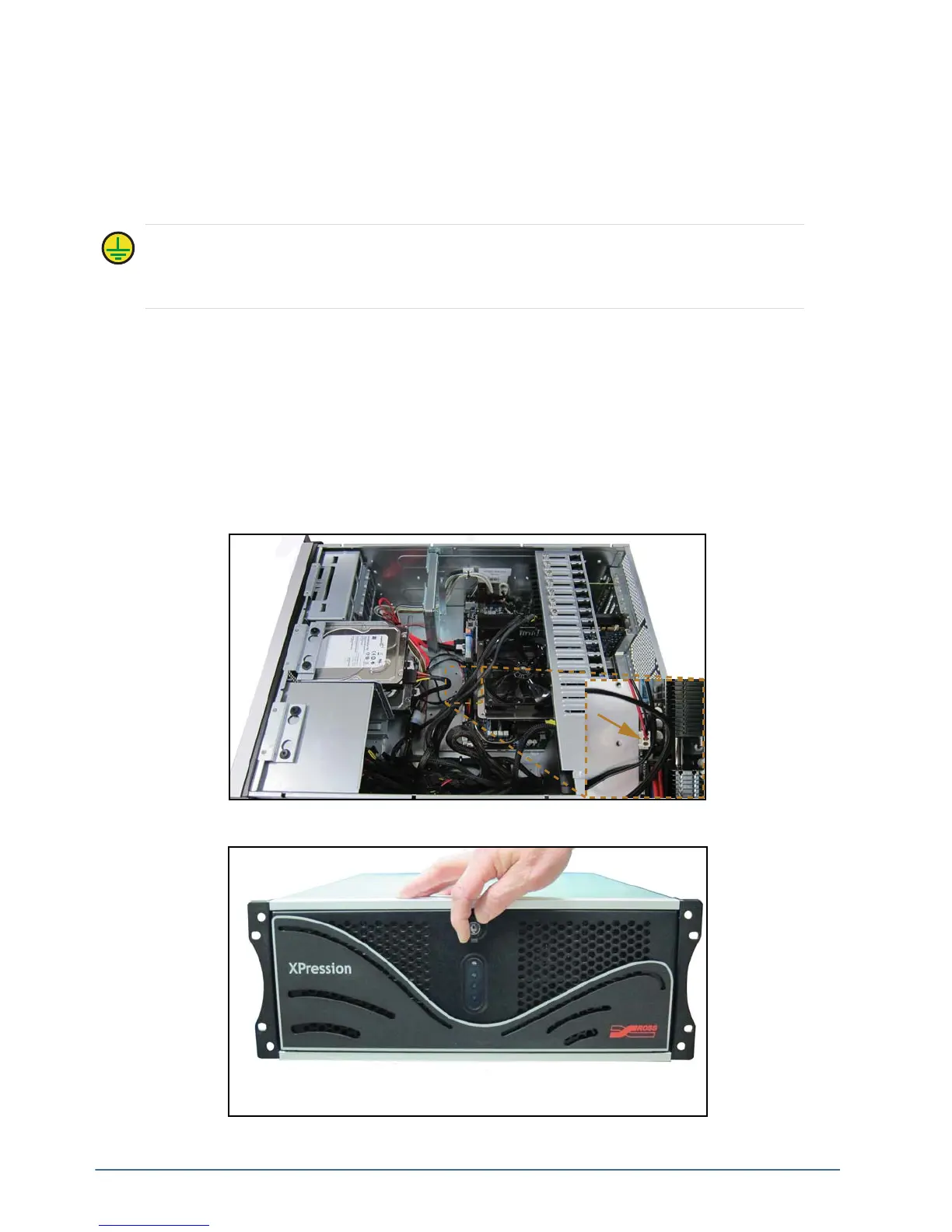
To remove the front chassis fan:
1. Make sure the XPression Prime system is shut down.
2. Remove the top panel from the XPression Prime system. Refer to the section “Removing and Re-Installing
the Top Panel” on page 3–9 for instructions.
3. Disconnect the front chassis fan power supply wire.
4. Open the front door of the XPression Prime system.
Protective Earth — Static discharge can cause serious damage to sensitive devices. Avoid handling
any hard drive in high static environments such as carpeted areas and when synthetic fiber clothing is
worn. Touch the chassis to dissipate static charge before removing hard drives from the system, and
exercise proper grounding precautions when working around the XPression system.



 To Next Page