3–16 • Maintenance XPression Prime Maintenance Guide (v01)
6. Connect the front chassis fan power supply wire.
7. Replace the top panel. Refer to the section “Removing and Re-Installing the Top Panel” on page 3–9 for
instructions.
Accessing the USB Security Dongle
You may be required to remove or replace the USB security dongle if instructed to do so by Ross Video Technical
Support.
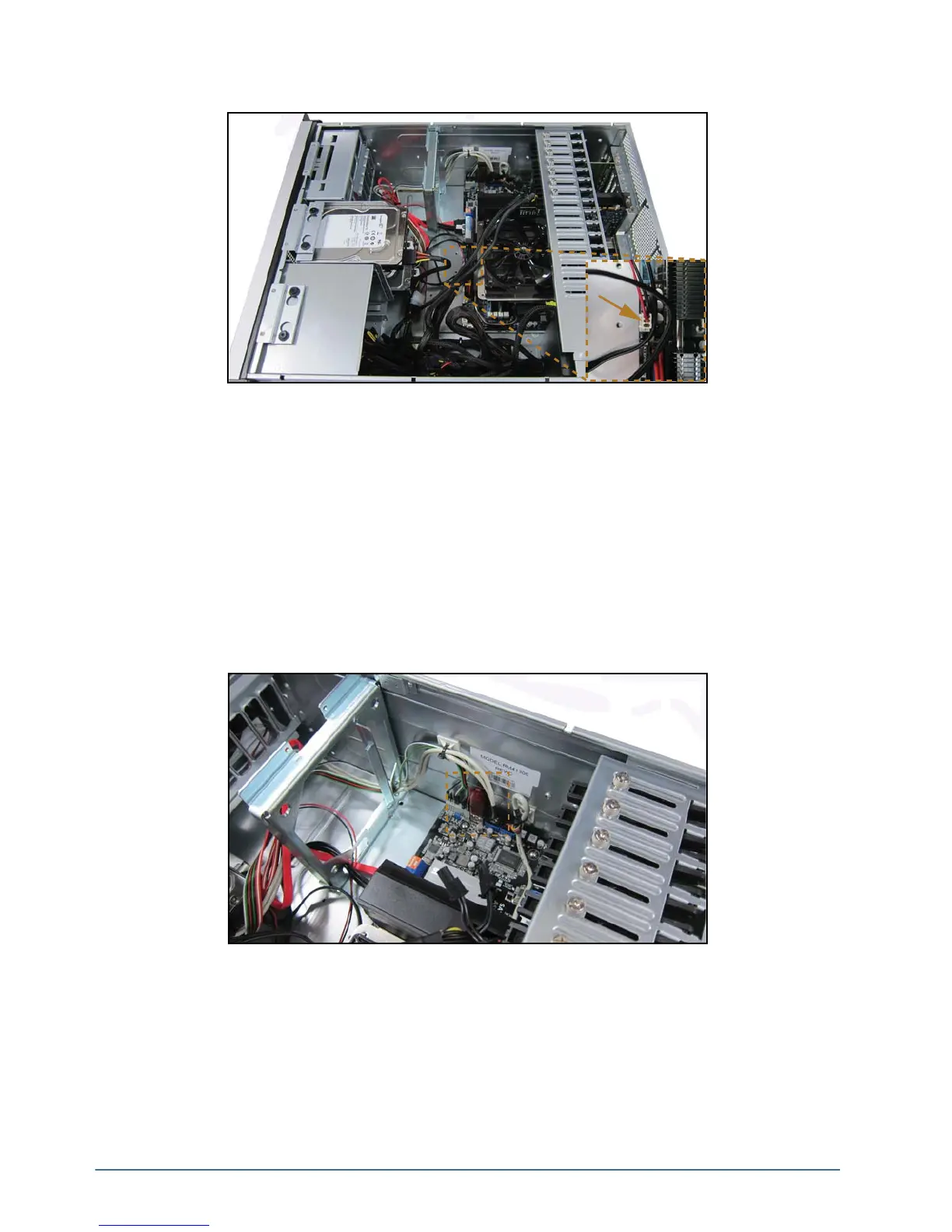
To access the USB security dongle:
1. Remove the top panel from the XPression Prime system. Refer to the section “Removing and Re-Installing
the Top Panel” on page 3–9 for instructions.
2. The USB security dongle is located inside the chassis behind the front chassis fan. The security dongle
connects to the XPression Prime system via a USB interface. Remove and replace the security dongle as
instructed by Ross Video Technical Support.
Use the additional USB interface to install an additional dongle if necessary.
3. Replace the top panel. Refer to the section “Removing and Re-Installing the Top Panel” on page 3–9 for
instructions.



 To Next Page