LOKA HAHB remote control
EN
85
Installation and user manual
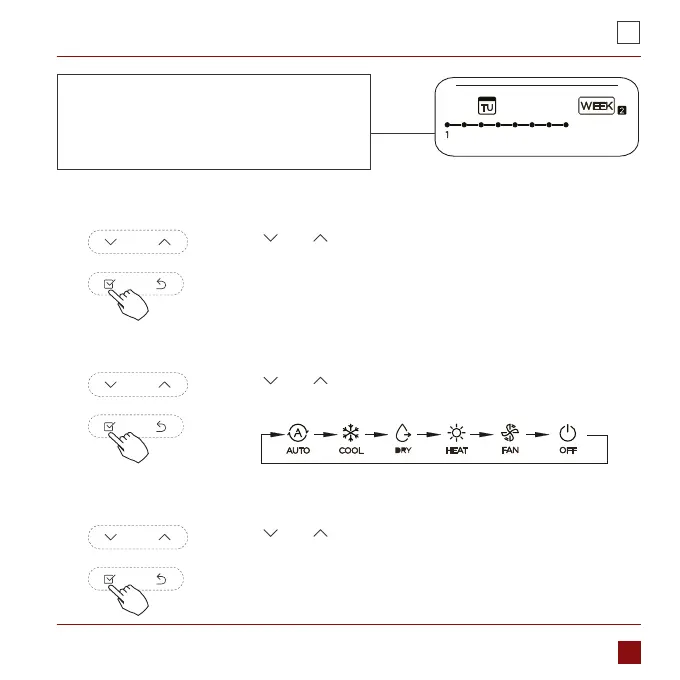
IMPORTANT: Up to 8 scheduled events can
be set on one day. Various events can be
scheduled in either MODE, TEMPERATURE
and FAN speeds.
ex.Tuesday time scale 1
Press „ ” or „ ” to set the time then press CONFIRM.
4. Time setting
Press „ ” or „ ” to set the operation mode then press
CONFIRM.
5. Operation mode setting
Press „ ” or „ ” to set the room temperature then press
CONFIRM.
NOTE: This setting is unavailable in the FAN or OFF modes.
6. Room temperature setting



 To Next Page