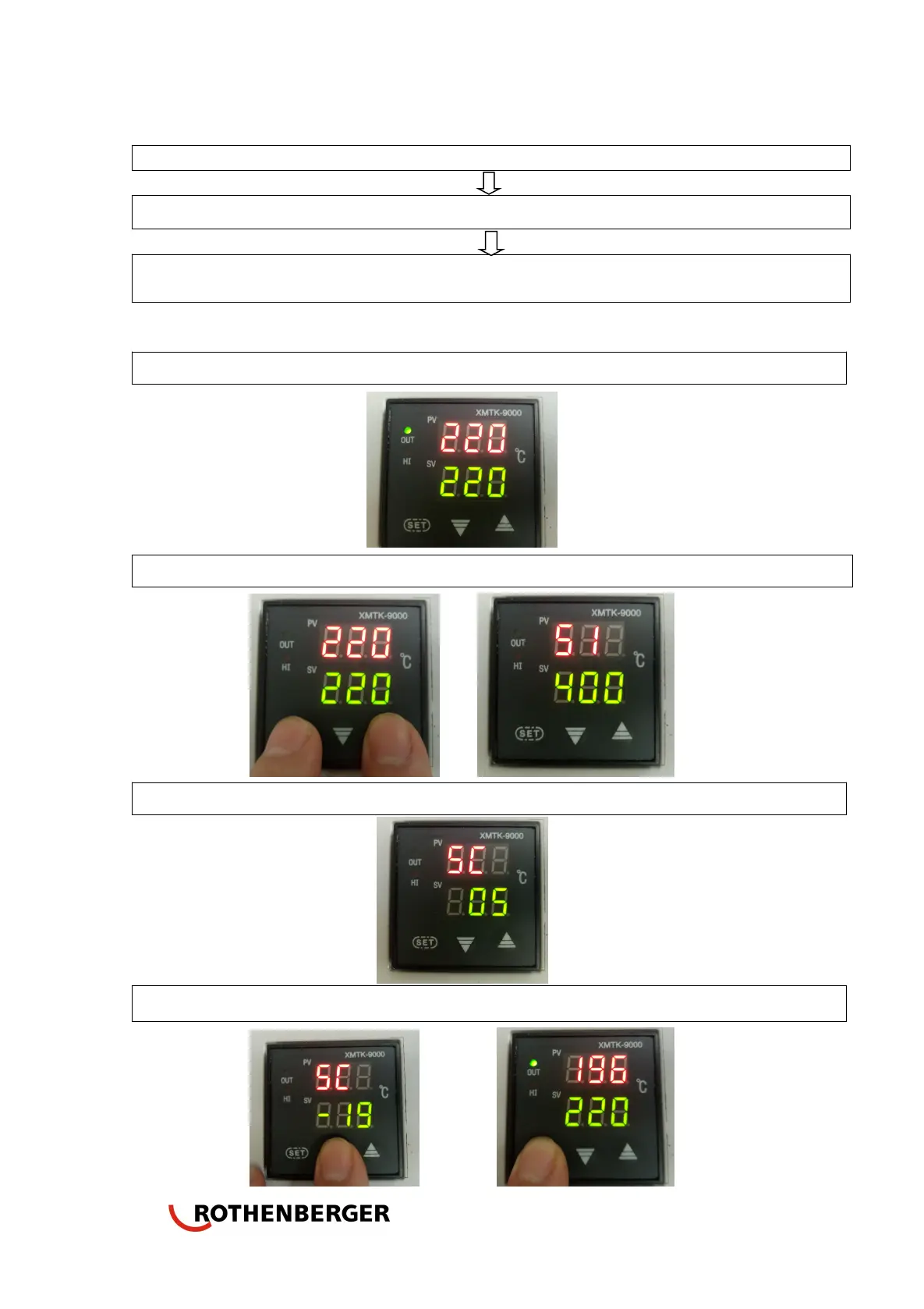
4.3 Temperature controller setting
(1)Temperature controller setting
Press “SET” for more than 4 seconds till “Sd” is shown in the upper window
Press “△” or “▽”key, enter the setting temperature, and press "SET" to confirm
(2)Deviation Correction of temperature Control instrument
Press “SET” for more than 3 seconds till “SI” is shown in the upper window
Press “SET” till “SC” is shown in the upper window
Press “△” or “▽”key, enter temperature correction value, press "SET" key to confirm




 To Next Page