Installation & Maintenance Instructions
32
X
10.5 Set Output Torque/Thrust (cont'd)
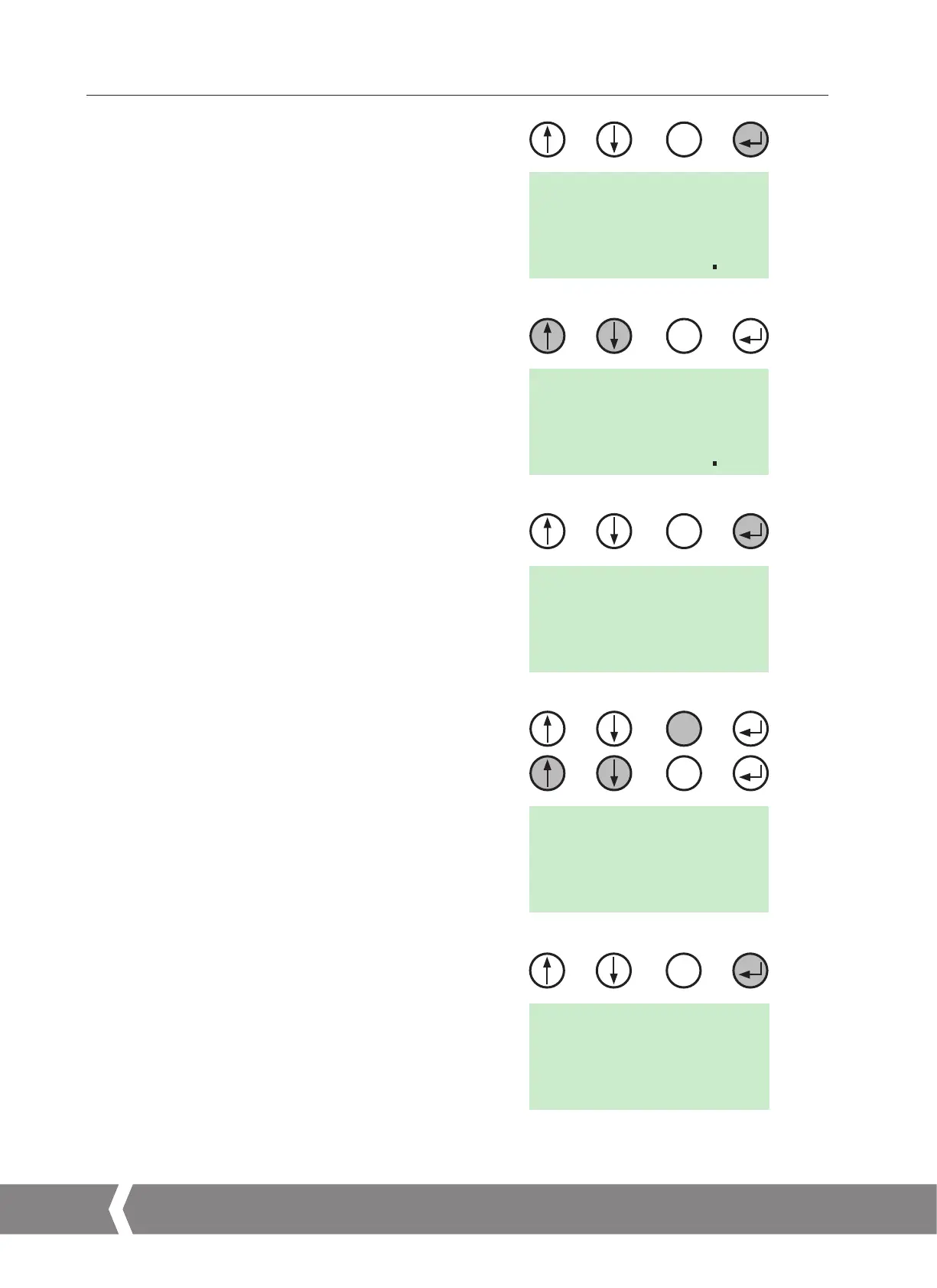
If the Close Torque/Thrust value requires adjustment
press ENTER.
The actuator is now in EDIT Mode and the parameters
can be modified.
Use the UP/DOWN buttons until the correct Torque/Thrust
Value is displayed.
Press ENTER to save the changes. Visually confirm that the
parameter is saved.
Press CANCEL to return to previous menu.
Use UP/DOWN buttons until TORQ O or THRSTO is displayed.
Press ENTER to view the Open output Torque or Thrust
set value.
The Torque or Thrust Output is adjustable between 60% and
150% of its rated value.
Fig 10.16 shows the Opening Torque value set to 100% of its
rated value.
Press ENTER to change the Open Torque or Thrust set value.
NOTE: When the Torque/Thrust is selected above
the 100% Rated value this additional effort is only
available at the end of travel to seat the valve for tight
shut off applications.
NOTE: The output Torque or Thrust setting must be
sufficient to operate the valve under full working
process conditions.
X
X
X
LOCAL
TORQ
O
X
LOCAL
TO 100
%
VIEW
LOCAL
TC 600
%
EDIT
LOCAL
TC 700
%
EDIT
LOCAL
SAVED
VIEW
X
Fig 10.12
Fig 10.13
Fig 10.14
Fig 10.15
Fig 10.16
10. Basic Setup
A4US
US
A4
US A4
US
A4


 To Next Page